

Computer & Office
Upgrade Your Workspace
Discover premium computer essentials and office supplies designed to boost your productivity and style.
Explore Gear
.webp)
Discover premium computer essentials and office supplies designed to boost your productivity and style.
Explore Gear
Standard delivery charges apply.
Secure handling guaranteed.
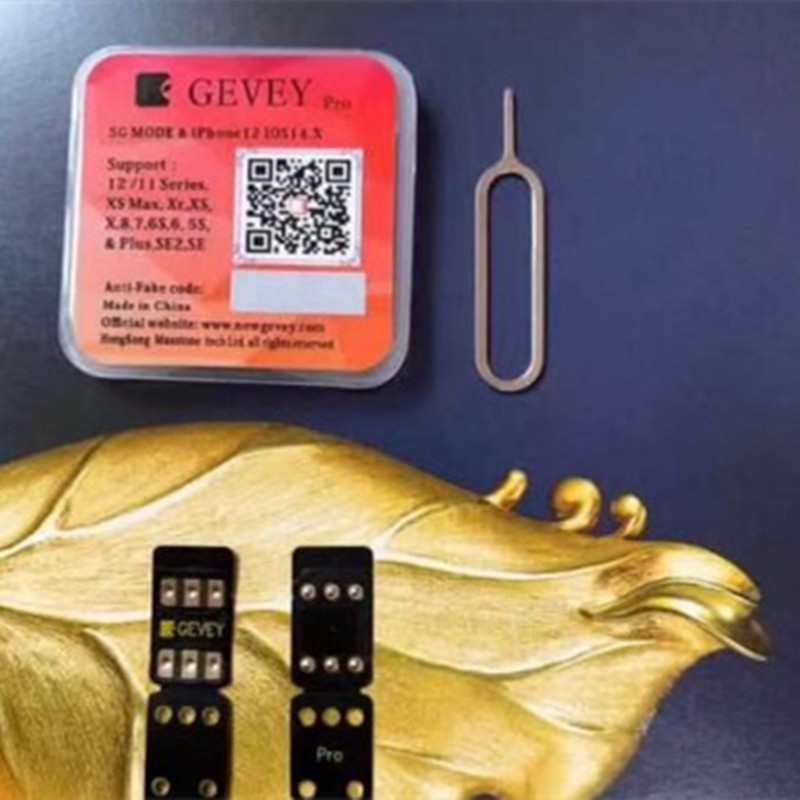
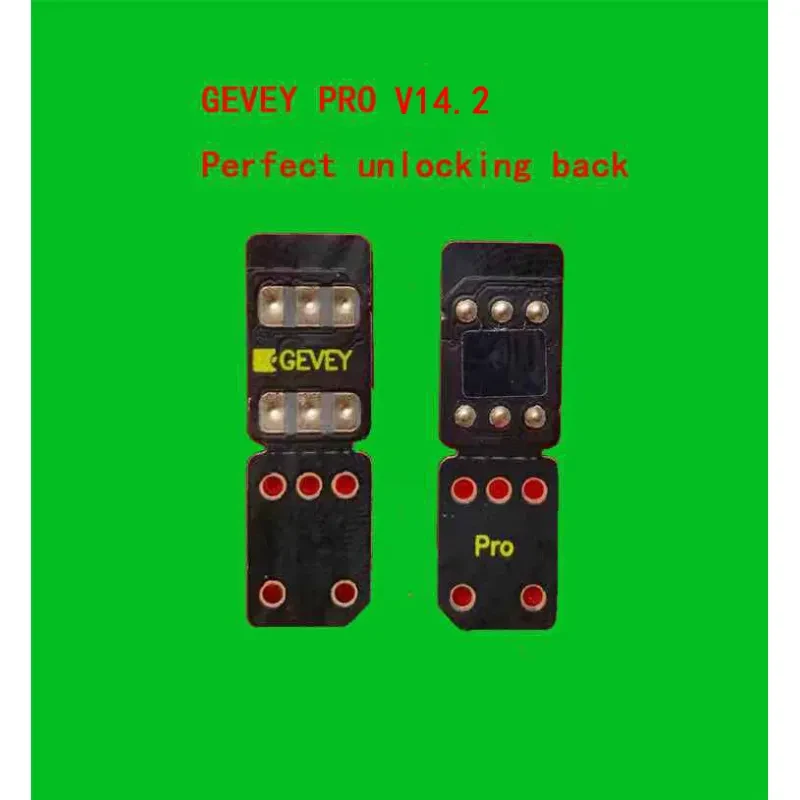
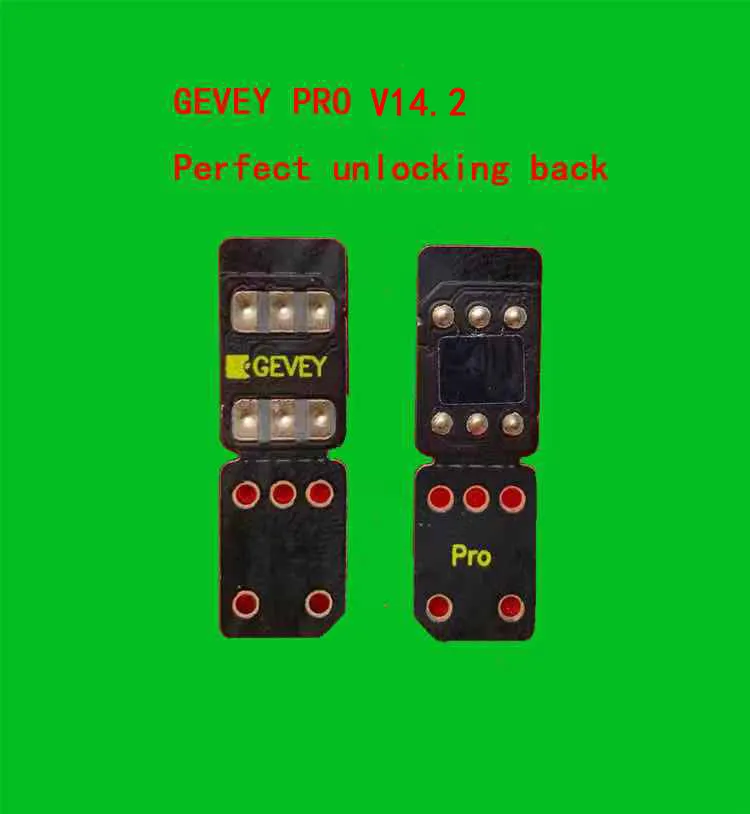
The Gevey SIM Unlock Sticker has emerged as a revolutionary solution for iPhone users who find themselves restricted by carrier locks. Dealing with a locked device can be incredibly frustrating, especially when you want the freedom to choose your own network provider or travel internationally without exorbitant roaming fees. This ultra-thin, highly sophisticated electronic chip is designed to sit discreetly beneath your original SIM card, acting as a bridge that bypasses carrier restrictions. By utilizing the Gevey SIM Unlock Sticker, you can unlock the full potential of your hardware across a vast range of models, from the classic iPhone 6S all the way up to the latest flagship iPhone 15 Pro Max. This tool eliminates the need for expensive official unlocking services or risky software jailbreaking, providing a hardware-based fix that is both stable and reliable for daily use.
The technology behind this device is rooted in advanced ICCID and IMSI manipulation. Unlike software hacks that can be wiped during a factory reset, the Gevey SIM Unlock Sticker works at the hardware interface level. It mimics the signals required by the iPhone’s baseband to recognize the inserted SIM as a "valid" carrier-approved card. This process is seamless and does not interfere with the phone's internal circuitry or void its warranty in the same way that opening the device would. The black, sleek design ensures it fits perfectly into the nano-SIM tray without causing any physical strain on the pins, ensuring long-term durability for users who frequently switch devices or travel between different geographic regions.
One of the most impressive features of this specific tool is its universal compatibility. While many older bypass chips were limited to specific iOS versions or older chipsets, this updated version is designed to handle the complexities of modern 5G networks and Intel or Qualcomm modems. Whether you are using an iPhone 11 with a 4G LTE connection or the high-speed 5G capabilities of an iPhone 14 Pro Max, the sticker maintains a stable signal. It supports a wide array of global carriers, making it the go-to choice for refurbished phone sellers and international business travelers who need their devices to work on local networks instantly.
| iPhone Series | Support Status | Network Type |
| iPhone 6S / 6S Plus | Fully Supported | 4G / LTE |
| iPhone 7 / 7 Plus | Fully Supported | 4G / LTE |
| iPhone 8 / 8 Plus | Fully Supported | 4G / LTE |
| iPhone X / XR / XS Max | Fully Supported | 4G / LTE |
| iPhone 11 / 12 Series | Fully Supported | 4G / 5G |
| iPhone 13 / 14 Series | Fully Supported | 5G Stable |
| iPhone 15 / 15 Pro Max | Fully Supported | 5G Optimized |
Setting up your device with the Gevey SIM Unlock Sticker is a straightforward process, but it requires a delicate touch. First, ensure your iPhone is updated to the latest available iOS version to ensure maximum compatibility with the current ICCID protocols. Carefully place the thin black sticker onto the SIM tray, ensuring the gold contacts are aligned with the tray's layout. Place your local SIM card on top of the sticker and gently slide the tray back into the phone. Within a few moments, a pop-up menu usually appears, allowing you to select the appropriate mode for your specific carrier. Once configured, the phone will search for the network and display the signal bars, indicating a successful bypass.
| Feature | Performance Level |
| Signal Retention | 98% Stability |
| Data Speed | Full Carrier Speed |
| Hotspot Sharing | Supported |
| iMessage / FaceTime | Fully Functional |
| Battery Impact | Negligible |
[BUYER_GUIDE]
When you are in the market for a hardware bypass solution, understanding the nuances of the Gevey SIM Unlock Sticker is essential to ensure you don't waste money on inferior imitations. The first thing any buyer must verify is the build quality of the flexible printed circuit (FPC). High-quality stickers, like the one featured here, use premium materials that are thin enough to fit into the precision-engineered SIM slots of modern iPhones without forcing the mechanism. If a sticker is too thick, it can damage the internal pins of your phone's motherboard, leading to a very expensive repair. Always look for the sleek black finish and the specific branding that indicates it is a genuine "Pro" or "5G Mode" compatible chip.
Another critical factor to consider is the software support and the ability to update the ICCID. Apple frequently patches its activation servers to block bypass methods. A superior Gevey SIM Unlock Sticker comes equipped with a programmable chip that allows the user to manually enter new ICCID codes if the old ones become obsolete. This ensures that your investment is future-proof. Buyers should also check if the tool supports "Auto-Edit" or "Manual-Edit" modes. Auto-edit is perfect for beginners who want a quick setup, while manual-edit is vital for power users who might need to tweak settings to get a stable 5G signal on specific carriers like T-Mobile, Verizon, or international providers in Asia and Europe.
Reliability of signal is perhaps the most important aspect of a buyer's decision-edge. Many cheap bypass cards suffer from "signal dropping," where the phone suddenly loses connection and requires a restart or re-insertion of the SIM tray. This happens because the chip cannot maintain the handshake with the tower. Our recommended sticker is optimized with a high-performance micro-controller that maintains a persistent connection. This is especially important for users of the iPhone 12 through 15 series, where 5G logic is more complex. You want a tool that allows you to use your phone exactly like an unlocked factory device, including the use of personal hotspots, iMessage, and FaceTime without any activation errors.
Lastly, you must consider the compatibility range. It is much more cost-effective to buy a universal tool that covers everything from the 6S to the 15 Pro Max rather than buying model-specific stickers. This versatility is perfect for families with different iPhone models or for someone who plans to upgrade their phone soon. By choosing a universal Gevey SIM Unlock Sticker, you ensure that even if you switch from an iPhone 11 to an iPhone 14, your unlocking tool remains relevant. Always ensure the package includes a SIM ejector tool and clear instructions, as the initial setup is the most sensitive part of the process. Investing in a quality tool today saves you from the headache of carrier contracts and expensive roaming fees tomorrow.
[FAQS]
Q: Does this sticker work on the latest iOS version?
A: Yes, the sticker is designed to be compatible with the latest iOS updates. It utilizes current ICCID bypass methods that work across modern system versions for iPhone 6S through 15 Pro Max.
Q: Will I lose my unlock if I restart my iPhone?
A: No, the unlock is persistent. Once the configuration is set and the phone recognizes the network, you can restart your device as many times as needed without losing the signal.
Q: Can I use my mobile hotspot with this unlock sticker?
A: Yes, in most cases the personal hotspot functionality remains fully accessible. This depends slightly on your carrier's plan, but the sticker itself does not block hotspot data sharing.
Q: Is it necessary to jailbreak my iPhone to use this?
A: Not at all. This is a hardware-based solution that works independently of the phone's software file system. Your device remains in its original state, and your security is not compromised.
Q: What should I do if the SIM tray feels tight?
A: If the tray feels tight, do not force it. Ensure the sticker is perfectly flat and aligned with the SIM card. The sticker is designed to be ultra-thin to prevent this specific issue.
Q: Does this tool work with 5G data speeds?
A: Yes, this model is specifically optimized for 5G Mode. On compatible devices like the iPhone 12, 13, 14, and 15 series, you can enjoy full 5G speeds provided by your local network.
Q: Can I change my SIM card to a different one later?
A: Yes, you can switch SIM cards. However, you may need to go through the quick setup menu again to ensure the new carrier's settings are correctly applied to the bypass chip.
Q: Will this unlock my iCloud locked phone?
A: No, this tool is strictly for bypassing carrier and network locks. It cannot remove iCloud Activation Locks or bypass "Find My iPhone" security features.
We deliver your orders quickly, safely, and securely. Most orders arrive within 7–21 working days. Local deliveries may arrive sooner.
Delivery times may vary based on location, order volume, and courier schedules. Some rural areas may take longer.
If your order hasn't arrived within the estimated timeframe, please contact us: contact@giftdeal.com.au
No FAQs available for this product yet.
Buyer guide not available for this product.