

Computer & Office
Upgrade Your Workspace
Discover premium computer essentials and office supplies designed to boost your productivity and style.
Explore Gear
.webp)
Discover premium computer essentials and office supplies designed to boost your productivity and style.
Explore Gear
Standard delivery charges apply.
Secure handling guaranteed.
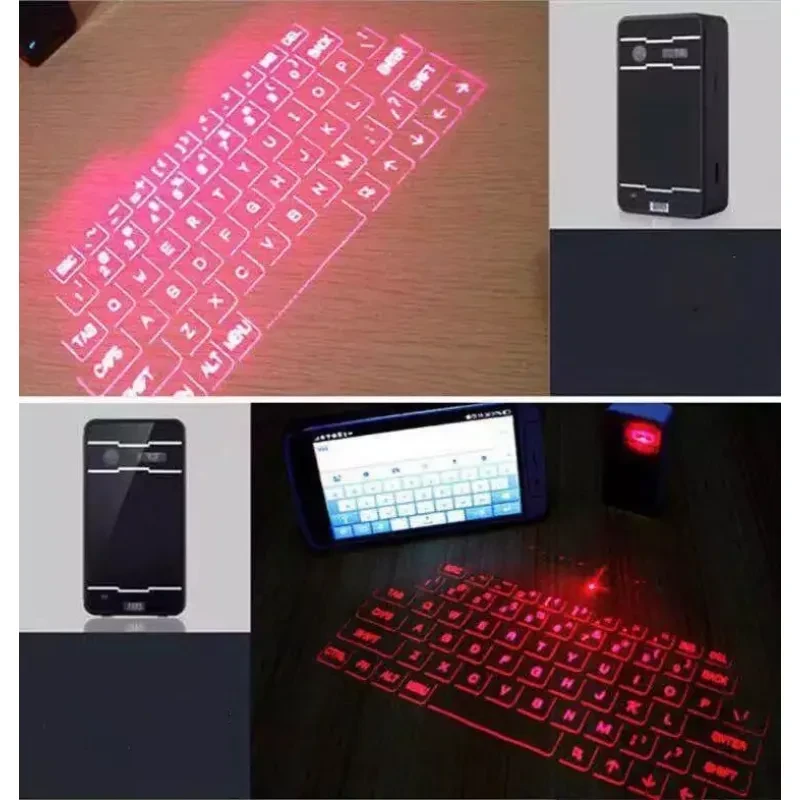
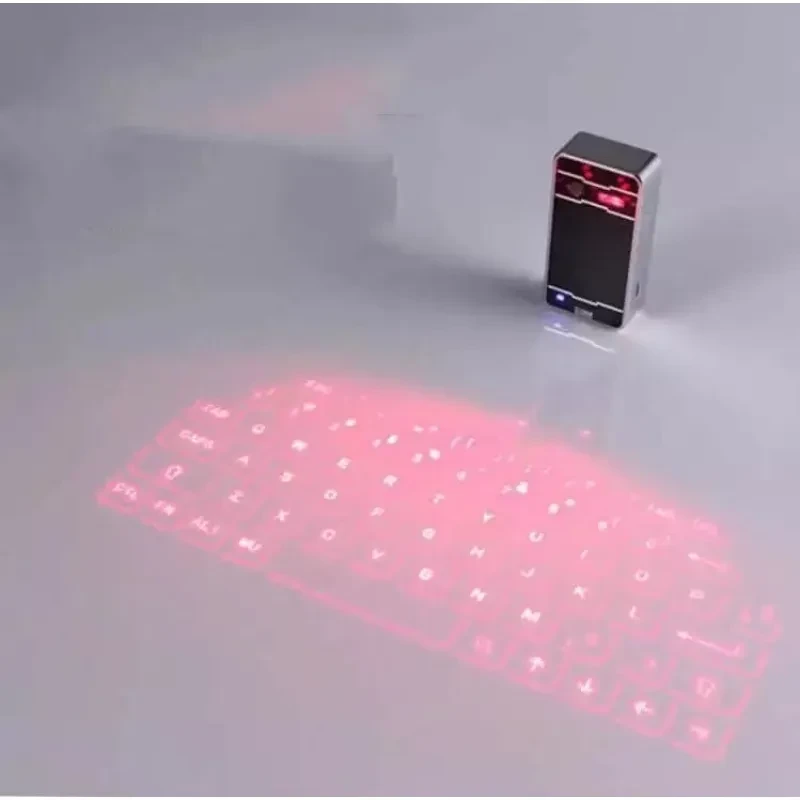
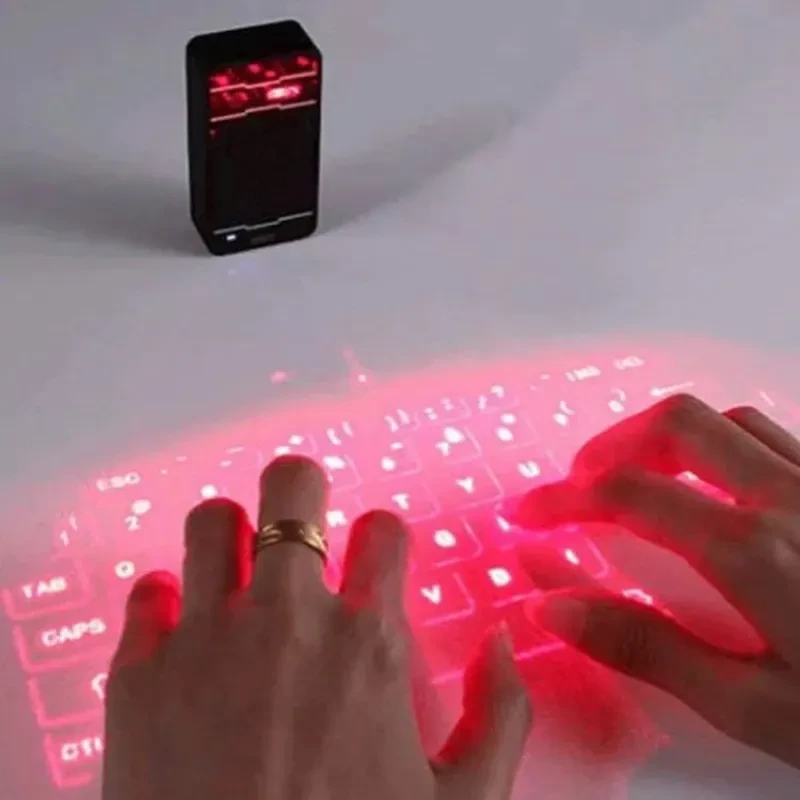
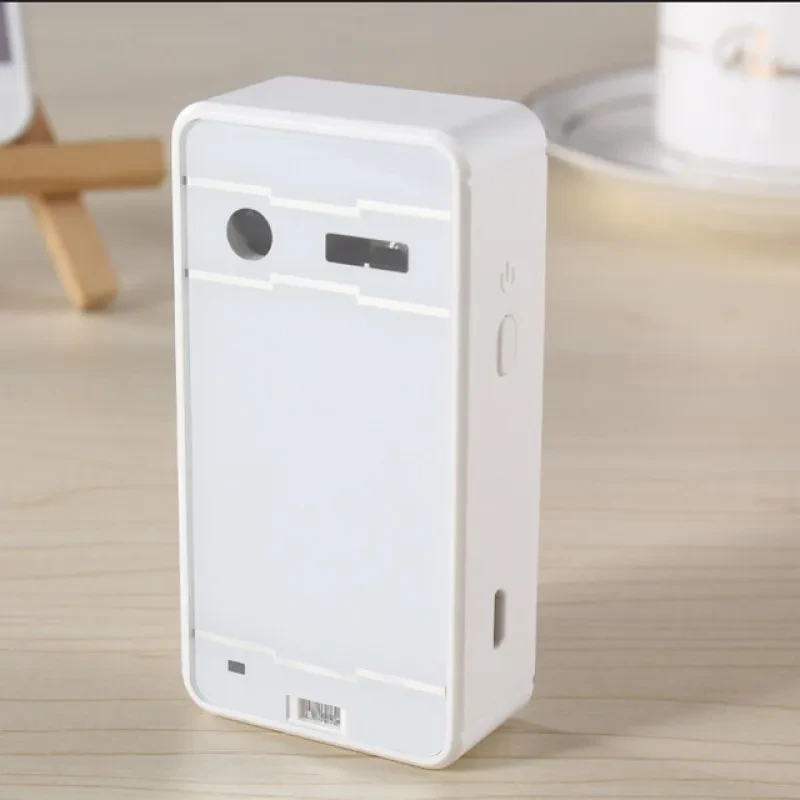
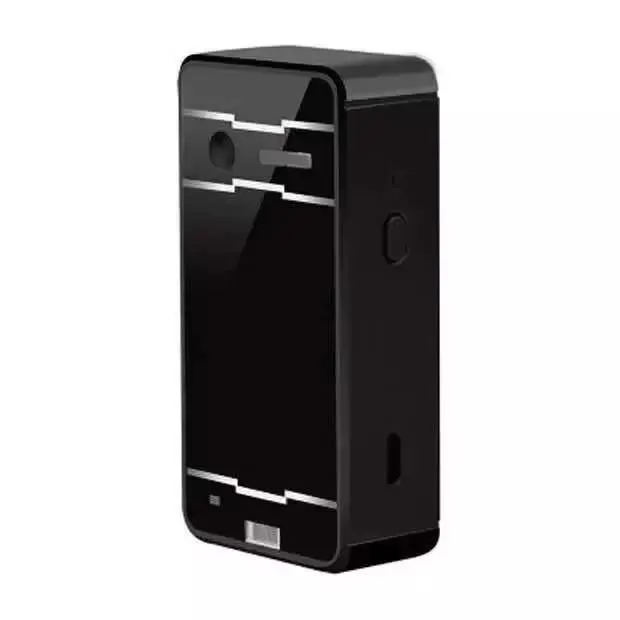
The Laser Projection Keyboard is a groundbreaking piece of technology designed to bring futuristic efficiency to your modern workspace. By utilizing advanced optical recognition and laser sensors, this compact device transforms any flat, opaque surface into a full-sized virtual typing area. It is specifically engineered for those who want to eliminate the bulk of traditional hardware without sacrificing the speed and familiarity of a standard QWERTY layout.
Equipped with seamless Bluetooth connectivity, the Laser Projection Keyboard pairs effortlessly with a wide range of devices, including smartphones, tablets, and laptops. Its lightweight, portable design makes it an essential tool for travelers and professionals who need to maintain high levels of productivity on the move. Whether you are drafting an email in a coffee shop or delivering a high-stakes presentation, this virtual interface ensures you have a professional setup anywhere you go.
One of the standout attributes of this device is its multifunctional capability. Unlike standard keyboards, the Laser Projection Keyboard includes a built-in voice speaker and integrated mouse functionality. This allows you to navigate your screen and receive audible typing feedback simultaneously, creating a truly intuitive user experience. The high-performance laser ensures that every "keystroke" on your desk is registered with impressive accuracy, providing a responsive feel that rivals physical keys.
Crafted from premium ABS material, the device is both sturdy and stylish, fitting perfectly into a minimalistic desk setup. The Laser Projection Keyboard is powered by a high-capacity internal battery, allowing for hours of continuous use on a single charge. Its compact dimensions mean it can slip into a pocket or laptop bag without adding noticeable weight, making it the ultimate space-saving alternative for the modern tech enthusiast.
| Feature | Detailed Specification |
| Model Category | Universal General Purpose |
| Connection Type | Bluetooth Wireless / USB Wired |
| Material Construction | High-Grade ABS |
| Keyboard Layout | Virtual QWERTY Projection |
| Additional Modes | Mouse Function & Voice Speaker |
| Waterproof Rating | Not Waterproof (Use in Dry Areas) |
| Device Compatibility | Smartphones, Tablets, Laptops, PCs |
| Special Features | Voice Broadcast Feedback |
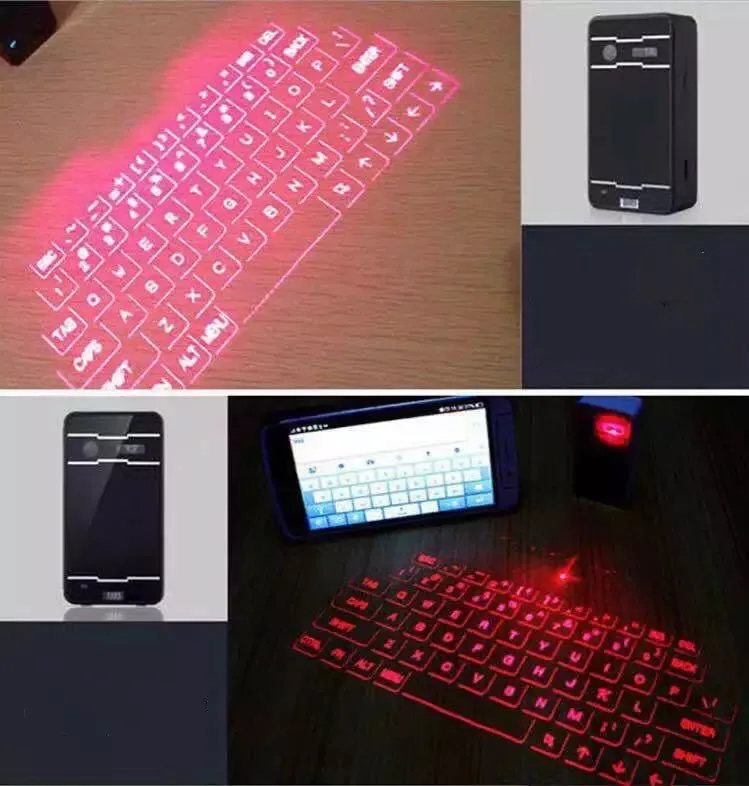
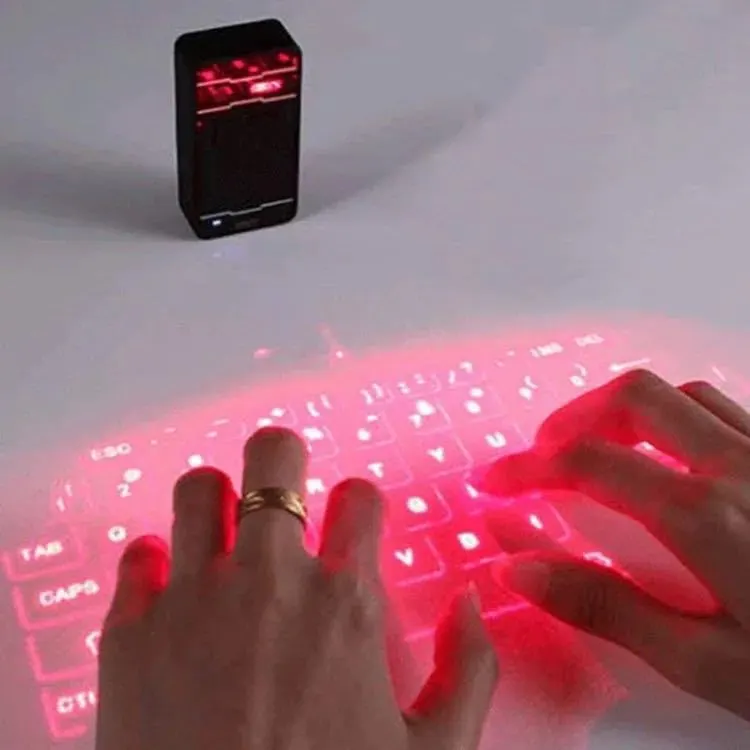
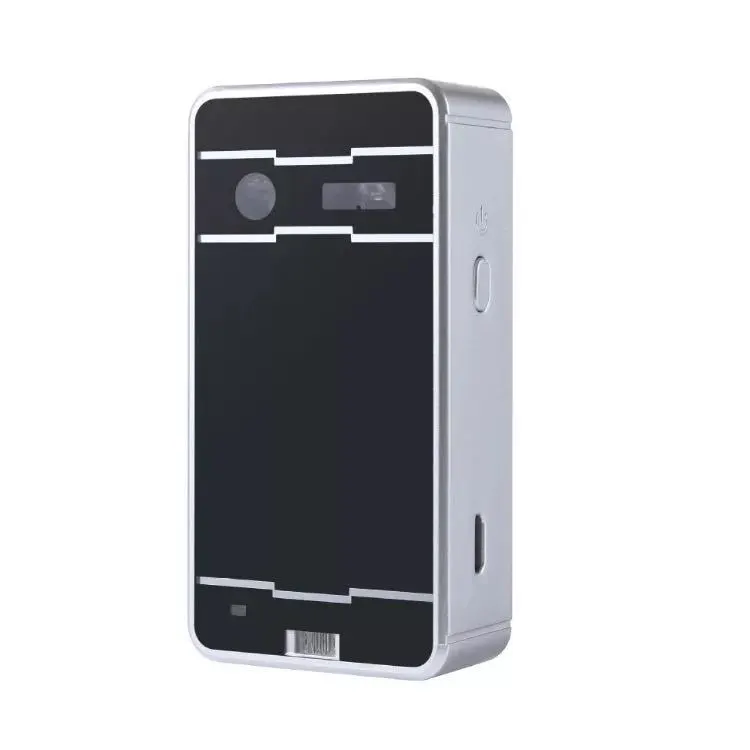
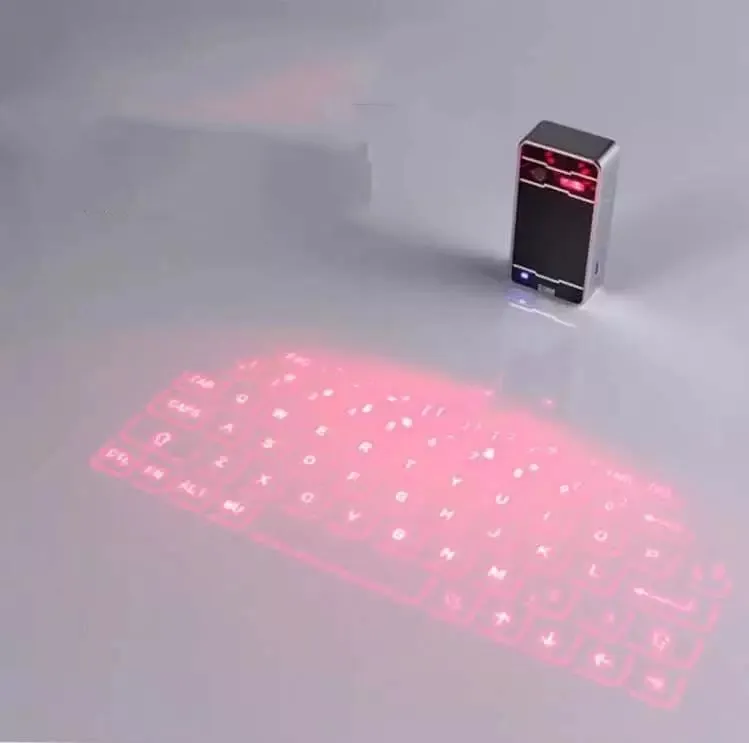
When you are considering the purchase of a Laser Projection Keyboard, the most important factor to evaluate is the surface compatibility. This device works best on flat, non-reflective, and opaque surfaces. If you try to use it on glass or highly polished wood, the laser sensors may struggle to track your finger movements accurately. A matte desk or even a simple piece of paper can act as the perfect canvas. For a buyer, understanding that the environment dictates the performance is key to enjoying the futuristic feel of a virtual keypad.
Connectivity and compatibility are the next pillars of a smart purchase. Since this keyboard uses a standard Bluetooth interface, it is designed to be "universal," meaning it works across Android, iOS, Windows, and macOS. However, always check if your specific device supports external Bluetooth HIDs (Human Interface Devices). Most modern smartphones and tablets do, but if you are planning to use it with an older PC, you might need a simple USB Bluetooth dongle. The flexibility of having both a wireless and a wired connection option ensures that you are never left without a way to type, regardless of the tech you are using.
The secondary functions of the Laser Projection Keyboard add significant value that many buyers overlook. The integrated mouse mode allows you to control your cursor directly from the projection area, which is a massive advantage when using a tablet as your primary workstation. Furthermore, the voice broadcast feature is not just a gimmick; it provides tactile reassurance. Since you aren't hitting physical buttons, the audible "click" or letter announcement helps your brain confirm that the input was successful, which can significantly improve your typing speed over time.
Lastly, you should consider the portability and battery life for your specific needs. This device is meant to be a travel companion. Its durable ABS shell protects the sensitive laser diodes inside from minor bumps in your bag. While it is not waterproof, its rugged build is more than enough for office and home environments. If you are someone who values a "clean desk" aesthetic or frequently works from hotel rooms and airplanes, the space-saving nature of a virtual keyboard is unbeatable. It is an investment in innovation that simplifies your mobile office setup while providing a "wow" factor that physical keyboards simply cannot match.
Q: Does the Laser Projection Keyboard work in bright sunlight?
A: The projection is most visible in indoor environments or dimmed lighting. Because it uses laser light to create the image, direct sunlight can wash out the projection, making it difficult to see the keys clearly.
Q: Is it difficult to learn how to type on a flat surface?
A: There is a short adjustment period since there is no physical travel in the keys. However, the built-in voice speaker provides audio feedback for every keypress, which helps most users get up to their normal typing speed within a few hours.
Q: Can I use the mouse and keyboard functions at the same time?
A: The Laser Projection Keyboard allows you to switch between keyboard and mouse modes easily. This allows for seamless navigation and typing, although the specific gesture controls may vary slightly depending on your operating system.
Q: How do I charge the device?
A: The device typically charges via a standard USB cable. You can connect it to your laptop, a power bank, or a wall adapter. It can also be used in "wired mode" while it is charging.
Q: Will the laser projection hurt my eyes?
A: No, the laser used for the projection is a low-power Level 1 laser, which is safe for standard use. However, like any light-emitting device, you should avoid looking directly into the projector lens while it is powered on.
Q: Does it support different languages or layouts?
A: This specific model projects a standard English QWERTY layout. While your device's software might allow for different input languages, the physical (projected) image will remain the standard QWERTY format.
Q: Is the Bluetooth pairing process complicated?
A: Not at all. The Laser Projection Keyboard enters pairing mode automatically when turned on. You simply find it in your device’s Bluetooth settings and hit "Connect" without needing any special drivers.
Q: What is the benefit of the ABS material used in the casing?
A: ABS is a high-strength plastic that is resistant to physical impacts and heat. This ensures that the internal laser components remain protected while keeping the device lightweight enough for extreme portability.
We deliver your orders quickly, safely, and securely. Most orders arrive within 7–21 working days. Local deliveries may arrive sooner.
Delivery times may vary based on location, order volume, and courier schedules. Some rural areas may take longer.
If your order hasn't arrived within the estimated timeframe, please contact us: contact@giftdeal.com.au
No FAQs available for this product yet.
Buyer guide not available for this product.