.webp)
Standard delivery charges apply.
Secure handling guaranteed.
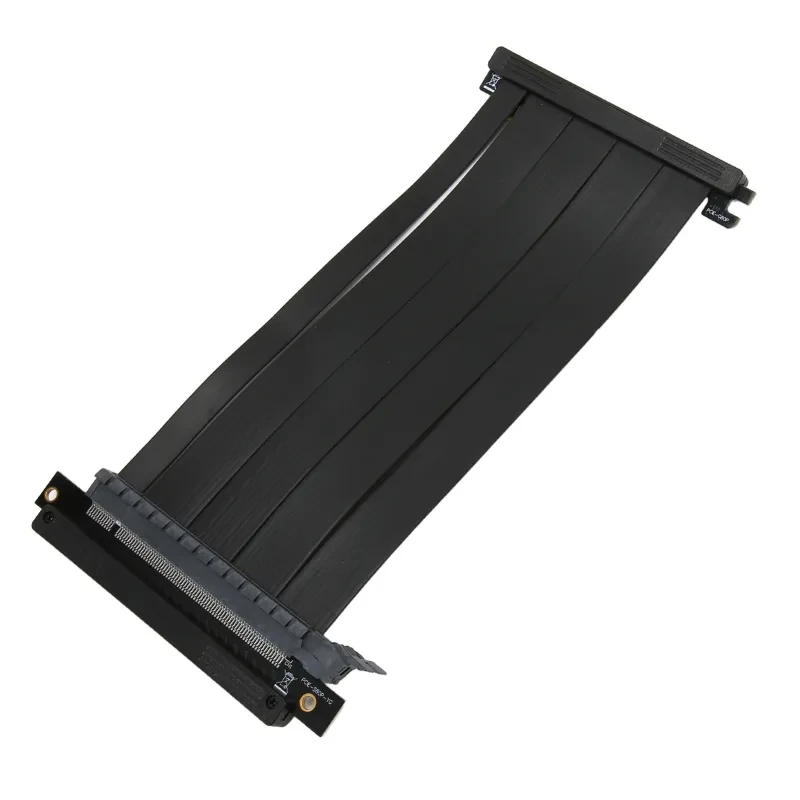
The PCIE4.0 X16 Riser Cable is built for gamers and PC builders who want cleaner layouts, vertical GPU mounting, and reliable high speed signal transmission without compromising performance. It connects your graphics card to the motherboard while maintaining full PCIe Gen4 x16 bandwidth, supporting demanding GPUs such as NVIDIA GeForce RTX 3080 and AMD Radeon RX 6800 XT. This makes it especially useful for modern gaming rigs, workstation builds, and compact cases where space and airflow matter.
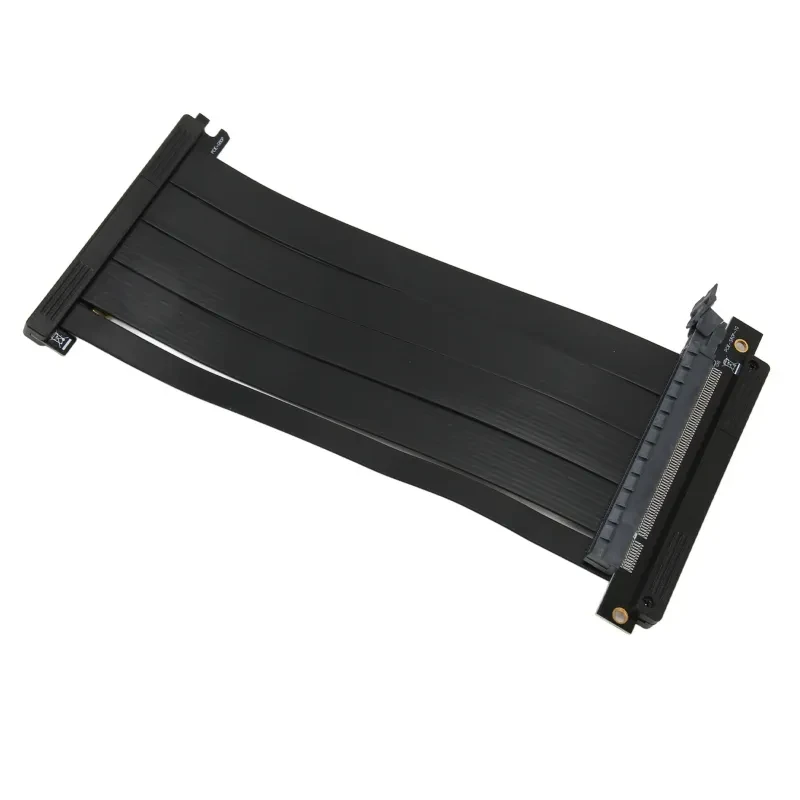
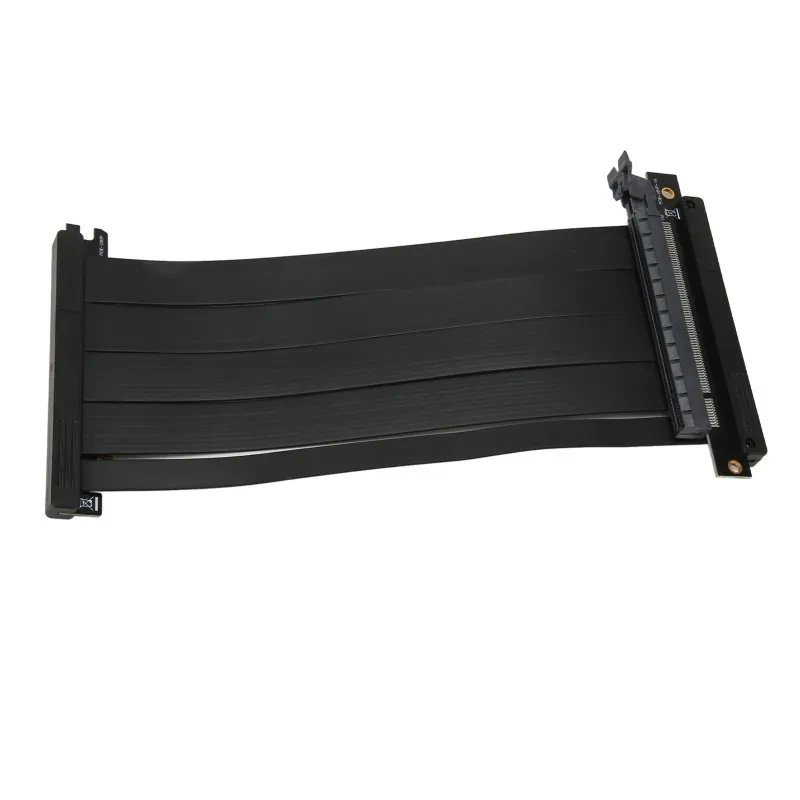
A key highlight is its ultra flexible flat cable design, which allows tight bends and tidy routing inside your chassis. Combined with shielded conductors and gold plated contacts, the cable helps maintain stable signal integrity while reducing interference. The dual reverse orientation also adds versatility for different motherboard layouts. In practice, this means you get a more polished build, better airflow around your GPU, and consistent performance during long gaming sessions or heavy rendering workloads.
One of the standout aspects of the PCIE4.0 X16 Riser Cable is its full PCIe Gen4 x16 compatibility. This ensures that high bandwidth GPUs can operate at their intended speeds without bottlenecks. For users running high end cards like NVIDIA GeForce RTX 3090, maintaining signal integrity across the extension is essential for stable frame rates and reliable compute performance. The cable is also backward compatible with PCIe 3.0 and earlier standards, which makes it adaptable across a wide range of systems.
Signal shielding is another important benefit. The segmented shielding design reduces electromagnetic interference and radio frequency interference, both of which can degrade performance in dense builds with multiple components. This becomes particularly relevant in cases where power supplies, M.2 drives, and cooling systems are all operating in close proximity. By isolating signal pathways, the cable supports cleaner transmission and reduces the chance of data corruption or instability.
Flexibility plays a major role in usability. The flat ribbon style cable can be folded and routed with ease, making it suitable for compact ITX builds, mid tower setups, and custom vertical GPU mounts. Cable management becomes far less of a headache, and airflow within the case improves because the GPU can be positioned away from the motherboard. Better airflow often translates to lower thermals, which is especially valuable in Australian summer conditions where ambient temperatures can rise quickly.
The gold plated connectors and precision welded contacts enhance conductivity and durability. These contact points help maintain consistent electrical connection over time, even after repeated installation or adjustments. Builders who frequently upgrade components will appreciate the reliability this brings, particularly when swapping GPUs or repositioning hardware.
Another advantage is reduced signal latency and minimal transmission loss. The design supports high speed data transfer rates exceeding 64GB per second bi directional, ensuring that the GPU communicates efficiently with the system. This is crucial for workloads such as 3D rendering, video editing, and modern gaming engines that rely heavily on real time data exchange between CPU and GPU.
Airflow optimisation is also improved through vertical mounting setups. By positioning the graphics card vertically, heat dispersion is less obstructed, allowing case fans and cooling systems to operate more effectively. This contributes to more stable thermal performance across the entire system, not just the GPU.
This PCIE4.0 X16 Riser Cable suits a wide range of PC users, particularly those building visually clean and performance focused systems. Enthusiast gamers who showcase their rigs with tempered glass cases often use vertical GPU mounting to highlight their graphics card while maintaining neat internal layouts.
PC modders and custom builders also benefit significantly. These users often work with compact or uniquely designed cases where space constraints require flexible cabling solutions. The ability to reposition a GPU without compromising performance gives them more freedom in design and airflow planning.
Content creators and professionals working with software such as 3D modelling tools, video editing suites, or simulation environments will appreciate the stability this cable provides. Systems running GPUs like AMD Radeon RX 6900 XT rely on consistent bandwidth, and this riser cable ensures that performance remains steady during intensive workloads.
IT professionals and system integrators building multi GPU setups or custom workstation configurations will also find this cable useful. It allows for cleaner internal layouts and easier maintenance access, which can be important in environments where systems are frequently updated or serviced.
Package includes one graphics card extension cable.
Key specifications include:
Material composed of ABS housing and PCB based internal structure.
Cable length approximately 200 millimetres.
Interface type PCI Express x16 Gen4 compliant.
Compatibility includes PCIe 4.0, PCIe 3.0, PCIe 2.0, and PCIe 1.0 systems.
Supported platforms include chipsets such as X570, B550, Z690, and B660 along with future compatible architectures.
Suitable for a wide range of GPUs including NVIDIA and AMD models with standard PCIe connectors.
Design includes shielded conductors, gold plated contacts, and dual reverse orientation for flexible installation.
GiftDeal Australia has been serving customers since 2020, building a reputation for reliable service and carefully selected products that suit Australian PC builders. For this PCIE4.0 X16 Riser Cable, the focus is on delivering hardware that meets the expectations of modern gaming and workstation setups. Orders are handled locally, which means faster dispatch times and support that understands your needs. The team curates components that align with performance, compatibility, and practical use, so you can build or upgrade with confidence knowing you are backed by a store that values quality and consistency.
[BUYER_GUIDE]
When evaluating a PCIE4.0 X16 Riser Cable, material quality plays a major role in long term stability. Look for cables that use high grade shielding layers, gold plated connectors, and durable PCB traces that can handle high frequency signal transmission. Materials like ABS housings provide structural protection while maintaining flexibility. A well constructed riser cable should also feature reinforced joints where the connector meets the cable, as this is typically the most stress prone area during installation and repositioning.
Important specifications include PCIe version support, lane configuration, and bandwidth capacity. A true PCIE4.0 X16 Riser Cable should support full x16 lanes to match modern GPUs. Shielding effectiveness, impedance rating around 85 ohm, and cable length also influence performance. Marketing terms often highlight speed, but real value lies in stable signal integrity, backward compatibility, and low interference performance under load.
In the Australian market, pricing can vary depending on build quality and certification. A higher quality PCIE4.0 X16 Riser Cable often provides better shielding and connector precision, which reduces the risk of instability in high performance systems. Paying slightly more generally results in improved reliability, especially for users running powerful GPUs or multitasking workloads.
The PCIE4.0 X16 Riser Cable stands out due to its ability to maintain full bandwidth transmission while enabling vertical GPU mounting. This is particularly useful in modern PC cases that prioritise aesthetics and airflow, such as tempered glass chassis commonly used in Australian gaming setups. The flexible flat cable design allows tight routing without stressing the connectors, which helps maintain consistent performance during long gaming sessions.
Signal shielding is another core strength. Independent shielding channels reduce electromagnetic interference from nearby components like power supplies, M.2 drives, and cooling fans. In high density builds, this separation ensures cleaner communication between the motherboard and GPU. Builders using high end graphics cards like NVIDIA GeForce RTX 4070 benefit from stable throughput, especially when running graphically demanding applications or high refresh rate monitors.
Thermal performance also improves indirectly through better airflow. Vertical mounting positions the GPU away from the motherboard, allowing case fans to circulate air more effectively around critical components. And in warmer Australian climates, this airflow advantage helps maintain more consistent system temperatures during extended use.
Compared to generic riser cables, this option focuses on maintaining signal integrity through enhanced shielding and gold plated connectors. Many lower grade alternatives may struggle with interference or reduced bandwidth under load. In contrast, a properly engineered PCIE4.0 X16 Riser Cable ensures that modern GPUs operate closer to their intended performance levels. The combination of flexible design, stable transmission, and broad chipset compatibility makes it a stronger choice for serious builders.
Installation begins by powering down your system and disconnecting all cables. Carefully connect one end of the riser cable to the motherboard PCIe slot and the other to your GPU. Ensure the connectors are fully seated to avoid any signal issues. Once installed, secure the GPU in its vertical mount or bracket, then power on the system and verify detection in the BIOS or operating system.
Keep the cable neatly routed to avoid sharp bends that could stress internal conductors. Regularly check connections if you move your system or upgrade components. Dust management inside the case also helps maintain airflow and prevents heat buildup around the GPU. For optimal performance, pair the riser cable with well spaced case fans and a quality cooling setup to maintain stable temperatures during heavy workloads.
This PCIE4.0 X16 Riser Cable is well suited for gamers building showcase PCs with vertical GPU displays, particularly those using tempered glass cases popular in Australian desktop setups. It also fits compact system builders who need to optimise internal space while maintaining high performance hardware configurations.
Content creators working with editing software and rendering tools will appreciate the stable data transmission when using GPUs for acceleration tasks. Additionally, professionals assembling workstation PCs for design, simulation, or multi display setups will benefit from the flexibility and compatibility offered. From home offices to gaming rooms, it adapts to a wide range of environments where performance and layout both matter.
GiftDeal Australia focuses on curating components that align with real world usage rather than overwhelming customers with unnecessary complexity. Operating since 2020, the store has built a reliable network for sourcing PC accessories that meet compatibility and performance expectations. Customers benefit from fast domestic shipping, responsive support, and a catalogue that includes a wide range of PC components and accessories. For buyers looking to complete their setup with confidence, GiftDeal provides consistent service and product selection that suits both casual builders and experienced enthusiasts.
[FAQS]
Q: What motherboards are compatible with a PCIE4.0 X16 Riser Cable?
A: A PCIE4.0 X16 Riser Cable works with modern chipsets such as X570, B550, Z690, and B660 that support PCIe lanes. It is also backward
compatible with older PCIe generations like PCIe 3.0 and PCIe 2.0. Motherboards from brands such as ASUS, MSI, and Gigabyte generally
support these standards. Always ensure your motherboard has a full x16 PCIe slot for best performance.
Q: Can this riser cable support high end GPUs like NVIDIA RTX series?
A: Yes, the cable is compatible with high end graphics cards including models from the NVIDIA RTX series such as RTX 3080 and RTX 3090. It
also supports AMD Radeon GPUs like RX 6800 XT and RX 6900 XT. These GPUs rely on stable PCIe connections, which this cable is designed to
maintain. Proper installation ensures consistent performance across gaming and creative workloads.
Q: Does a PCIE4.0 X16 Riser Cable affect GPU performance?
A: When installed correctly, a PCIE4.0 X16 Riser Cable maintains full bandwidth with minimal signal loss. This means GPU performance remains
consistent with direct motherboard installation. Factors such as cable quality, shielding, and connector integrity play a role in
maintaining stability. High quality riser cables are engineered to minimise interference and latency.
Q: Is this riser cable suitable for vertical GPU mounting cases?
A: Yes, it is specifically designed for vertical GPU mounting setups commonly used in modern PC cases. Cases from manufacturers like Lian Li
and NZXT often include vertical mounting brackets. The flexible flat design allows easy routing within tight spaces. This makes it ideal for
showcase builds with tempered glass panels.
Q: What length is ideal for a PCIE4.0 X16 Riser Cable?
A: The included length of around 200 millimetres is suitable for most mid tower and compact PC cases. This length provides enough
flexibility for routing while avoiding excessive slack that could interfere with airflow. Choosing the correct length ensures clean cable
management and stable connections. Measuring your case layout beforehand is always recommended.
Q: Can this cable be used for mining or multi GPU setups?
A: Yes, it can be used in systems that require multiple GPUs or alternative mounting positions. In mining rigs or workstation environments,
riser cables help position GPUs for better spacing and cooling. Compatibility depends on motherboard lane allocation and system
configuration. Stable signal transmission is important in such setups, and this cable supports that requirement.
Q: How do I install a PCIE4.0 X16 Riser Cable safely?
A: Installation involves powering down the system, grounding yourself to avoid static discharge, and connecting the cable firmly into the
PCIe slot. Ensure the GPU is properly aligned and secured in its mount before powering on. Avoid bending the cable sharply near connectors
to maintain signal integrity. Once installed, check BIOS detection to confirm proper operation.
Q: Does this riser cable require additional power or drivers?
A: No additional power or drivers are required for the riser cable itself. It functions as a passive extension that carries data between the
motherboard and GPU. The system recognises the GPU through the standard PCIe interface. Proper seating of connectors is the most important
factor for reliable operation.
Q: Is it suitable for compact builds like Mini ITX systems?
A: Yes, it is well suited for Mini ITX and small form factor builds where space is limited. The flexible flat cable design allows efficient
routing in tight enclosures. It helps position the GPU in ways that improve airflow and internal organisation. Many compact builds rely on
riser cables to achieve clean layouts without sacrificing performance.
We deliver your orders quickly, safely, and securely. Most orders arrive within 7–21 working days. Local deliveries may arrive sooner.
Delivery times may vary based on location, order volume, and courier schedules. Some rural areas may take longer.
If your order hasn't arrived within the estimated timeframe, please contact us: contact@giftdeal.com.au
No FAQs available for this product yet.
Buyer guide not available for this product.