

Computer & Office
Upgrade Your Workspace
Discover premium computer essentials and office supplies designed to boost your productivity and style.
Explore Gear
.webp)
Discover premium computer essentials and office supplies designed to boost your productivity and style.
Explore Gear
Standard delivery charges apply.
Secure handling guaranteed.
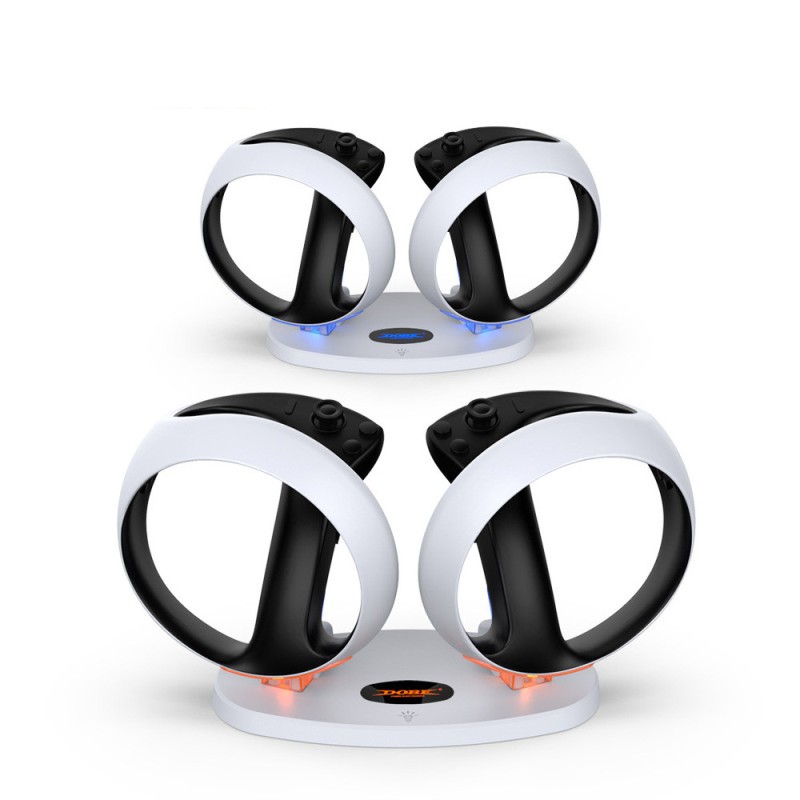
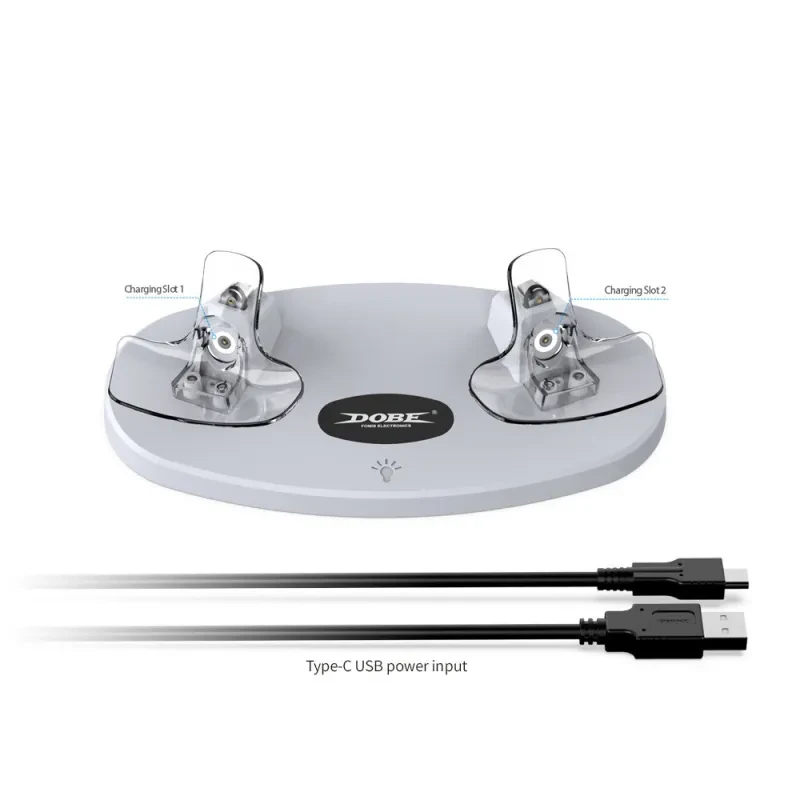
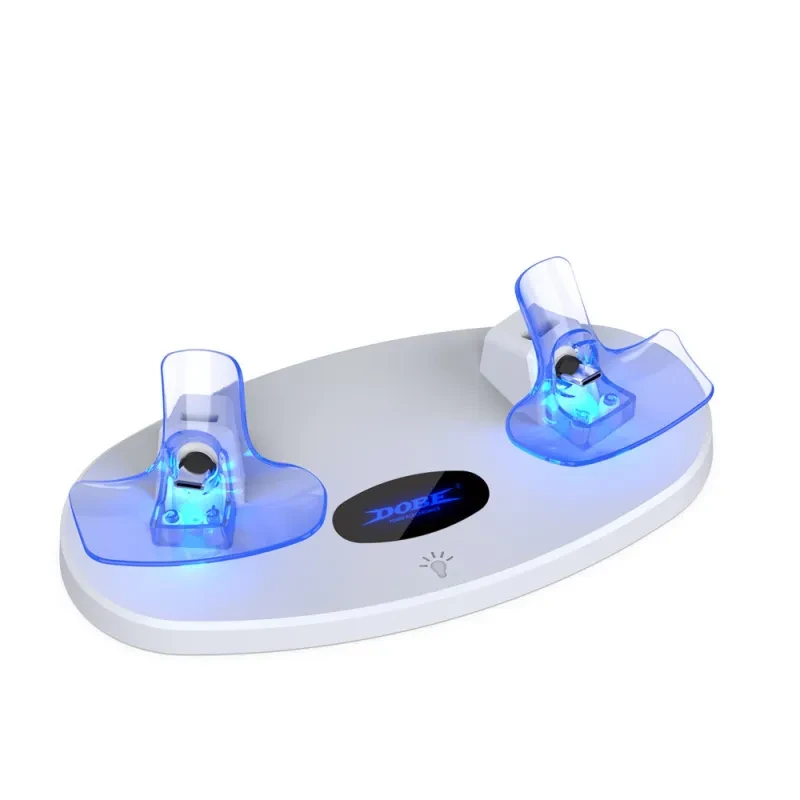
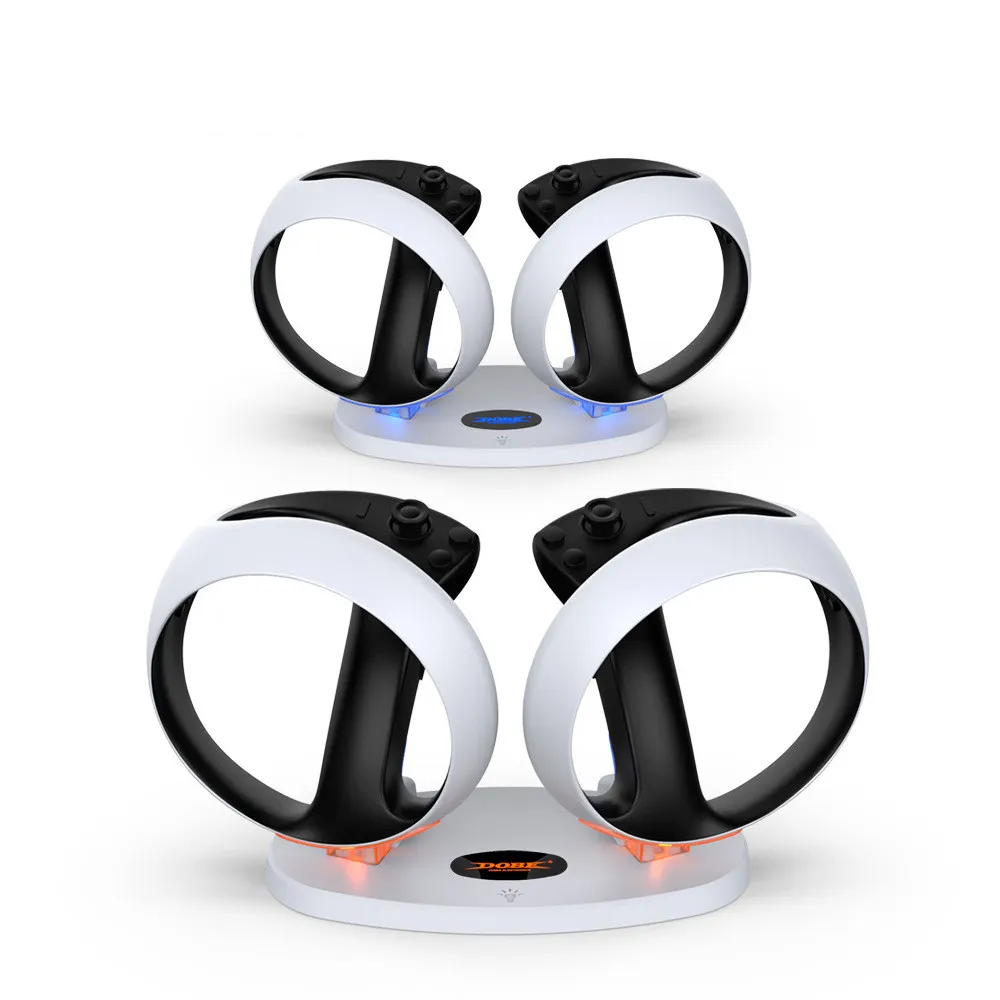
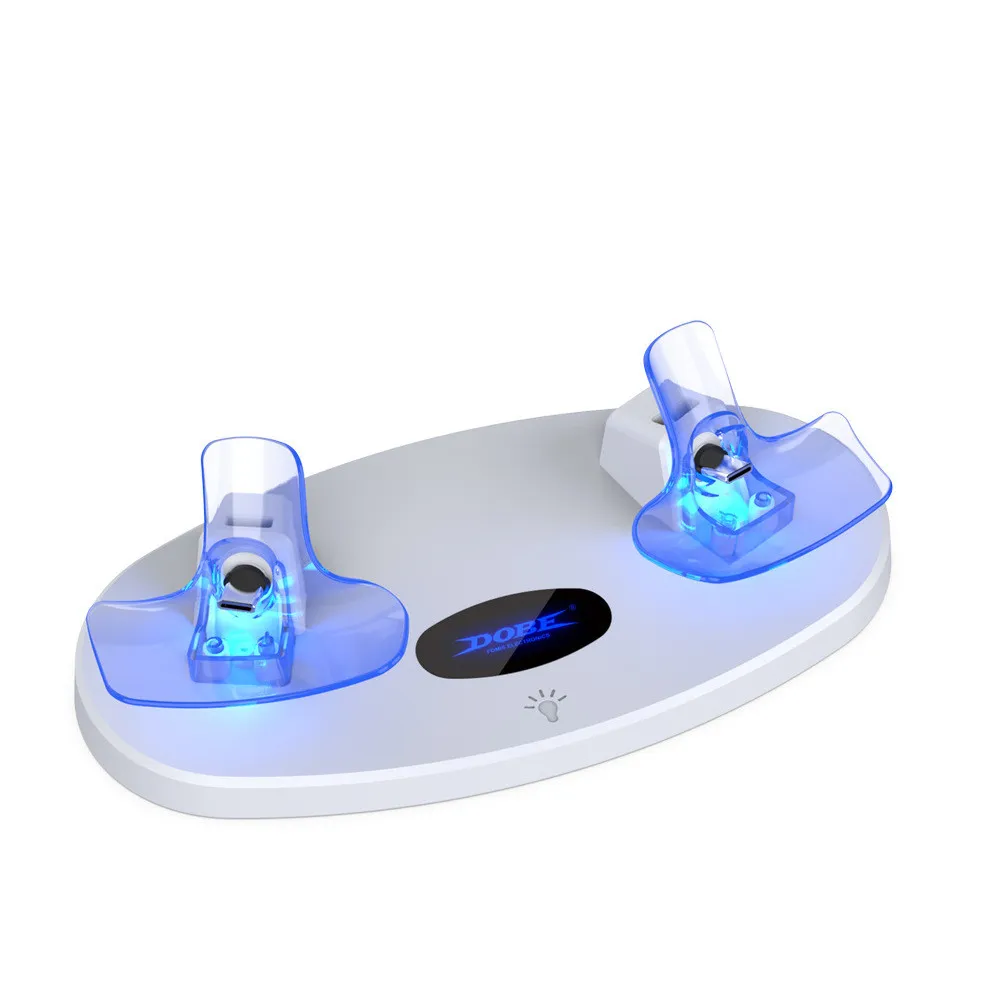
The Magnetic RGB Pro Sync Charging Station is the ultimate power and organization solution designed specifically for the discerning PlayStation VR2 enthusiast. Engineered with a high-precision microprocessor chip, this sleek docking base provides a safe, rapid, and visually stunning way to keep your controllers ready for the next virtual adventure. Crafted from premium ABS material, it doesn't just charge your gear; it transforms your gaming setup into a professional-grade display. The compact 9.5x6x22.5cm footprint ensures it fits perfectly on any desk or media console, eliminating the clutter of tangling cables while keeping your VR2 handles securely positioned.
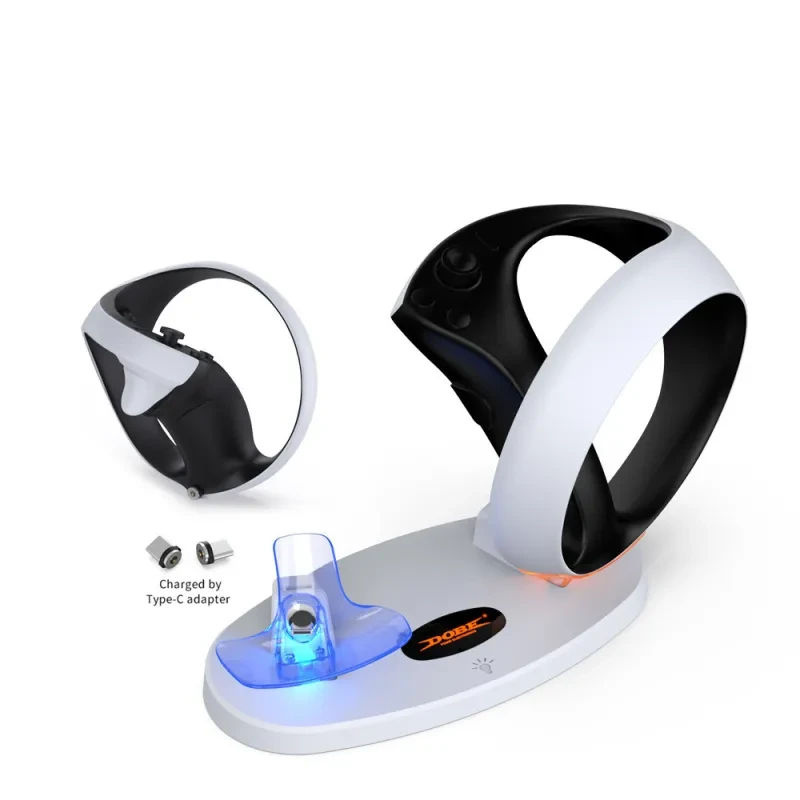
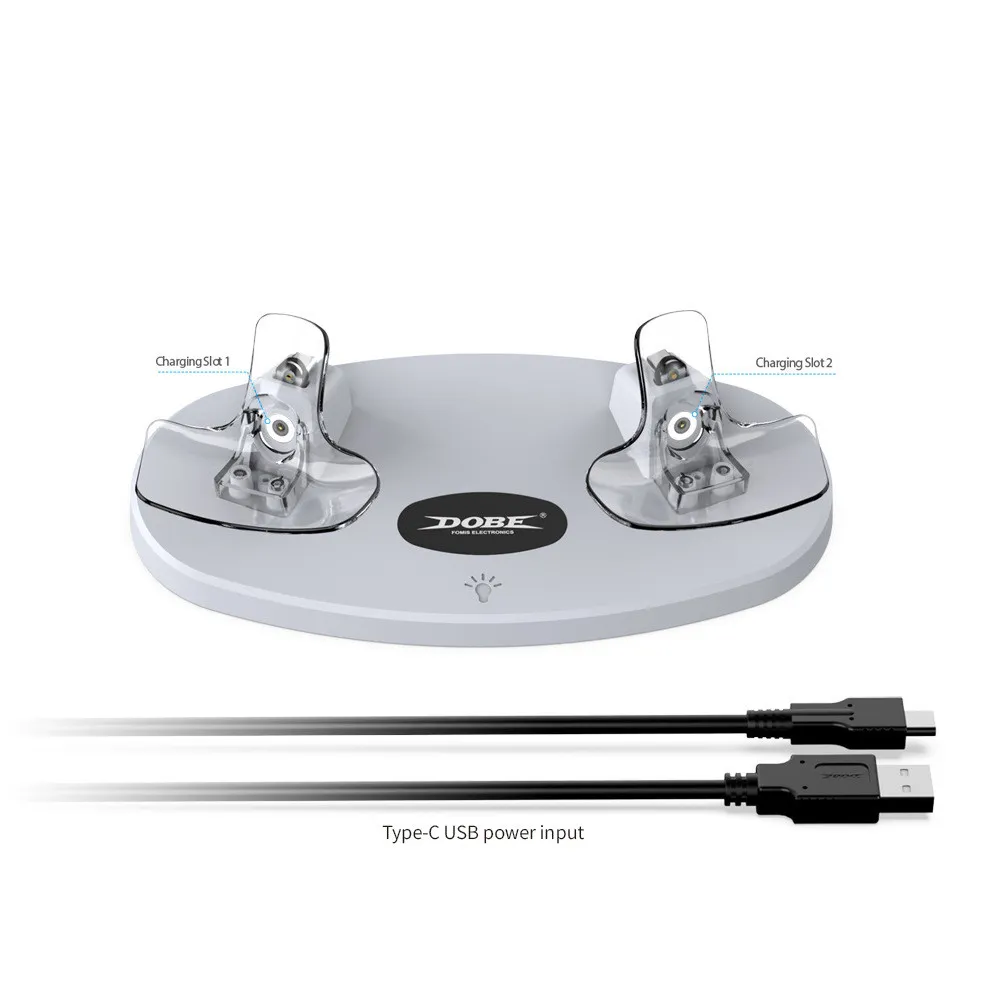
The standout feature of the Magnetic RGB Pro Sync Charging Station is its effortless magnetic docking mechanism. Gone are the days of fumbling with tiny ports and worrying about wear and tear; simply place your controllers on the dock, and the magnetic connectors snap them into the perfect charging position instantly. With a 5V 1.5A Type-C input, the station delivers a consistent 500mA current to each handle simultaneously. This high-efficiency power delivery means you can go from zero to a full charge in just 1.5 to 2 hours, ensuring you spend less time waiting and more time in-game.
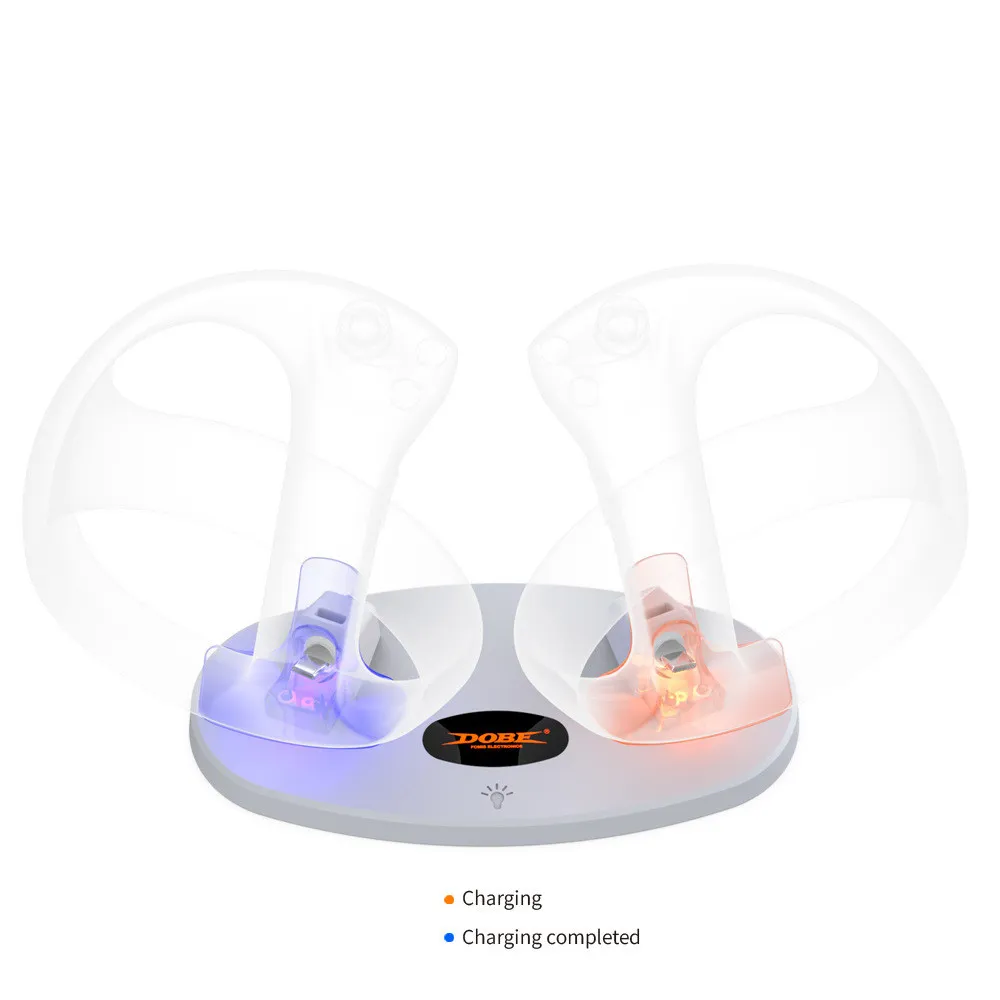
The Magnetic RGB Pro Sync Charging Station features an intuitive and atmospheric RGB light system that communicates your controller's status at a glance. When your handles are drawing power, the luminous brackets emit a soft, orange breathing light, signaling that the fast-charging process is active. Once the controllers are fully replenished, the light transitions to a calming blue. The illuminated center LOGO also mirrors this status, providing a premium aesthetic to your station. For those who prefer a stealthier look at night, the built-in touch switch allows you to toggle the entire light display on or off with a single tap.
At the heart of the Magnetic RGB Pro Sync Charging Station is a smart control circuit that protects your expensive VR2 controllers from overcharging, overheating, and short circuits. The microprocessor constantly monitors the voltage and temperature of each handle independently, ensuring that power is cut off once full capacity is reached. This intelligent management not only protects your hardware but also extends the overall lifespan of your controller batteries. The heavy-duty ABS construction provides a stable base that won't tip over, keeping your controllers elevated and safe from accidental spills or desk debris.
To help you understand the power requirements and dimensions of this professional gaming accessory, please refer to the detailed table below.
| Feature Component | Technical Specification Details |
| Compatible Hardware | PlayStation VR2 Sense Controllers |
| Input Interface | USB Type-C (5V 1.5A) |
| Charging Current | 500mA per Controller (Dual Support) |
| Full Charging Time | Approximately 1.5 to 2 Hours |
| Body Material | High-Grade Durable ABS |
| Charging Indicator | Orange Breathing (Charging) / Blue (Full) |
| Control Interface | Integrated Touch Switch for RGB Lighting |
| Dock Dimensions | 9.5cm x 6cm x 22.5cm |
The Magnetic RGB Pro Sync Charging Station is designed to complement the futuristic aesthetic of the PS5 and PSVR2 hardware. Its vertical orientation saves valuable desk space while acting as a dedicated stand that prevents your controllers from rolling off surfaces. The matte finish and illuminated logo provide a "Pro" feel that looks as good in a dark gaming room as it does in a bright office. By centralizing your charging through a single Type-C cable, you significantly reduce the "cable spaghetti" usually associated with high-tech VR setups, making your gaming area look cleaner and more organized.
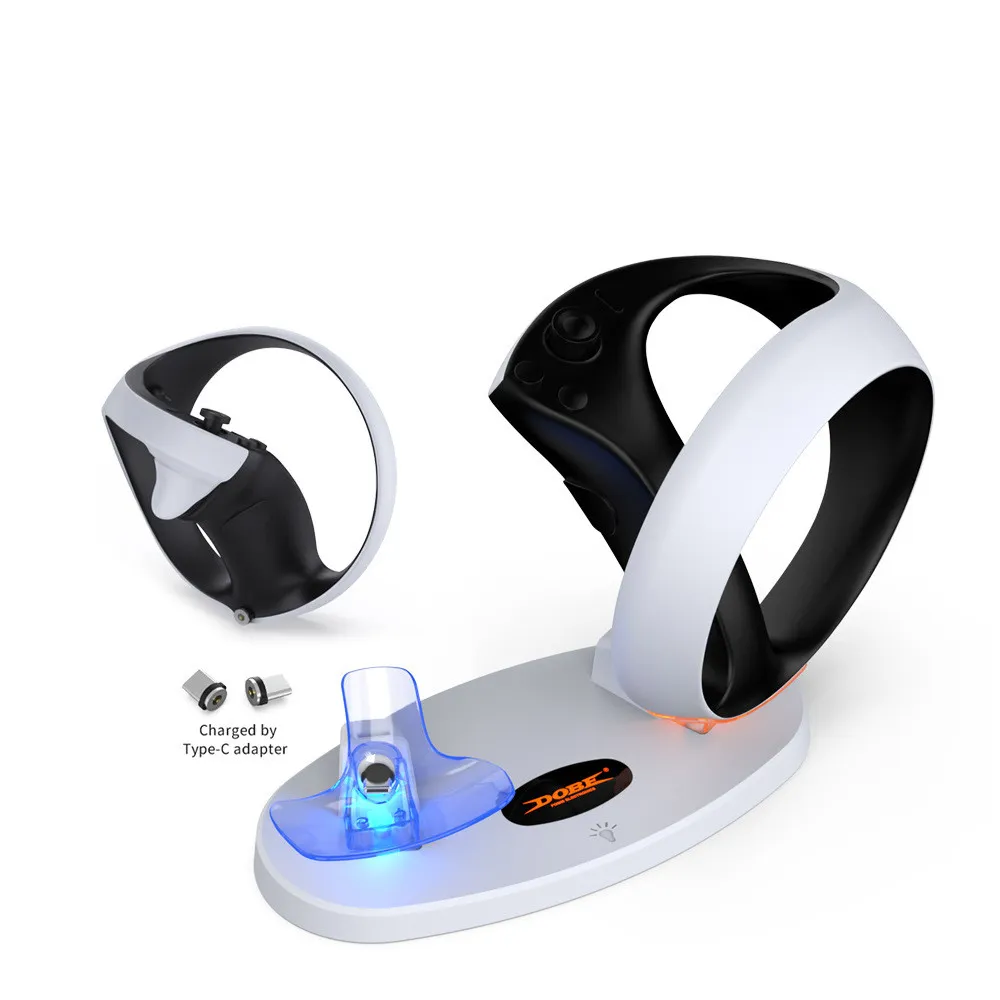
When choosing a charging dock for high-end VR accessories, the quality of the magnetic connection is paramount. A poor magnetic link can cause "micro-disconnections" that not only slow down the charging process but can also damage the internal batteries over time. Our Magnetic RGB Pro Sync Charging Station uses high-grade rare earth magnets to ensure a "one-tap" secure lock every time. You should always listen for that satisfying "click" as the magnets engage; this ensures the pins are perfectly aligned for maximum current flow and zero heat buildup.
Heat management is the second most important factor. Rapid charging can generate heat, which is the enemy of lithium-ion batteries. Our dock is designed with an open-air bracket system that allows for natural heat dissipation around the handles. Furthermore, the integrated microprocessor chip acts as a thermal regulator. When you are looking for a dock, avoid models that "enclose" the handle entirely, as this can trap heat. A breathable, vertical design like this one is always the safer choice for long-term controller health.
The indicator light system should be more than just decorative. A good dock must have independent indicators for each controller. In our Magnetic RGB Pro Sync Charging Station, each bracket acts as an individual status report. This is crucial because one controller might have more charge than the other. If a dock only has one light for both controllers, you never truly know when both are ready. Always look for a station that gives you granular, real-time feedback so you aren't interrupted by a "Low Battery" warning mid-adventure because you pulled the controllers off too early.
Power source compatibility is another buyer consideration. While this dock comes with a high-quality data cable, you should ensure your power source—whether it's the PS5's front USB-C port or a wall adapter—provides the necessary 1.5A. Using a low-power phone charger might result in slower charging times or only one controller charging at a time. For the best experience, we recommend plugging the Magnetic RGB Pro Sync Charging Station directly into the console or a dedicated 5V/2A wall plug to ensure both handles hit that 1.5–2 hour full-charge target.
Finally, think about the long-term utility of a stand. A dock isn't just for power; it’s a protective home for your gear. VR2 handles have delicate lenses and sensors that shouldn't be left lying around where they can get scratched. By using a dedicated station, you ensure that the handles are always in a fixed, safe position. This reduces the risk of them being knocked off a table or stepped on. Choosing a station with a wide, stable base like ours ensures that even if you accidentally bump your desk, your controllers remain safely cradled.
Q: Can I leave the controllers on the dock overnight?
A: Yes, the Magnetic RGB Pro Sync Charging Station features a smart microprocessor that automatically stops the charging current once the controllers are full. This prevents overcharging and keeps your batteries healthy even if left on the dock for extended periods.
Q: Do I need to remove the magnetic dongles from the handles when playing?
A: No, the tiny magnetic tips are designed to stay inside the controller's Type-C port permanently. They are lightweight and low-profile, so they won't interfere with your grip or gameplay, making docking much faster later.
Q: Can I turn off the RGB lights while the controllers are still charging?
A: Absolutely. The built-in touch switch allows you to turn off all indicator lights and the LOGO light without stopping the charging process. This is ideal for gamers who keep their setup in a bedroom and want total darkness at night.
Q: Will this dock work if I have silicone covers or skins on my VR2 handles?
A: The dock is designed with precise tolerances for the standard VR2 handle. While thin skins might fit, thick silicone covers may interfere with the magnetic connection or the way the handle sits in the bracket. We recommend using standard handles for the best fit.
Q: What happens if the lights start flashing orange?
A: A fast-flashing light usually indicates a connection error or a foreign object interfering with the magnets. Simply lift the controller and place it back down to reset the connection. Ensure the magnetic pins are clean and free of dust.
Q: How do I clean the charging pins to ensure a good connection?
A: Over time, dust can accumulate. We recommend using a dry, lint-free cloth or a cotton swab with a tiny bit of rubbing alcohol to gently wipe the magnetic tips and the dock pins once a month to maintain peak charging efficiency.
Q: Does it come with a wall plug adapter?
A: The package includes the charging base and a high-speed Type-C data cable. You can plug it into the PS5 console's USB-C port or use a standard 5V/2A wall adapter (like a smartphone charger) to power the station.
Q: Is the light blue or green when it is fully charged?
A: The Magnetic RGB Pro Sync Charging Station uses a professional blue light to indicate a full charge or standby mode, providing a sleek aesthetic that matches the PS5’s signature blue lighting theme.
We deliver your orders quickly, safely, and securely. Most orders arrive within 7–21 working days. Local deliveries may arrive sooner.
Delivery times may vary based on location, order volume, and courier schedules. Some rural areas may take longer.
If your order hasn't arrived within the estimated timeframe, please contact us: contact@giftdeal.com.au
No FAQs available for this product yet.
Buyer guide not available for this product.