

Computer & Office
Upgrade Your Workspace
Discover premium computer essentials and office supplies designed to boost your productivity and style.
Explore Gear
.webp)
Discover premium computer essentials and office supplies designed to boost your productivity and style.
Explore Gear
Standard delivery charges apply.
Secure handling guaranteed.
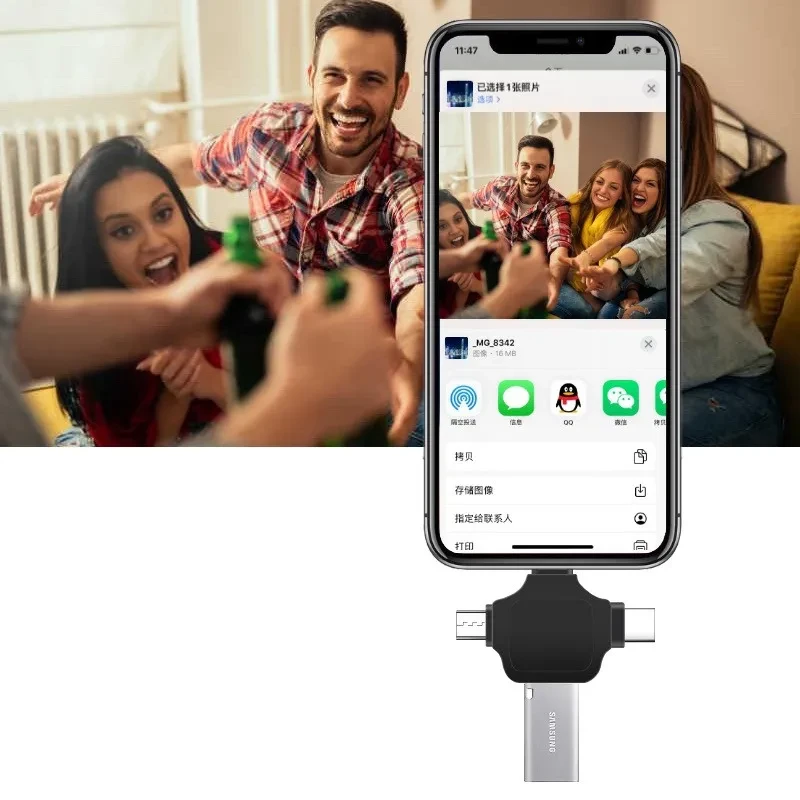
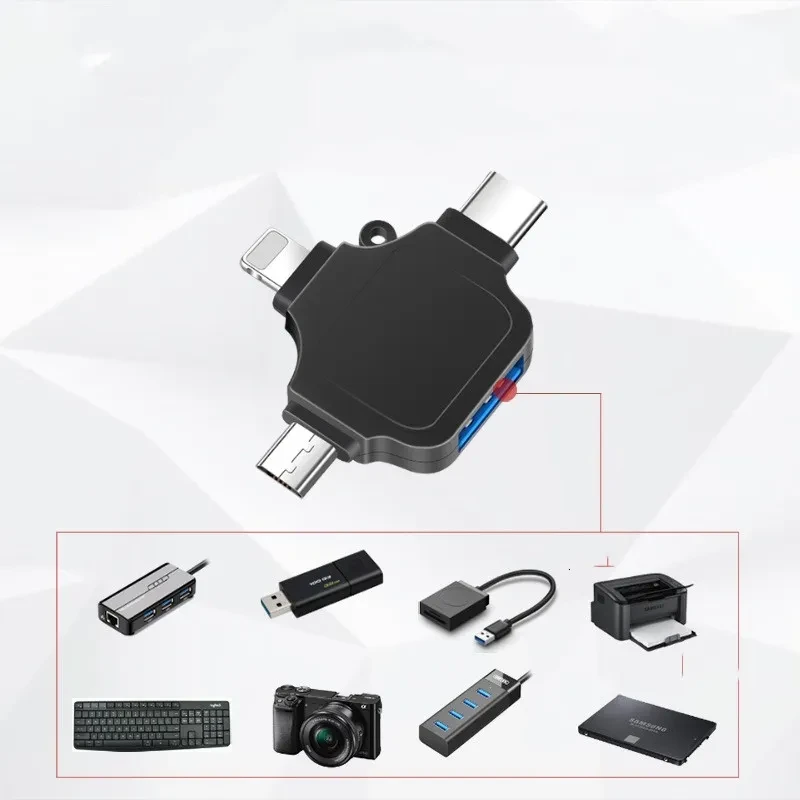
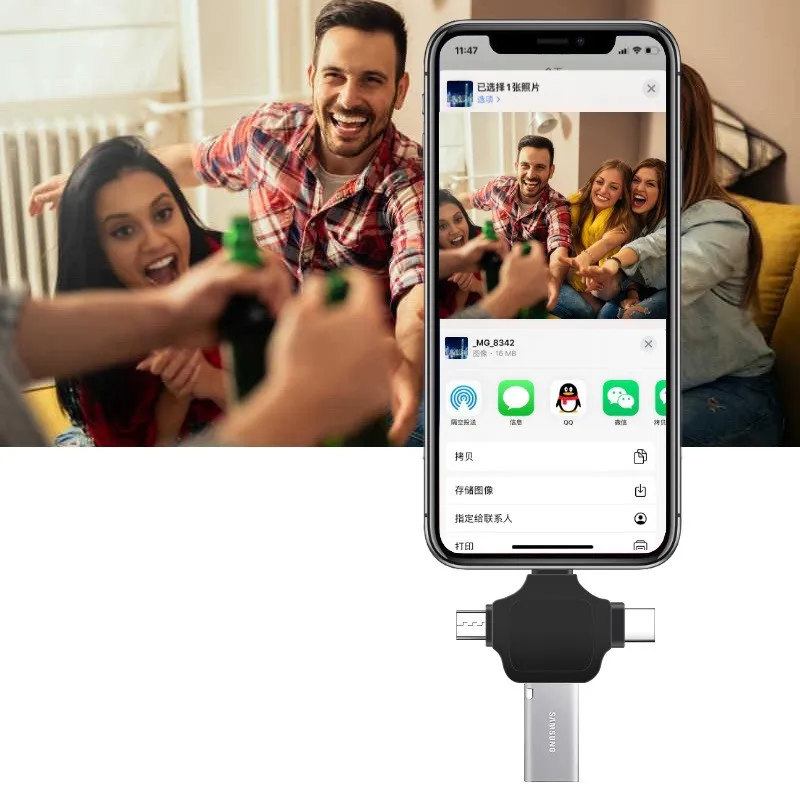
In the digital age where we carry multiple devices with different interfaces, transferring data can often become a frustrating task. You might have an iPad with a Lightning port, an Android phone with Type C, and an older tablet with Micro USB. The Universal 3 in 1 USB OTG Adapter is the ultimate solution designed to bridge the gap between all your devices and standard USB peripherals. This compact yet powerful tool eliminates the need to carry three separate dongles. It allows you to connect USB flash drives, keyboards, mice, and even cameras directly to your smartphone or tablet. Whether you are a photographer looking to edit photos on the go or a student needing to transfer assignments, this adapter ensures that your workflow remains uninterrupted and efficient.
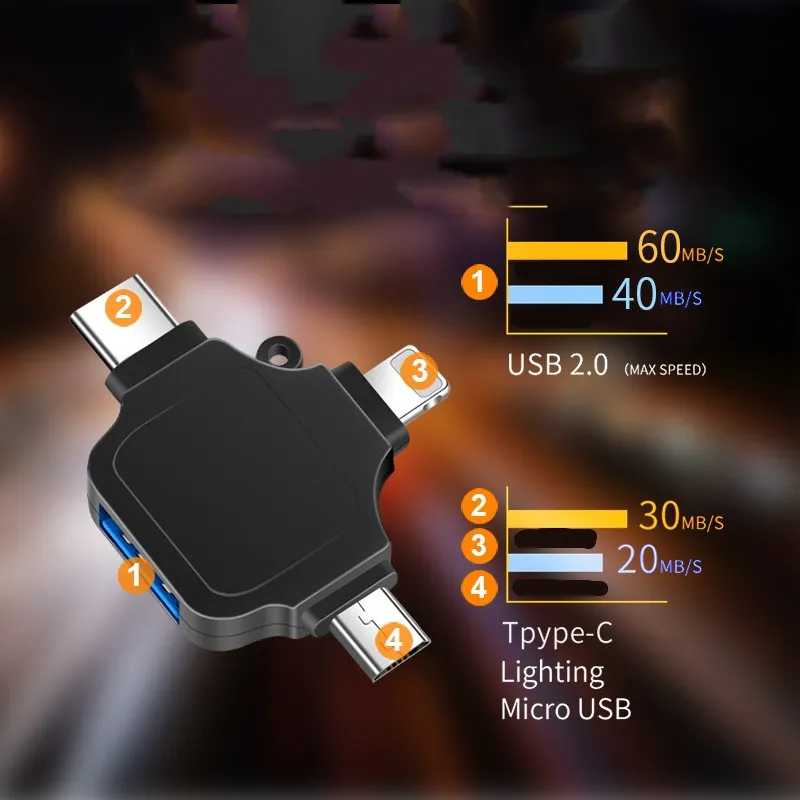
The core strength of this adapter lies in its internal engineering. It is equipped with the upgraded 3959 original chip which ensures stable and high speed data reading. Many cheap adapters suffer from connection drops or slow transfer speeds, but the Universal 3 in 1 USB OTG Adapter maintains a reliable connection for large file transfers. This is particularly important when moving high resolution videos or extensive photo libraries. The device is plug and play, meaning you do not need to install complex drivers or third party applications to make it work. Simply plug it into your charging port, connect your USB device, and your phone will recognize it immediately. This simplicity makes it an essential accessory for anyone who values convenience and speed.
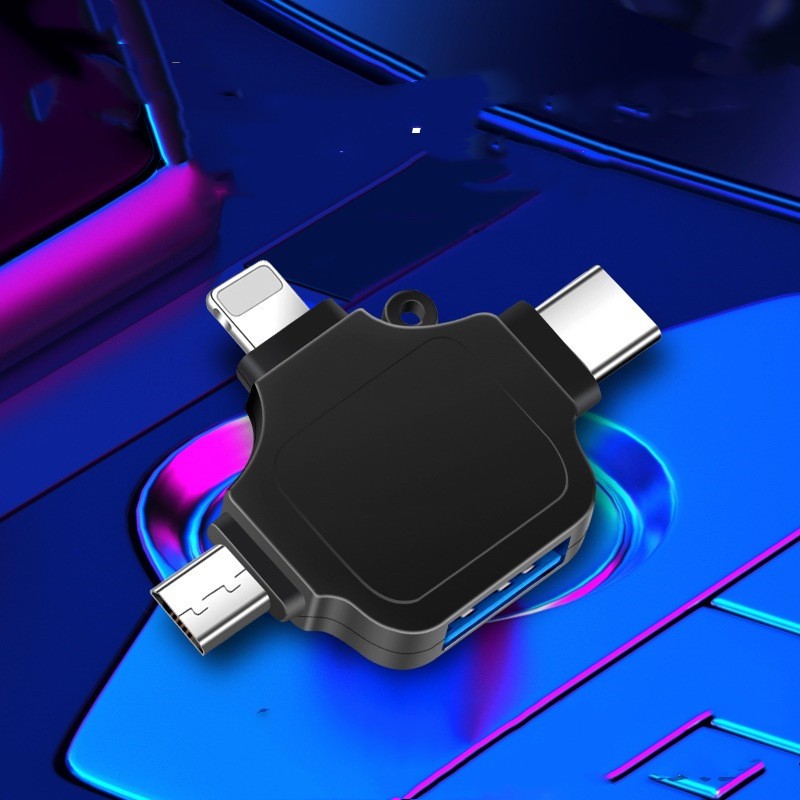
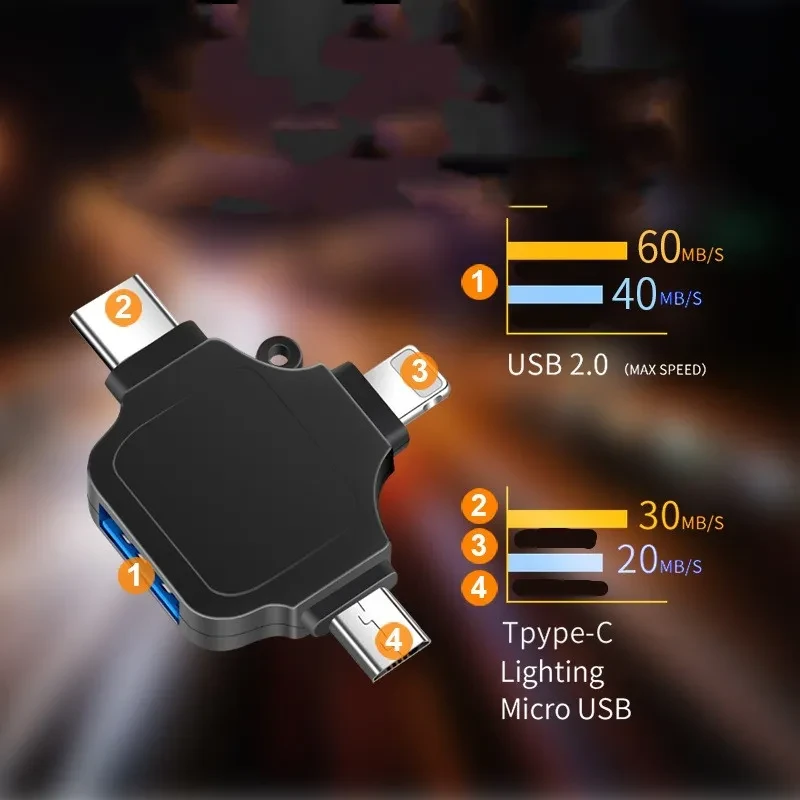
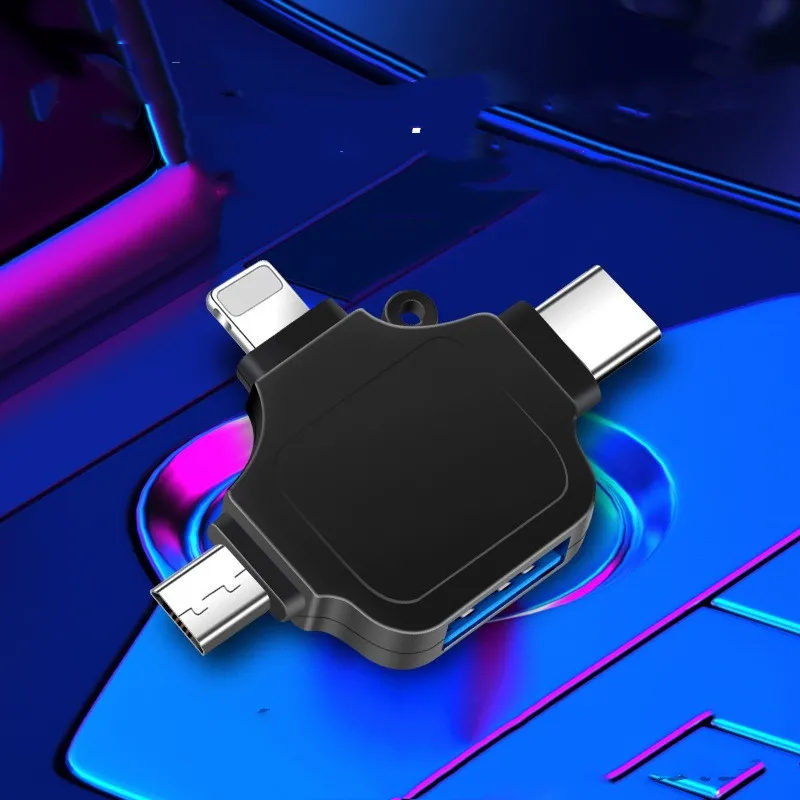
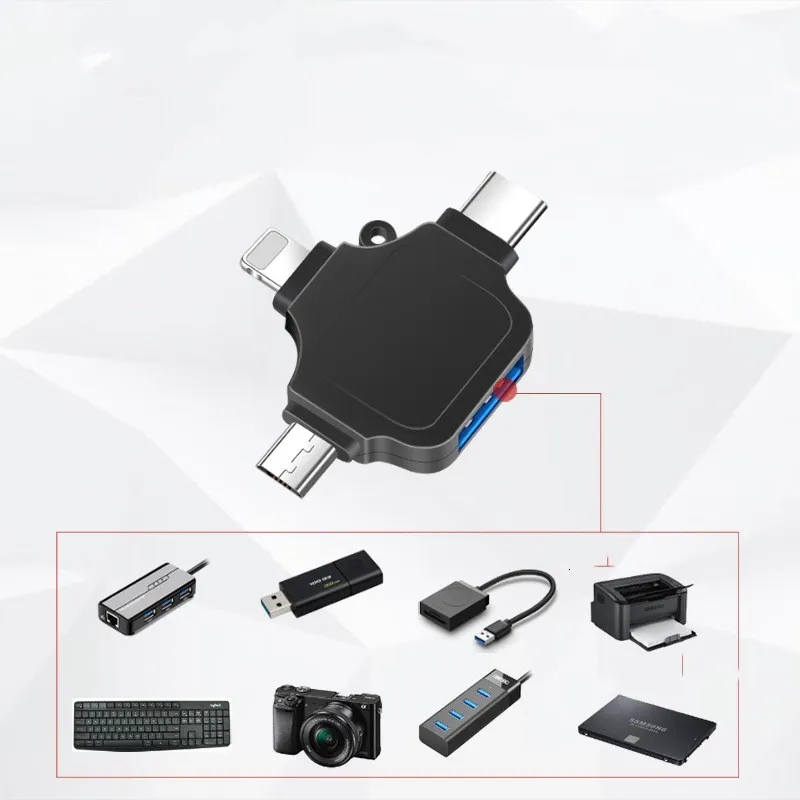
The versatility of this device is its biggest selling point. It features three distinct male connectors which are Lightning for Apple devices, USB Type C for modern Androids and laptops, and Micro USB for older gadgets. On the other end, it houses a standard USB A female port. This configuration allows you to turn your mobile device into a mini computer. You can plug in a physical keyboard to type long emails on your phone or connect a mouse to navigate your tablet with precision. For gamers, this Universal 3 in 1 USB OTG Adapter opens up new possibilities by allowing the connection of game controllers to supported mobile games. The ability to switch between different host devices without changing the adapter makes it perfect for households with mixed technology ecosystems.
Performance reliability is often the difference between a good product and a great one. The integration of the 3959 chip is a game changer for this adapter. This intelligent chip manages the power distribution and data protocol conversion between the USB device and your phone. It ensures that the transfer rates are maximized according to your device's capabilities. When you use the Universal 3 in 1 USB OTG Adapter, you will notice that files copy over quickly and video playback from a flash drive is smooth without buffering. This is essential for professionals who use their tablets as primary work devices. The chip also protects your devices from overcurrent and short circuits, ensuring that your expensive smartphone is never at risk during data transfer.
Durability is a key factor for any travel accessory. This product is available in two distinct material finishes to suit your preference. You can choose the premium metal shell version which offers excellent heat dissipation and a rugged feel that withstands daily wear and tear. Alternatively, the lightweight plastic shell version offers affordability without compromising on functionality. Both versions of the Universal 3 in 1 USB OTG Adapter are built to last with reinforced connectors that resist bending and breaking. The compact size means it slips easily into a pocket or coin purse. The inclusion of a lanyard in the package prevents the adapter from getting lost, allowing you to attach it to your keyring or cable organizer. This thoughtful design element ensures that your connectivity tool is always within arm's reach when you need it most.
The applications for this adapter extend far beyond just file transfer. Photographers can connect their DSLR cameras directly to their iPad to preview shots on a larger screen in real time. Musicians can connect USB MIDI keyboards to their phones to record ideas on the fly. For office workers, the Universal 3 in 1 USB OTG Adapter allows the connection of USB hubs, enabling the use of multiple peripherals simultaneously. You can essentially turn your smartphone into a desktop workstation by connecting a monitor, mouse, and keyboard. This flexibility transforms how you use your mobile devices, shifting them from passive content consumption screens to active content creation tools. The broad compatibility with most file formats means you can access documents, spreadsheets, and presentations directly from a thumb drive without filling up your phone's internal storage.
Technical Specifications
| Feature | Specification Details |
| Product Name | Universal 3 in 1 USB OTG Adapter |
| Connector A | Lightning 8 Pin |
| Connector B | USB Type C |
| Connector C | Micro USB |
| Input Port | USB 3.0 Type A Female |
| Chipset | Original 3959 High Speed Chip |
| Material Options | Zinc Alloy Metal or ABS Plastic |
| Product Weight | 39g Metal or 29g Plastic |
| Packaging Dimensions | 13.1cm x 9.5cm x 1.5cm |
| Compatibility | iOS 9 and above, Android 4.0 and above |
| Color Options | Silver, Black, Gold |
Package Contents
| Item Name | Quantity |
| 3 in 1 OTG Adapter Unit | 1 Unit |
| Anti Loss Lanyard | 1 Piece |
| Instruction Manual (English/Chinese) | 1 Booklet |
| Retail Packaging Box | 1 Box |
This complete kit ensures you are ready to connect right out of the box. The premium packaging makes it an excellent gift choice for tech savvy friends or family members. Whether for personal use or as a stock item for retail, this adapter delivers consistent quality and utility.
[BUYER_GUIDE]
USB On The Go, commonly known as OTG, is a specification that allows USB devices, such as tablets or smartphones, to act as a host, allowing other USB devices, such as USB flash drives, digital cameras, mice, or keyboards, to be attached to them. Understanding the capabilities and limitations of OTG adapters is crucial before making a purchase. The most important factor to consider is interface compatibility. In the current market, devices are fragmented between three main ports. Apple uses the Lightning port, older Androids and budget devices use Micro USB, and modern Androids, iPads, and laptops use USB Type C. A 3 in 1 adapter is the most practical investment because it future proofs your purchase. Even if you upgrade your phone next year, this adapter will likely still work with your new device or your secondary devices.
The second critical aspect is the chipset and data transfer speed. Not all adapters are created equal. Passive adapters simply reroute the wires, but active adapters with chips, like the one featured here, actively manage the connection. This is vital for Apple devices, which have strict power and protocol requirements. If you buy a cheap, chipless adapter, you will often see the "This accessory is not supported" error message on your iPhone. The 3959 chip mentioned in this product is specifically designed to bypass these errors and ensure smooth communication between the iOS file system and the external USB drive. For Android, the chip ensures that the OTG function triggers automatically without needing to enable developer settings, although some older phones still require you to manually toggle "OTG Storage" in the settings menu.
Power delivery is another concept that buyers must understand. Standard OTG adapters are designed to power low energy devices like flash drives, mice, and keyboards. They draw power from your phone's battery to run the external gadget. However, they generally cannot power large external hard drives (like 1TB or 2TB mechanical drives) because those drives require more power than a phone port can output. If you plan to connect a high capacity hard drive, you might need a powered USB hub in between. For standard USB sticks and SSDs, this adapter works perfectly. You should also be aware that using OTG will drain your phone battery faster than usual because your phone is actively powering the connected device.
File system compatibility is a technical nuance that often confuses users. When you plug a USB drive into your phone via this adapter, the phone must be able to read the format of the drive. Most Android phones read FAT32 and exFAT formats perfectly. However, older iOS versions had limited support. Modern iOS (13 and above) has excellent support for exFAT and FAT32 via the "Files" app. If your USB drive is formatted in NTFS (Windows standard), your phone might be able to read it but not write to it, or it might not detect it at all. It is always recommended to format your portable USB drives to exFAT if you plan to use them across Windows, Mac, Android, and iOS devices using this adapter. This ensures you can transfer files seamlessly between all platforms without formatting errors.
Build quality and form factor play a huge role in the longevity of the product. These adapters are often thrown into bags, pockets, and drawers with keys and cables. A plastic shell is lightweight and fine for occasional desk use, but a metal shell provides shielding against electromagnetic interference and physical crushing. The connectors are the weak points in any cable or adapter. Look for a design where the connectors are firmly molded into the casing. The lanyard loop included in this specific model is a highly underrated feature. Because these adapters are small, they are incredibly easy to lose. Attaching it to your main charging cable or keychain ensures it is always there when you need to transfer a file in an emergency.
Finally, consider the peripheral support beyond just storage. Many users buy these solely for USB sticks, but their utility is vast. You can connect a USB Ethernet adapter to get wired internet on your phone if your WiFi is broken. You can connect a MIDI controller to play music on synthesizer apps. You can even connect a DSLR camera to use your tablet as a field monitor. However, ensure that the peripheral you are connecting has a standard USB A plug. If you have newer USB C peripherals, you would need a different type of adapter. This 3 in 1 adapter is specifically designed to connect "Standard USB" devices to "Mobile" ports. By understanding these diverse use cases, you can unlock the full potential of your mobile hardware and carry a lighter load by leaving your laptop at home more often.
[FAQS]
Q: Will this adapter work with the latest iPhone 14 and older models?
A: Yes this adapter is fully compatible with iPhone models ranging from the iPhone 5 up to the iPhone 14 series that use the Lightning connector. It requires iOS 13 or later to fully utilize the file transfer features through the Files app.
Q: Do I need to install a specific app to transfer files on my Android phone?
A: Generally no as most modern Android phones have built in file managers that detect OTG devices automatically. However if your file manager does not pop up you can download third party apps like "ES File Explorer" or simply check your settings to ensure OTG connection is enabled.
Q: Can I charge my phone while using this adapter to transfer files?
A: No this specific model is designed solely for data transmission and peripheral connection. It uses the charging port of your phone to transfer data so you cannot charge the phone simultaneously while the adapter is plugged in.
Q: Does this adapter support 2TB or larger external hard drives?
A: While the adapter supports the data transfer the phone battery may not provide enough power to spin up a large mechanical hard drive. It works best with USB flash drives, SSDs, and low power peripherals. For large drives a powered USB hub may be required.
Q: Can I use this to connect a USB keyboard and mouse to my tablet?
A: Yes absolutely. You can plug a wireless mouse and keyboard receiver or a wired keyboard into the USB port of this adapter. Your tablet or phone will recognize the input devices allowing you to type and click just like on a computer.
Q: Why is my USB drive not showing up on my iPad?
A: This is usually due to the file format of the USB drive. iPads works best with drives formatted in exFAT or FAT32. If your drive is formatted in NTFS the iPad may not read it. Also ensure your iPad is updated to the latest version of iPadOS.
Q: Is the metal shell version better than the plastic shell version?
A: The metal shell version offers better durability and heat dissipation which is beneficial for heavy users. The plastic version functions exactly the same electronically but is lighter and more affordable making it a good choice for casual use.
Q: Can I transfer photos directly from my camera to my phone using this?
A: Yes if you use a USB cable to connect your camera to this adapter your phone should recognize the camera as an external storage device allowing you to import photos directly without needing a computer.
We deliver your orders quickly, safely, and securely. Most orders arrive within 7–21 working days. Local deliveries may arrive sooner.
Delivery times may vary based on location, order volume, and courier schedules. Some rural areas may take longer.
If your order hasn't arrived within the estimated timeframe, please contact us: contact@giftdeal.com.au
No FAQs available for this product yet.
Buyer guide not available for this product.