

Computer & Office
Upgrade Your Workspace
Discover premium computer essentials and office supplies designed to boost your productivity and style.
Explore Gear
.webp)
Discover premium computer essentials and office supplies designed to boost your productivity and style.
Explore Gear
Standard delivery charges apply.
Secure handling guaranteed.
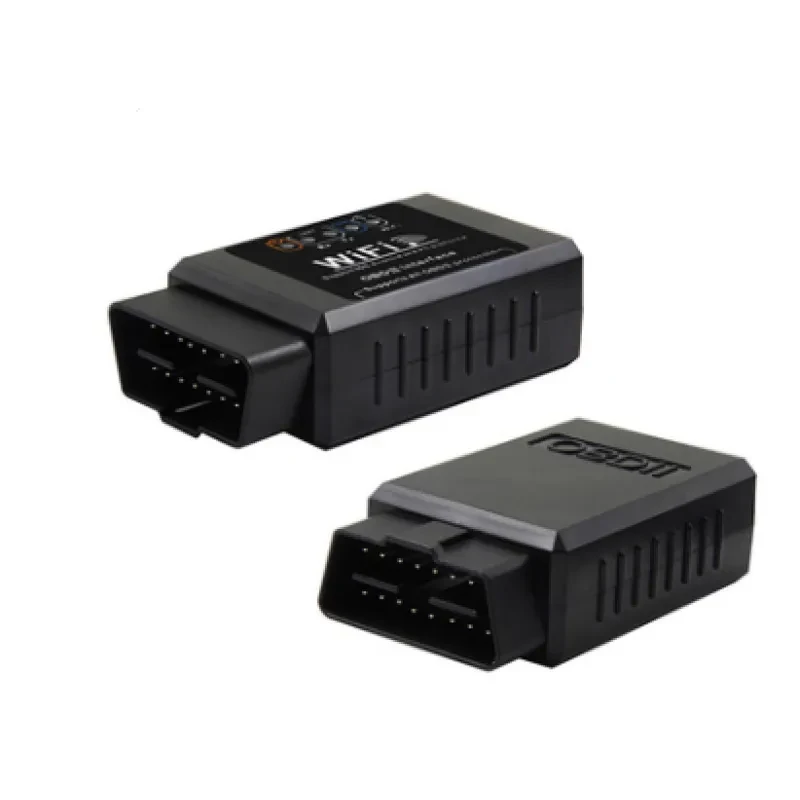
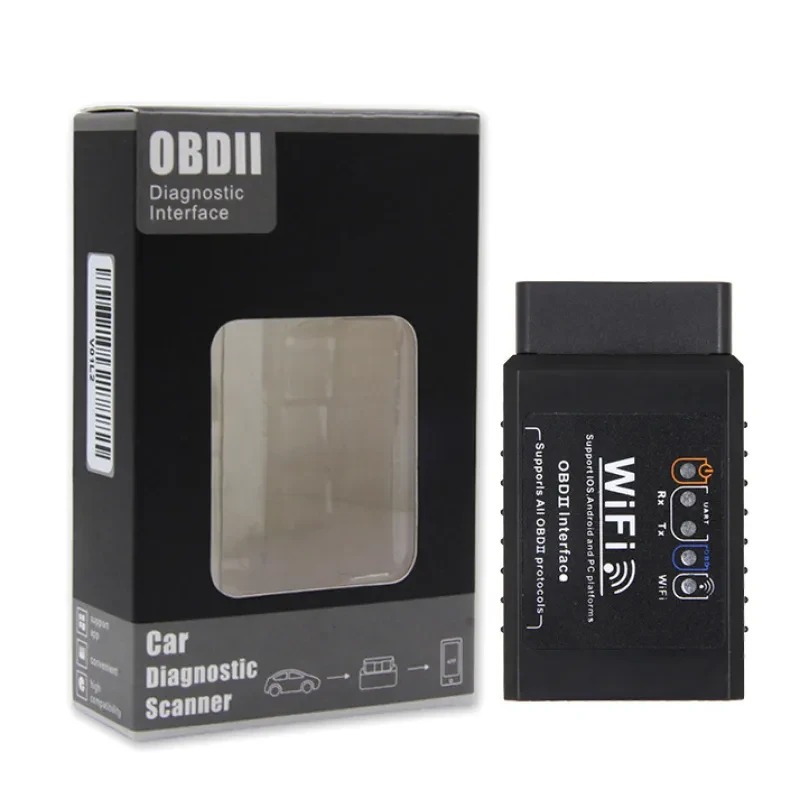
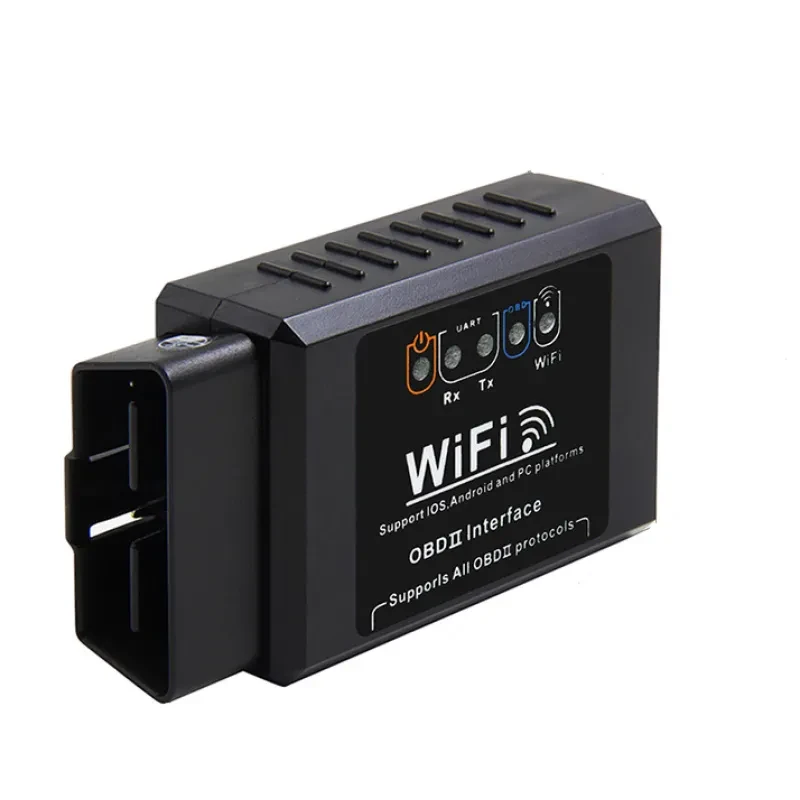
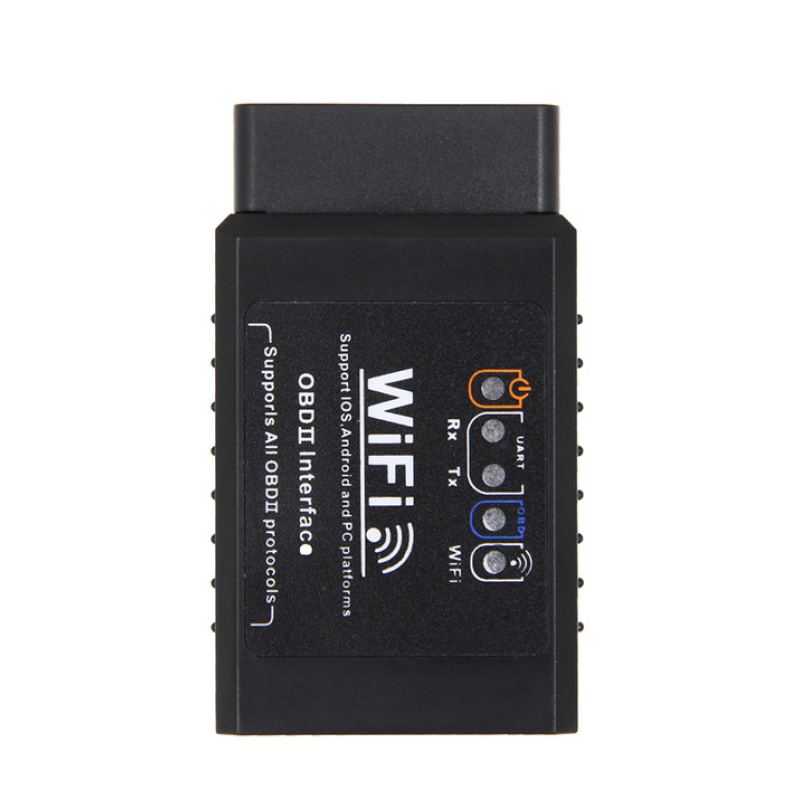
Every car owner knows the sinking feeling of seeing the Check Engine Light suddenly illuminate on the dashboard. It creates instant anxiety about repair costs and vehicle safety. The WiFi OBD2 Scanner is the ultimate solution to this common problem, giving you the power to understand exactly what is happening under the hood of your vehicle without visiting a mechanic immediately. This compact diagnostic tool plugs directly into your car's computer system and communicates wirelessly with your smartphone or tablet. By bridging the gap between your vehicle's complex electronics and your personal device, this tool transforms the way you maintain your car.
The WiFi OBD2 Scanner is specifically calibrated to work seamlessly with a wide range of vehicles, with a special focus on Toyota models. Whether you drive a rugged Land Cruiser, a dependable Camry, a family-friendly RAV4, or a luxurious Alphard, this device reads the data stream effectively. It utilizes the industry-standard ELM327 interface which is renowned for its reliability and speed. Unlike older bulky scanners that required long cables and dedicated screens, this modern interface uses a high-speed WiFi connection to transmit data. This ensures that the live data feed is faster and more stable than many Bluetooth alternatives, which is crucial when you are monitoring real-time engine parameters like RPM, coolant temperature, and fuel trim levels.
One of the standout features of this WiFi OBD2 Scanner is its ability to save you significant amounts of money. A simple diagnostic scan at a dealership or a local garage can cost a lot just to tell you that your gas cap was loose. With this device in your glovebox, you can read the error code yourself in seconds. The device translates cryptic computer codes into readable information on your phone screen. You will know instantly if the issue is a minor fix you can handle yourself or a major problem that requires professional attention. It empowers you to walk into a mechanic shop with knowledge, preventing you from being overcharged for unnecessary repairs.
Ownership of a vehicle comes with the responsibility of maintenance, and the WiFi OBD2 Scanner makes that responsibility much easier to manage. This tool is not just for reading error codes when things go wrong; it is also a powerful monitor for your car's health when things are going right. You can leave the device plugged in while driving to create a digital dashboard on your phone. Through various third-party apps available on iOS and Android, you can visualize your car's performance. You can track your fuel economy more accurately, monitor your transmission temperature while towing, or ensure your engine is not overheating during long summer drives. The WiFi connectivity allows for a broader range (distance from the device) and often higher data transfer rates compared to standard Bluetooth dongles, making the gauges on your screen react instantly to your foot on the pedal.
While this device is universal, it shines when used as a diagnostic tool for Toyota vehicles. Toyota cars, known for their longevity, still encounter sensor issues and system alerts over time. This WiFi OBD2 Scanner supports the specific ISO and CAN protocols used by models like the Corolla, Vellfire, Harrier, and others manufactured after 1996. When connected to a Toyota, it can access the Engine Control Unit (ECU) to retrieve generic and manufacturer-specific codes. This means if your Toyota RAV4 triggers a P0420 code for catalyst efficiency, this scanner will catch it immediately. It is an essential tool for used car buyers as well. Before purchasing a used Toyota Land Cruiser, you can plug this scanner in to see if the previous owner recently cleared codes to hide a problem, or to check the "readiness monitors" to ensure the car will pass emissions testing.
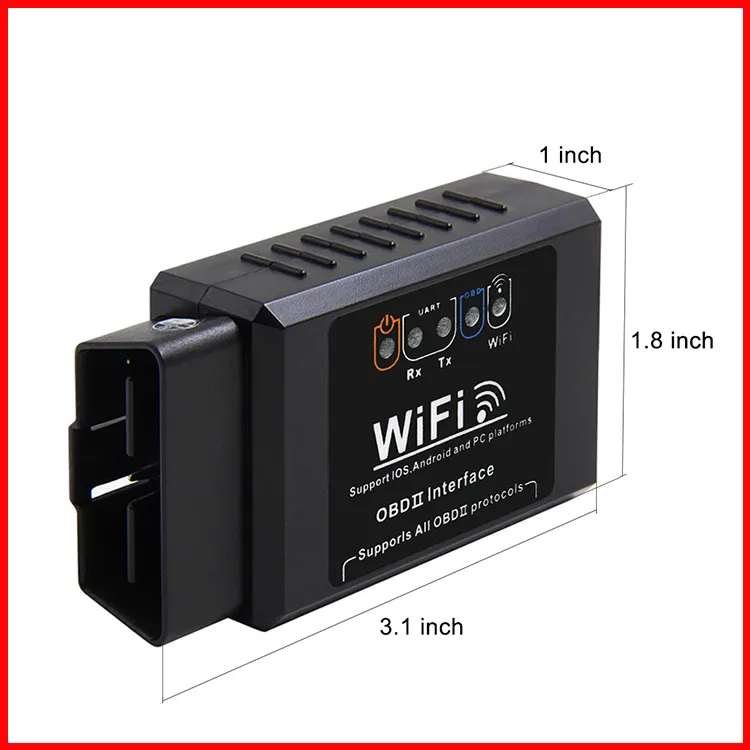
The build quality of this diagnostic instrument by Jin Fengda focuses on durability and consistent performance. Operating on a standard 12V voltage supplied directly from the car's OBD port, it requires no batteries or external charging. The device is built to withstand the temperature fluctuations typical of a car interior, functioning reliably in both cold winters and hot summers. The internal WiFi chip creates its own local hotspot, which you connect to via your phone settings. This method of connection is robust and bypasses the often finicky pairing process associated with Bluetooth devices. Once connected, it stays connected, allowing for uninterrupted data logging. This is particularly useful for intermittent problems that only occur after driving for a certain distance. The WiFi OBD2 Scanner captures the "freeze frame" data, showing you exactly what the engine was doing at the moment the fault occurred, which is a critical piece of the puzzle for accurate diagnosis.
Product Specifications Table
| Feature | Details |
| Product Name | WiFi OBD2 Scanner / Diagnostic Interface |
| Connection Type | WiFi (Wireless) |
| Voltage | 12V DC (Powered by OBD port) |
| Brand | Jin Fengda |
| Supported Models | Toyota (Land Cruiser, Camry, RAV4, etc.) & Universal |
| Protocols | Supports all standard OBDII Protocols |
| Material | Durable Plastic Housing |
| Color | Black |
| App Compatibility | Torque, Car Scanner, OBD Fusion, etc. |
[BUYER_GUIDE]
Comprehensive Guide to Automotive Diagnostics
The world of automotive repair has shifted dramatically from mechanical intuition to digital precision. Modern vehicles are essentially computers on wheels, with dozens of sensors monitoring everything from air intake to exhaust emissions. For the average car owner, this complexity can be intimidating. This guide is designed to help you understand the significant value of owning a diagnostic tool and how to utilize it effectively to maintain your vehicle's health and longevity. The days of relying solely on the sound of the engine are gone; today, data is king.
Understanding On-Board Diagnostics (OBDII)
To appreciate the utility of your scanner, you must first understand the system it interacts with. OBDII, or On-Board Diagnostics II, is a standardized system that has been mandatory for all cars sold in the United States since 1996 and was adopted globally shortly after. Before OBDII, each manufacturer had their own proprietary plugs and codes, making diagnostics a nightmare. With OBDII, a standardized 16-pin port was located under the dashboard of every car. This system monitors the performance of the engine and emissions systems. When a sensor detects a reading that is outside the normal range, it triggers a Diagnostic Trouble Code (DTC) and illuminates the Check Engine Light (CEL). Your scanner is the key to unlocking the meaning behind that light. It reads the memory of the car's computer to retrieve the alphanumeric code that tells you where the problem lies.
Wireless vs. Wired: Why Choose WiFi?
When shopping for diagnostic tools, you will encounter handheld units with cables and wireless dongles like Bluetooth or WiFi scanners. Handheld units are rugged but often have limited screens and can be cumbersome to update. Wireless dongles, on the other hand, leverage the incredible processing power and high-resolution screen of the smartphone you already own. Among wireless options, WiFi is distinct from Bluetooth. WiFi scanners create their own local network hotspot. This generally offers a higher bandwidth than Bluetooth, meaning they can transmit data faster. This is particularly important if you are monitoring "Live Data." If you want to see a graph of your Oxygen Sensor voltage oscillating in real-time, a slow connection will result in a laggy, choppy graph that might hide the glitch you are looking for. WiFi provides the speed necessary for smooth, real-time monitoring.
The Importance of App Selection
The scanner hardware is only half of the equation; the software (app) you use is the other half. Since this is a hardware interface, it requires a third-party app to display the data. Popular apps like Torque Pro (Android), Car Scanner ELM OBD2 (iOS/Android), and OBD Fusion are excellent choices. These apps range from free versions that read basic codes to paid versions that offer advanced features like dyno testing, 0-60 timing, and map-based tracking. When setting up your tool specifically for Toyota vehicles, some apps allow you to download "extra PIDs" (Parameter IDs). These are custom codes that Toyota engineers use for specific systems like the hybrid battery health in a Prius or the transmission temperature in a Land Cruiser. By combining this WiFi scanner with a capable app, you unlock a level of diagnostic power that rivals professional workshop tools costing thousands of dollars.
Interpreting Diagnostic Trouble Codes (DTCs)
Using the tool is simple, but understanding the data requires a bit of knowledge. When you pull a code, it will typically look like "P0300" or "P0171." The first letter tells you the system (P for Powertrain, which is the engine and transmission). The second digit tells you if it is a generic code (0) or a manufacturer-specific code (1). The third digit indicates the subsystem (ignition, fuel, auxiliary emissions, etc.). The last two digits identify the specific fault. For example, a P0301 code means a "Cylinder 1 Misfire." Knowing this, you don't just know "the engine is broken"; you know exactly which spark plug or coil pack to inspect. This precision saves hours of guessing. It is important to note that a code indicates the symptom, not necessarily the root cause. A "System Too Lean" code means there is too much air and not enough fuel, which could be a vacuum leak, a bad fuel pump, or a faulty sensor. The scanner points you in the right direction, allowing you to research the specific problem for your vehicle model.
Live Data and Freeze Frame: The Hidden Value
Most people buy a scanner just to clear the check engine light, but the real value lies in "Live Data" and "Freeze Frame" functions. Freeze Frame is a snapshot of the engine's sensor data at the exact moment the error code was triggered. If your car misfired, the freeze frame will tell you how fast you were going, how hot the engine was, and how much load was on the engine when it happened. This is invaluable for recreating the problem. Live Data allows you to watch sensors while the engine is running. You can check the coolant temperature to see if your thermostat is stuck open, or check the intake air temperature to see if your cold air intake is actually working. For Toyota owners, monitoring transmission temperature via Live Data is critical when towing heavy loads with a Land Cruiser or Hilux to prevent overheating the gearbox.
DIY Repairs and Maintenance
Finally, this tool is a gateway to performing your own maintenance. Many simple repairs, such as replacing a mass air flow sensor or an O2 sensor, are easily done at home with basic tools. However, after the repair, the car's computer still thinks the part is broken until the code is cleared. This scanner allows you to reset the system, turning off the check engine light immediately. It also allows you to verify the repair. After installing a new part, you can watch the live data to ensure the new sensor is reporting correct values. This confirms the fix was successful before you even take the car for a test drive. Even if you do not plan to turn a wrench yourself, being able to scan your car before taking it to a mechanic protects you. You can say, "I have a P0442 code for a small EVAP leak," rather than "My car is making a noise." This signals to the mechanic that you are informed, reducing the likelihood of upselling or dishonest diagnostics.
[FAQS]
Q: Will this WiFi OBD2 Scanner work on my Toyota Corolla 2005 model?
A: Yes, this scanner is compatible with the Toyota Corolla 2005 model. Since OBD2 became standard for most petrol cars after 1996, your vehicle supports the protocols required for this device to function correctly.
Q: Do I need to buy a specific app to use this device?
A: The hardware does not come with a built-in screen, so you will need to download a third-party app on your smartphone. There are many excellent free apps available, such as Car Scanner or Torque Lite, though paid versions offer more advanced features.
Q: Can I leave the scanner plugged in while I drive?
A: Yes, you can leave the scanner plugged into the OBD port while driving. This allows you to monitor live data and real-time statistics on your phone, such as fuel economy and engine temperature.
Q: Does this tool work with iPhone and Android devices?
A: Absolutely. Since this device uses a WiFi connection rather than Bluetooth, it is highly compatible with both iOS (iPhone/iPad) and Android devices without the connectivity restrictions sometimes found in Bluetooth models.
Q: Will this scanner reset my airbag or ABS light?
A: This specific device is primarily designed for the engine and emissions systems (Check Engine Light). While some advanced apps might access ABS or Airbag modules on certain Toyota models, basic ELM327 scanners generally do not clear ABS or SRS (Airbag) codes.
Q: How do I connect my phone to the scanner?
A: Plug the device into your car's OBD port and turn the ignition on. On your phone, go to WiFi settings and look for a network named "WiFi_OBDII" or similar. Connect to it, then open your diagnostic app and select WiFi as the connection type.
Q: Can this scanner tell me if my car will pass an emissions test?
A: Yes, this tool can check the "I/M Readiness Monitors." These monitors indicate if the emissions systems have completed their self-tests. If all monitors show "Ready," your car is likely to pass the emissions inspection.
Q: Is the device powered by batteries?
A: No, the scanner draws a very small amount of power (12V) directly from your vehicle's OBD2 port. It turns on automatically when plugged in and the car battery is connected.
We deliver your orders quickly, safely, and securely. Most orders arrive within 7–21 working days. Local deliveries may arrive sooner.
Delivery times may vary based on location, order volume, and courier schedules. Some rural areas may take longer.
If your order hasn't arrived within the estimated timeframe, please contact us: contact@giftdeal.com.au
No FAQs available for this product yet.
Buyer guide not available for this product.