.webp)
Standard delivery charges apply.
Secure handling guaranteed.
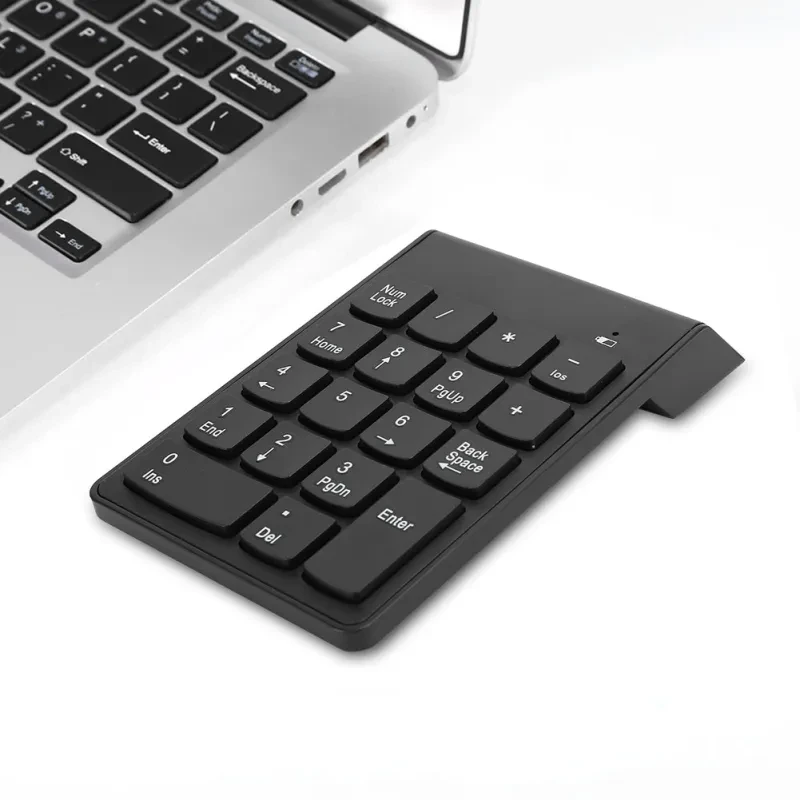
Working on a laptop without a number pad can slow you down more than you expect. The Wireless Bluetooth Number Pad brings back that familiar numeric layout in a compact, portable form. This Wireless Bluetooth Number Pad connects easily via Bluetooth, giving you a clean, cable free workspace while boosting productivity for data entry, accounting, and spreadsheets. With auto sleep functionality and a lightweight design, it fits seamlessly into your daily workflow. And once you start using it, typing numbers on a trackpad just feels like a hassle.
Bluetooth connectivity keeps your desk free from clutter. Instead of dealing with cables or USB ports, you simply pair the keypad with your device and get started. This is especially useful if you’re already juggling multiple accessories like a wireless mouse or external keyboard. It keeps everything neat and manageable.
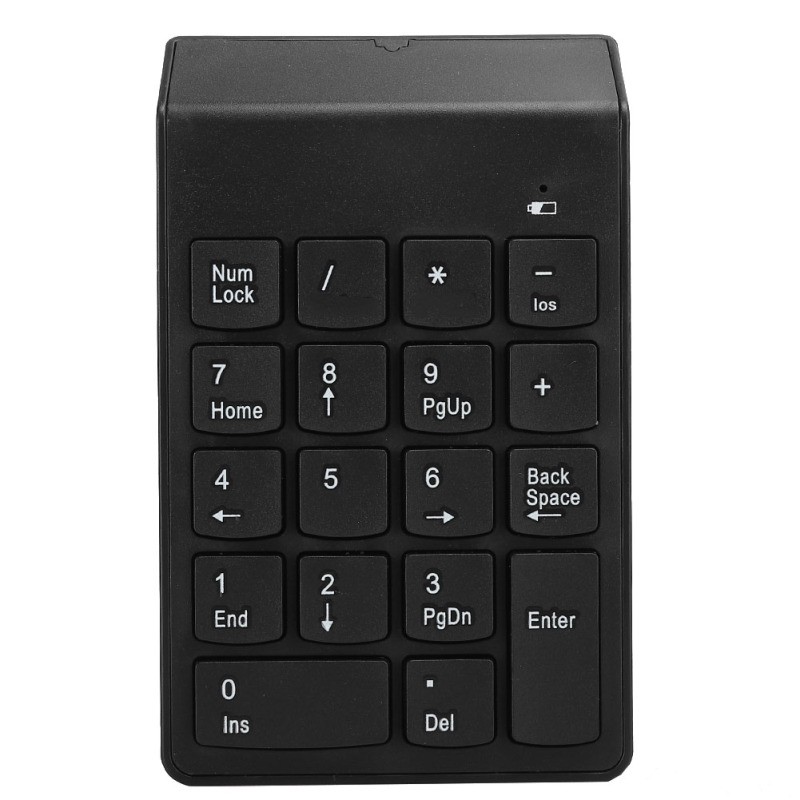
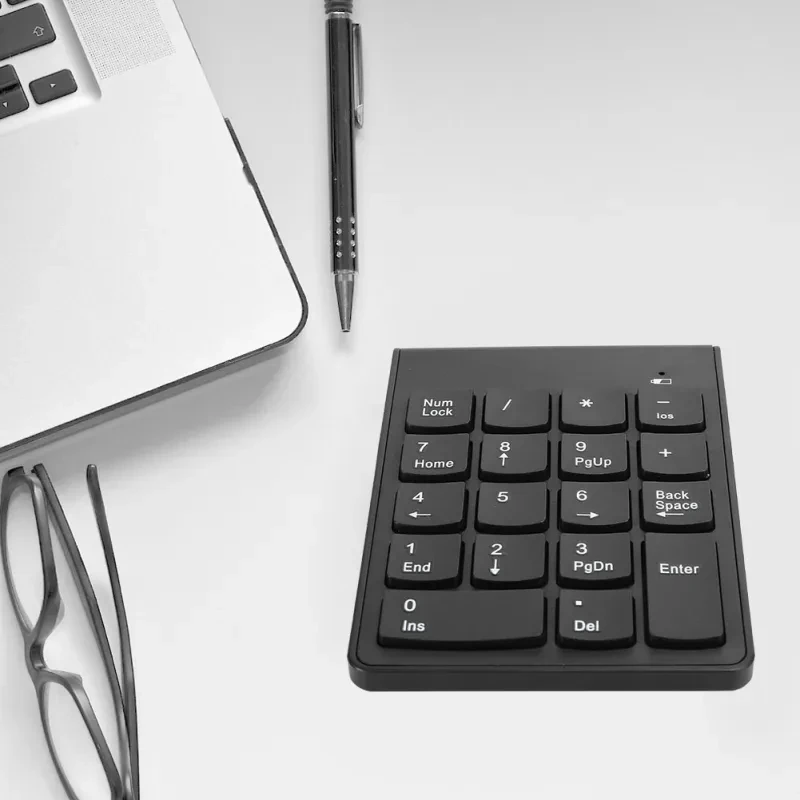
The compact 18 key layout mirrors the essential number pad functions found on full sized keyboards. You get quick access to numbers, arithmetic operations, and basic input controls. That makes tasks like entering financial data, managing invoices, or working through spreadsheets much faster. It’s a small tool that delivers a noticeable improvement in efficiency.
Auto sleep mode helps conserve battery life. If the keypad isn’t used for a while, it automatically enters a low power state. This reduces unnecessary battery drain, which is handy if you’re using it throughout the week without constantly checking power levels. A simple press wakes it back up, so there’s no disruption to your workflow.
Compatibility is broad across Windows, Android, and iOS systems. Whether you’re using a laptop, tablet, or even certain smartphones, the keypad adapts easily. That flexibility makes it a practical choice for users who switch between devices regularly.
Portability is another big advantage. Weighing around 100 grams and featuring a slim profile, it’s easy to carry in a laptop bag or backpack. You can take it from your home office to a café or even into meetings without any hassle.
And the wireless range of up to 10 metres gives you freedom to position your setup the way you like. Even if you’re working from a larger desk or presenting from a distance, it maintains a stable connection in most environments.
Office workers who deal with spreadsheets, accounting software, or data entry tasks will find this keypad incredibly useful. If you’re constantly inputting numbers, it speeds things up and reduces strain compared to using a laptop keyboard.
Students studying finance, business, or engineering can also benefit. Assignments and projects often involve calculations, and having a dedicated numeric pad makes the process smoother. It’s a simple upgrade that improves study efficiency.
Remote workers and freelancers will appreciate the flexibility. If you’re working from different locations, this compact keypad travels easily and helps maintain productivity wherever you set up your workspace.
Inside the box, you’ll find everything needed to get started.
• Wireless Bluetooth numeric keypad
• User manual
Specifications:
• Connection: Bluetooth 3.0
• Number of keys: 18
• Material: ABS
• Colour: Black
• Battery: 1 x AAA battery required, not included
• Wireless range: up to 10 metres
• Size: approximately 13.8 x 8.5 cm
• Weight: approximately 100 grams
• Compatibility: Windows, Android, iOS
At GiftDeal, we know how important it is to have practical tools that support your daily work routine. Since 2020, we’ve focused on sourcing reliable tech accessories that actually make a difference, not just add clutter to your desk. This keypad is a great example, simple, portable, and genuinely useful for anyone working with numbers. You’ll also get fast shipping across Australia and a hassle free return process if needed. It’s all about making your setup more efficient without overcomplicating things.
If you’re building out your workspace, you might also want to explore our range of wireless mice, laptop stands, and ergonomic keyboards to complete your setup.
Build quality might seem like a minor detail, but it makes a real difference in daily use. Most number pads are made from ABS plastic, which keeps them lightweight while still providing durability. A well built keypad feels stable on your desk and doesn’t flex when typing. Keycap quality also matters, as smoother finishes tend to last longer and feel better during extended use. In Australian home offices where workdays can stretch for hours, a solid build helps maintain comfort and reliability.
Bluetooth version and connection stability are key specifications to consider. A reliable connection ensures your inputs register without lag, which is important for fast data entry. Key layout and spacing affect typing accuracy, especially if you’re used to full sized keyboards. Battery type and life also play a role, with AAA powered devices offering convenience and easy replacement. Wireless range, typically around 10 metres, gives you flexibility in how you set up your workspace.
Wireless number pads in Australia come in a range of price points. Basic models handle simple tasks, while more refined options offer better build quality and smoother key response. Spending a bit more can result in a more comfortable typing experience over time. From what we’ve seen, choosing a reliable mid range option provides a good balance between performance and affordability.
The Wireless Bluetooth Number Pad stands out for its simple, cable free setup. You can pair it with your device in seconds, which keeps your desk tidy and organised. That’s especially helpful if you’re working in a compact space or using a minimalist setup.
Its 18 key layout provides all the essential functions needed for number input. You get quick access to numbers and basic calculations without needing a full sized keyboard. This speeds up tasks like financial reporting or spreadsheet management.
Auto sleep functionality is another highlight. The keypad conserves energy by entering sleep mode when not in use, then wakes instantly when you press a key. This helps extend battery life and reduces the need for frequent replacements.
And honestly, once you start using a dedicated keypad again, going back to a laptop layout feels a bit clumsy.
Many laptops lack a dedicated number pad, which slows down numeric input. This Wireless Bluetooth Number Pad fills that gap without adding bulk. Compared to wired alternatives, it offers more flexibility and a cleaner setup. It also stands out from cheaper models by providing stable Bluetooth connectivity and a comfortable key layout.
Start by inserting a AAA battery into the keypad. Turn on Bluetooth on your device, then search for available devices. Select the keypad from the list and follow the pairing instructions. Once connected, you can begin using it immediately for number input and calculations.
Position the keypad in a comfortable spot next to your main keyboard to reduce strain. Regularly check battery levels to avoid interruptions during work. Keeping the surface clean helps maintain key responsiveness. And if you’re working across multiple devices, pairing it with each one can save time switching between setups.
This Wireless Bluetooth Number Pad is perfect for Australians working in finance, administration, or any role that involves frequent number entry. If your day includes spreadsheets, invoices, or budgeting tasks, it can make a noticeable difference in speed and accuracy.
Students tackling assignments with calculations will also find it useful. It helps streamline workflows and reduces reliance on less efficient laptop keyboards. Remote workers who switch between home and office setups will appreciate its portability and ease of use.
But really, why struggle with a cramped keyboard when a simple add on can make everything smoother?
GiftDeal has been helping Australians improve their workspaces since 2020 with practical and reliable tech accessories. We focus on products that enhance productivity without adding unnecessary complexity. This keypad is part of a carefully selected range aimed at making everyday tasks easier. You’ll get fast delivery across Australia and support from a team that understands how people actually work, whether at home or in the office.
[FAQS]
Q: Is the Wireless Bluetooth Number Pad compatible with Mac and Windows devices?
A: Yes, it works with both macOS and Windows systems through Bluetooth connectivity. It can also connect to Android and some iOS devices.
Compatibility depends on your device’s Bluetooth support. Most modern devices will work without issues.
Q: Does it require software installation to use?
A: No additional software is required for basic functionality. Once paired via Bluetooth, it works as a standard input device. Some systems
may allow further customisation through settings. Setup is quick and straightforward.
Q: How long does the battery last with regular use?
A: Battery life depends on usage patterns and how often the keypad enters sleep mode. With regular use, a single AAA battery can last for
weeks. The auto sleep feature helps conserve power. Replacing the battery is simple when needed.
Q: Can I use it alongside a wireless keyboard and mouse?
A: Yes, it works well alongside other wireless devices. Bluetooth allows multiple connections on most computers. This makes it easy to
create a complete wireless workspace. Just ensure your device supports multiple pairings.
Q: Is it suitable for heavy data entry tasks?
A: It performs well for frequent number input and spreadsheet work. The dedicated keys improve speed and accuracy compared to laptop
keyboards. For extended sessions, it helps reduce strain. It’s a practical tool for productivity.
Q: What is the maximum wireless range?
A: The keypad works within a range of up to 10 metres under normal conditions. Walls or interference can affect this distance. Keeping it
within a clear line of sight improves performance. Most desk setups will have no issues.
Q: Does it have anti slip support on the base?
A: Many models include small rubber pads on the underside to keep it stable. This prevents slipping during use. A stable base improves
typing accuracy. It’s especially helpful on smooth desk surfaces.
Q: Can I carry it easily while travelling?
A: Yes, its compact size and lightweight design make it easy to carry. It fits comfortably in laptop bags or backpacks. This makes it ideal
for remote work or study. You can use it wherever you set up your workspace.
We deliver your orders quickly, safely, and securely. Most orders arrive within 7–21 working days. Local deliveries may arrive sooner.
Delivery times may vary based on location, order volume, and courier schedules. Some rural areas may take longer.
If your order hasn't arrived within the estimated timeframe, please contact us: contact@giftdeal.com.au
No FAQs available for this product yet.
Buyer guide not available for this product.