

Computer & Office
Upgrade Your Workspace
Discover premium computer essentials and office supplies designed to boost your productivity and style.
Explore Gear
.webp)
Discover premium computer essentials and office supplies designed to boost your productivity and style.
Explore Gear
Standard delivery charges apply.
Secure handling guaranteed.
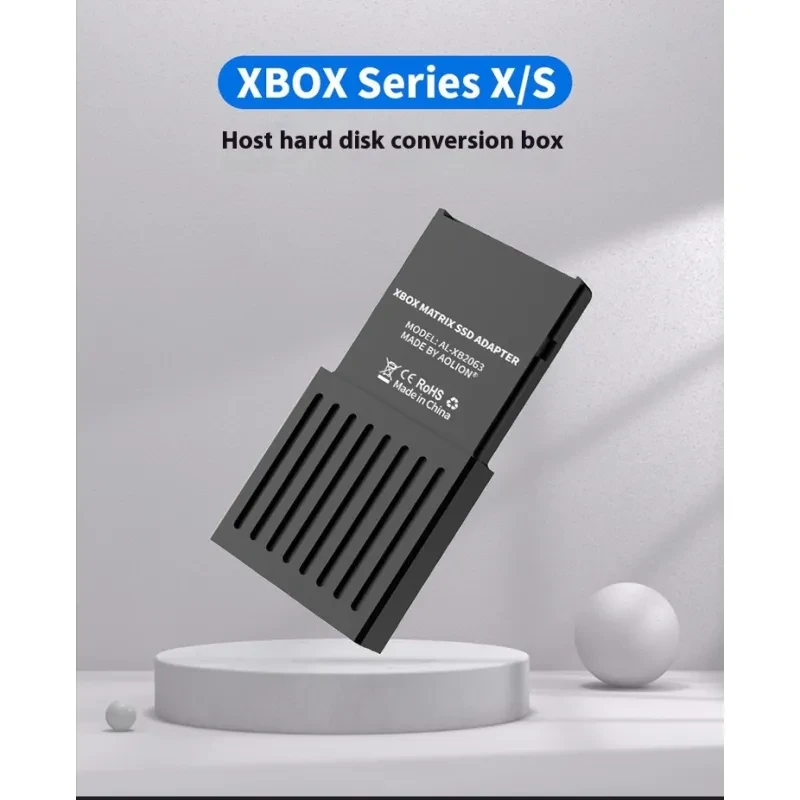
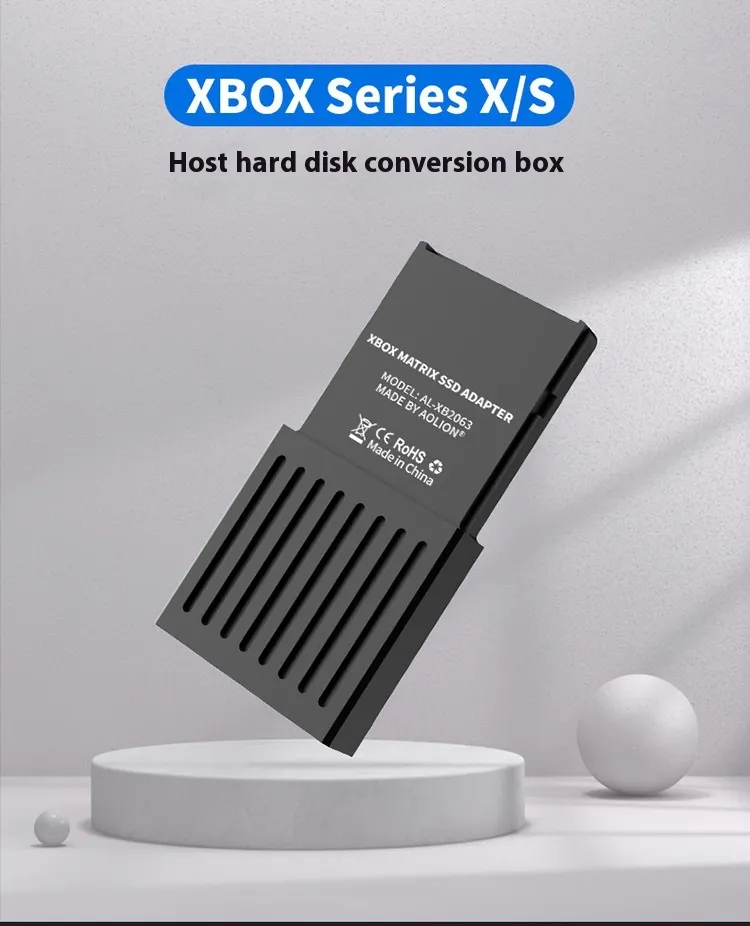
Modern gaming consoles are marvels of technology but they often suffer from one major limitation which is storage space. As game files grow larger with high resolution textures and complex audio packs, the internal drive fills up faster than ever. This is where our Xbox Series X Storage Expansion Box serves as a game changer for enthusiasts and casual gamers alike. This device is not just a simple adapter but a precision engineered enclosure that allows you to use a standard M.2 2230 SSD to expand your console's capacity. By converting the M.2 interface to the proprietary CFexpress format used by Microsoft, this box lets you play next generation games directly from the external drive without any lag or performance loss. It offers a smart and cost effective alternative to expensive proprietary cards allowing you to choose your own storage size.
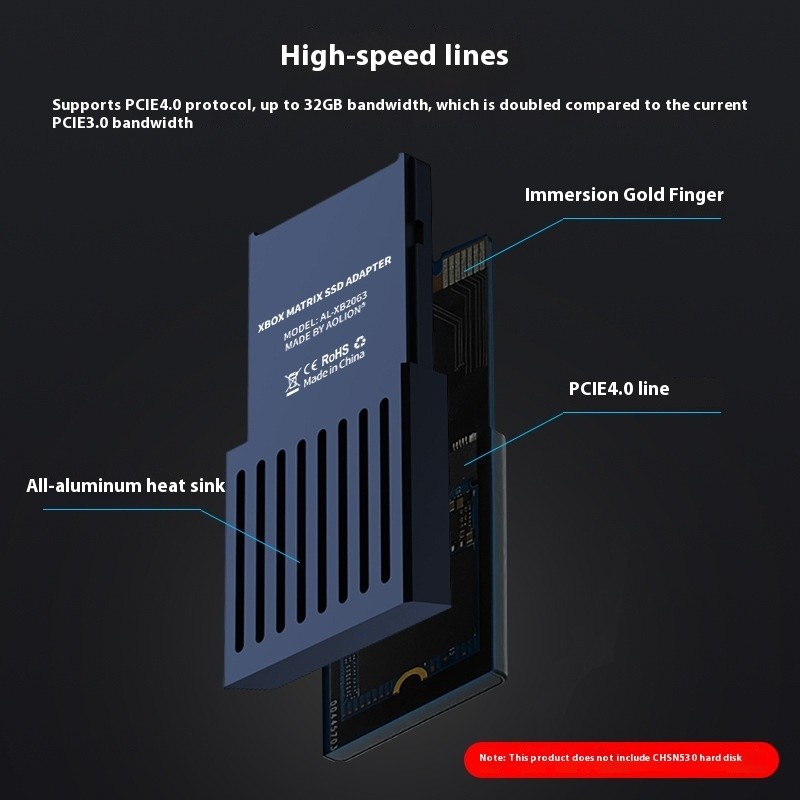
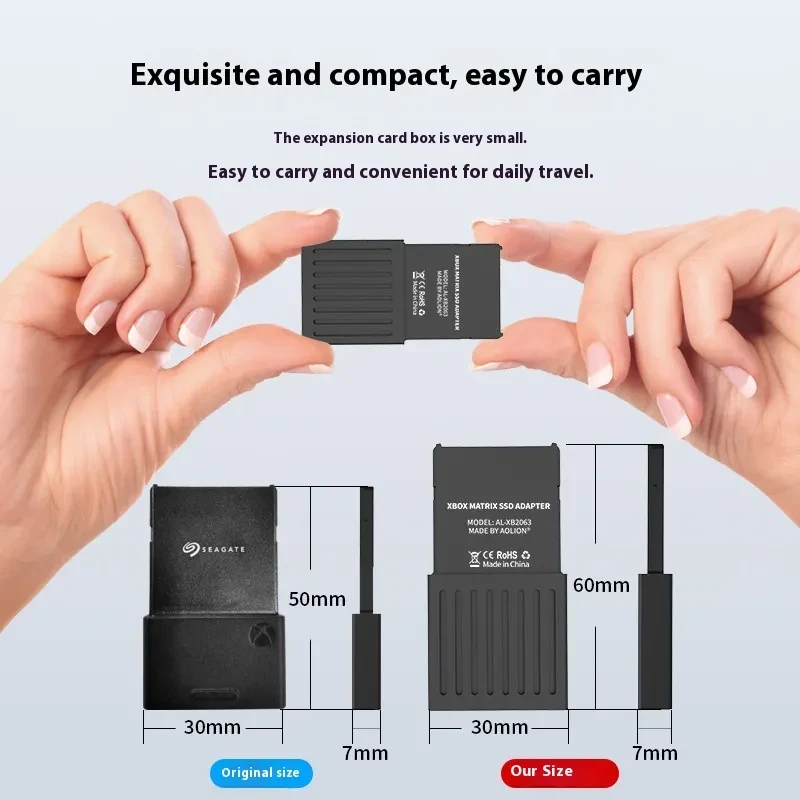
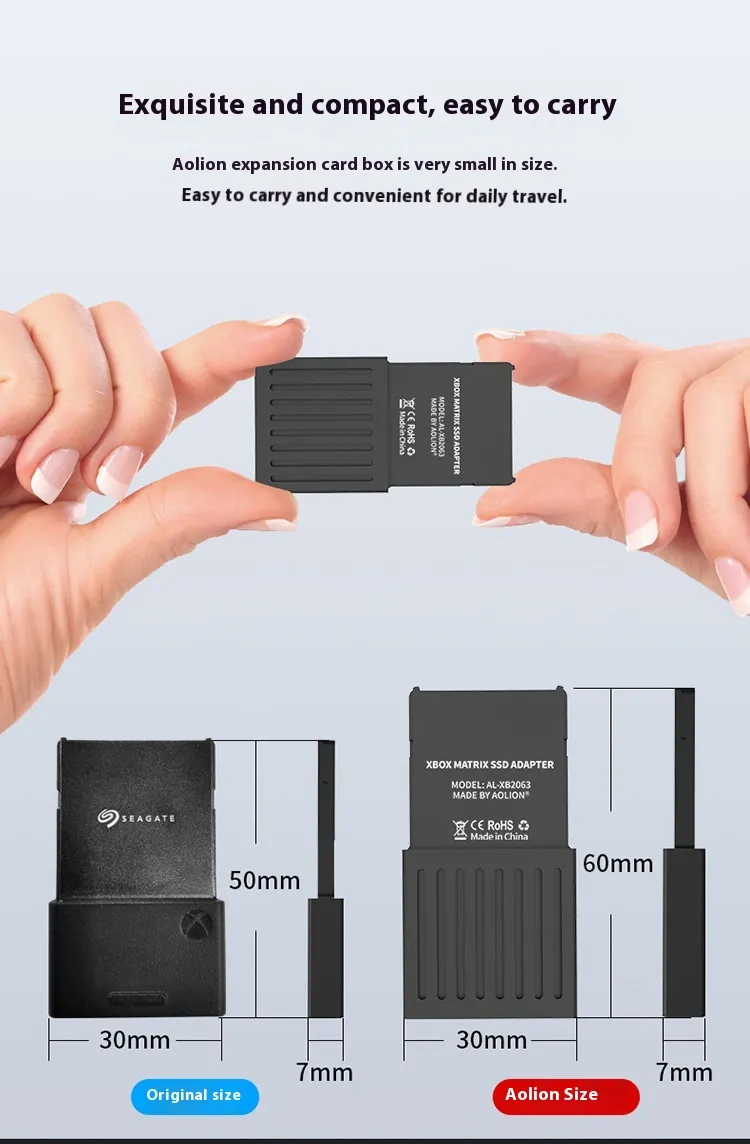
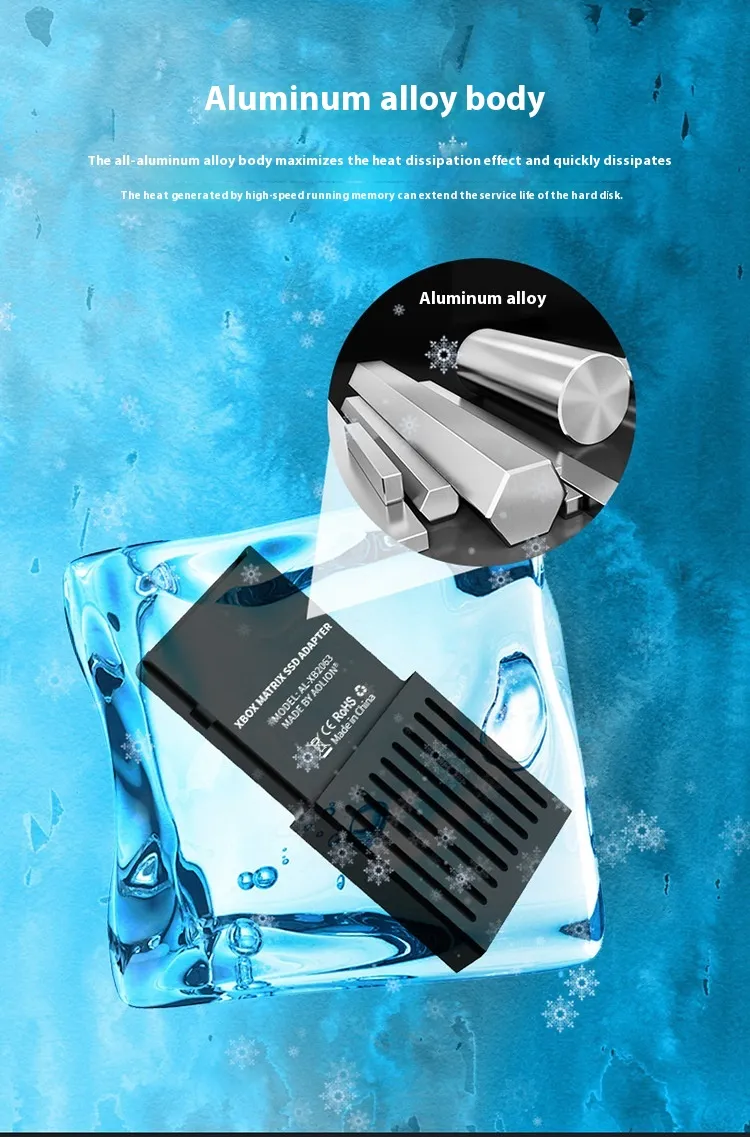
The build quality of this adapter focuses on durability and thermal management. The casing is crafted from a high grade aluminum alloy which gives it a premium feel that matches the console's aesthetic. More importantly, the aluminum acts as a heatsink. High speed NVMe SSDs generate significant heat during operation especially when loading large open world games. This Xbox Series X Storage Expansion Box dissipates that heat efficiently ensuring that your drive maintains peak performance speeds without throttling. The compact design measures just 60mm by 30mm making it unobtrusive when plugged into the back of your console. It sits flush against the port preventing accidental disconnects while maintaining the sleek profile of your gaming setup.
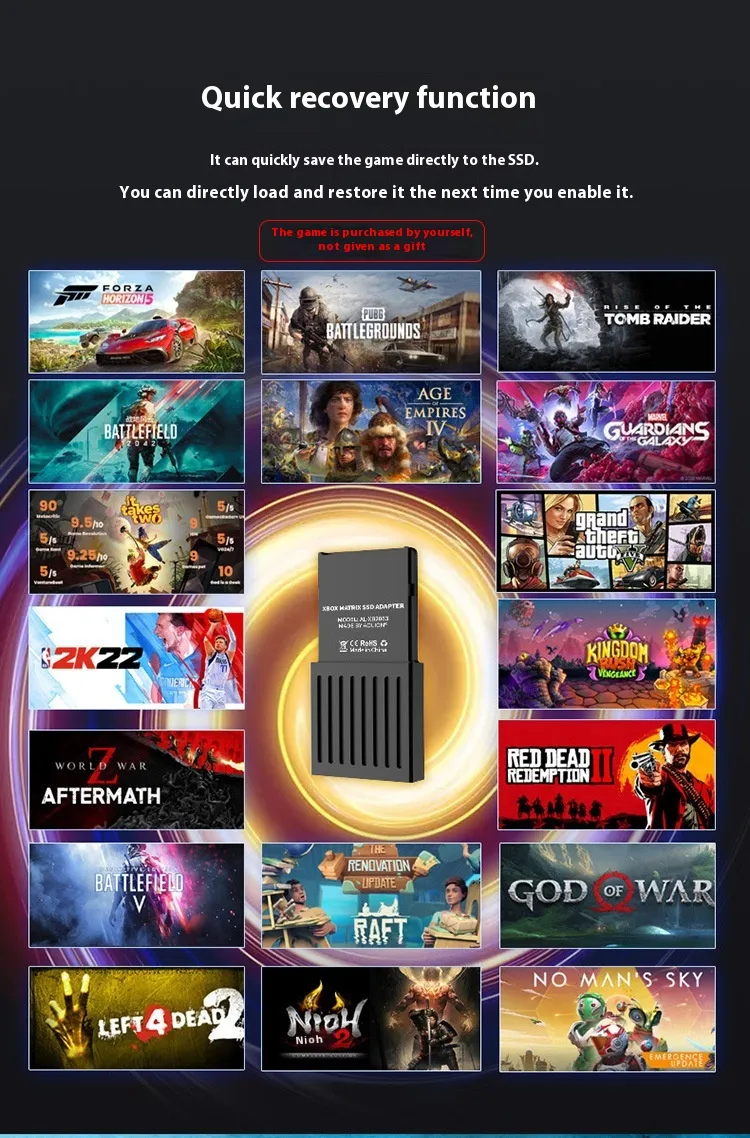
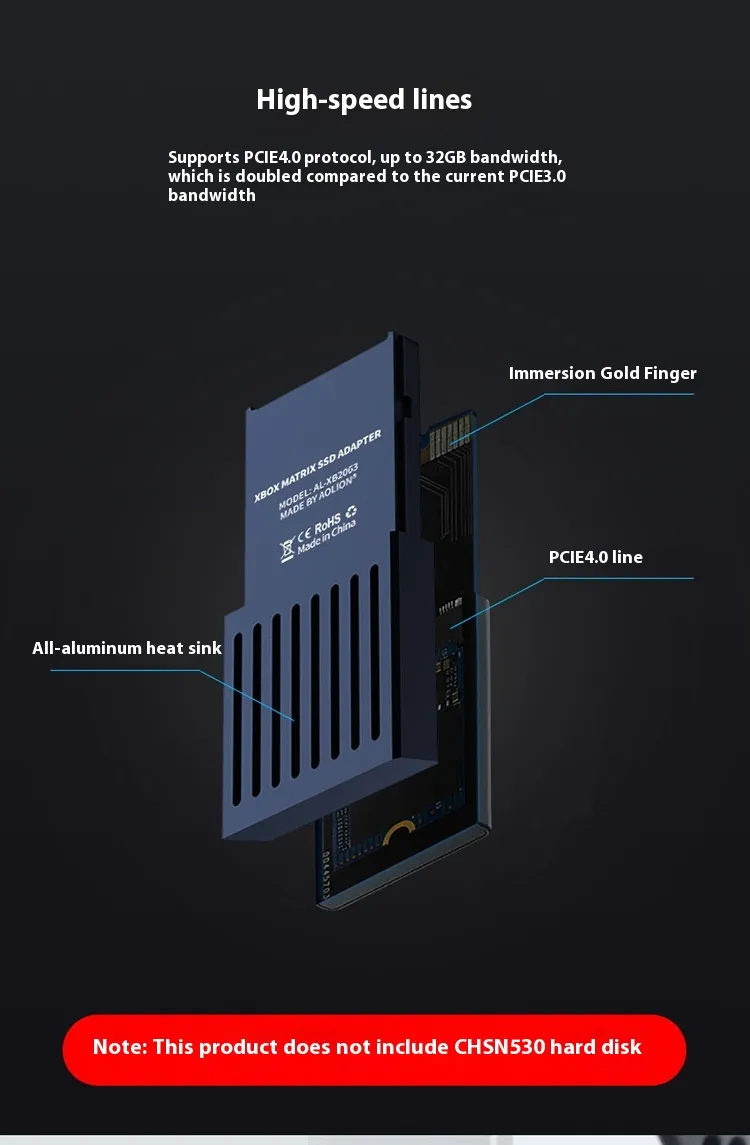
Gamers often worry that using an adapter might introduce latency or slow down load times. However, this device is designed to mirror the exact specifications of the internal storage. The Xbox Series X Storage Expansion Box supports the PCIe 4.0 protocol which is essential for the Xbox Velocity Architecture. This means you get the same lightning fast load times and Quick Resume features that you enjoy on the internal drive. Whether you are switching between multiple games or loading into a heavy multiplayer match, the data transfer rates remain stable and rapid. Unlike standard USB external hard drives that can only store next gen games but not play them, this expansion box allows full gameplay capabilities. You can run optimized Series X and S titles directly from this adapter without needing to transfer them back to the internal SSD first.
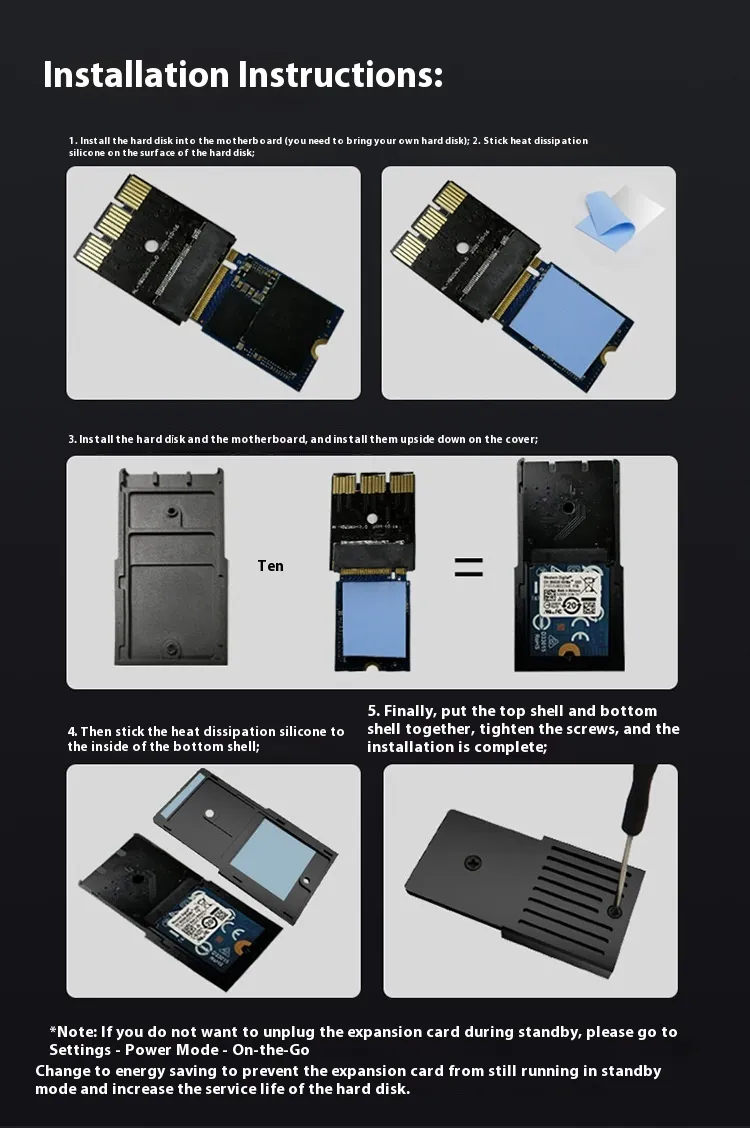
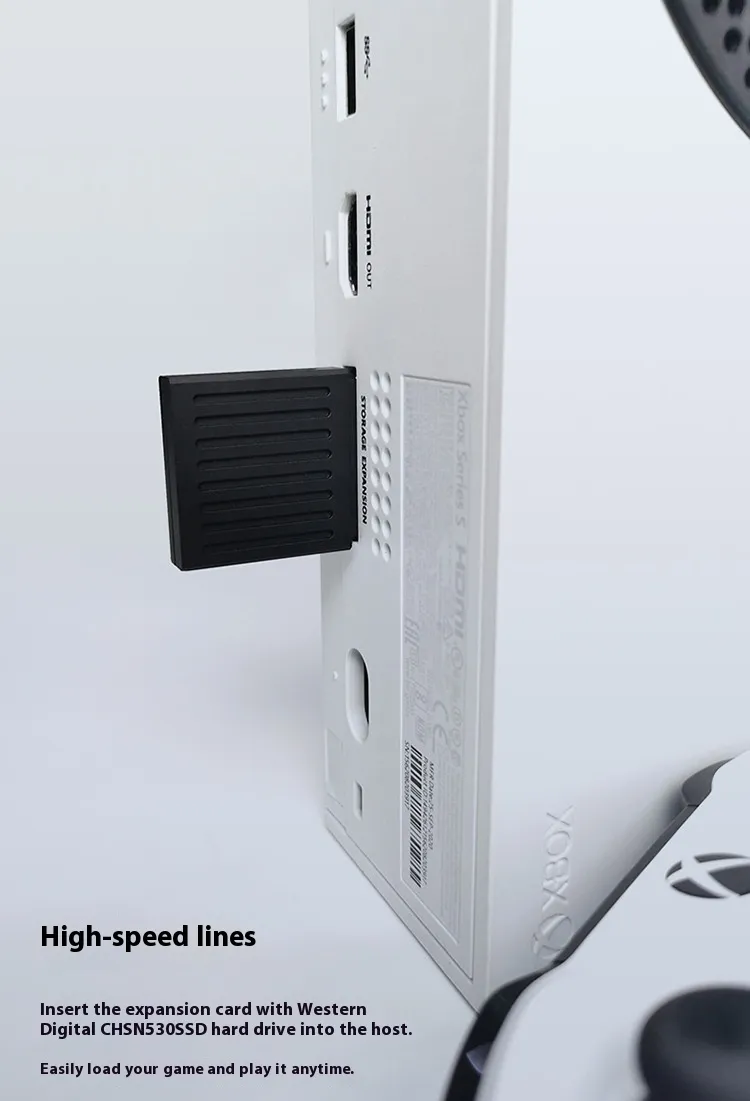
The beauty of this product lies in its simplicity. You do not need to be a computer engineer to set it up. The kit comes with everything required including a screwdriver and a detailed manual. You simply insert a compatible M.2 2230 NVMe SSD into the slot, secure it with the provided screw, and slide the cover back on. Once the SSD is installed inside the Xbox Series X Storage Expansion Box, you plug it into the dedicated storage expansion slot on the back of your console. The Xbox detects it immediately as extended storage. There is no need for complex software installations or formatting on a PC beforehand. The plug and play nature ensures that you spend less time tinkering with hardware and more time playing your favorite titles. The secure fit of the internal components ensures that the SSD does not vibrate or move which protects your data integrity over the long term.
One of the primary reasons gamers turn to this solution is the significant cost saving potential. Proprietary expansion cards sold by major brands come with a high price tag due to licensing and brand premiums. By using this Xbox Series X Storage Expansion Box, you have the freedom to purchase a compatible M.2 2230 SSD separately. Market prices for these SSDs are often much lower than pre built expansion cards allowing you to get the same 1TB or 2TB capacity for a fraction of the cost. This flexibility also means you can upgrade the drive later if prices drop further or if you need even more space. You are not locked into a single ecosystem or price point. For trade shows or business gifts, this item offers high perceived value as it solves a genuine problem for millions of console owners while keeping the unit cost reasonable for the giver.
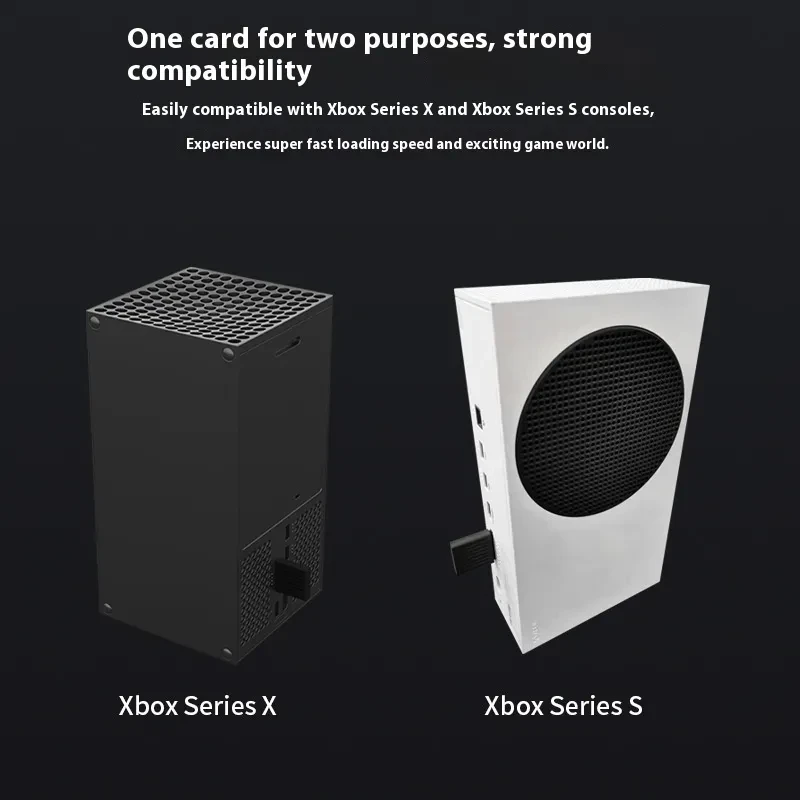
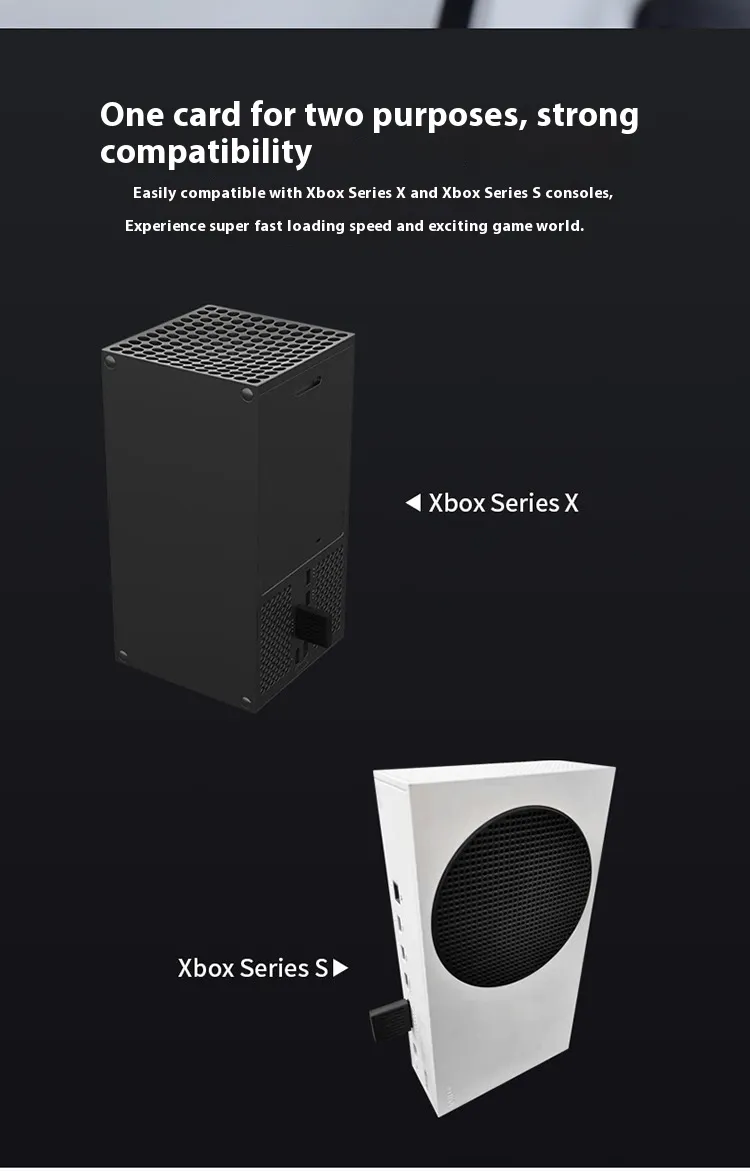
This adapter is specifically tailored for the Xbox Series X and Series S consoles ensuring 100% compatibility with the hardware interface. The external shell is rugged enough to withstand being carried in a pocket or backpack making it ideal for gamers who travel with their data. The aluminum alloy material resists scratches and fingerprints keeping the unit looking new. The design includes ventilation channels that work in tandem with the metal body to keep temperatures low. Overheating is the enemy of electronic components and this attention to thermal design extends the lifespan of both the adapter and the SSD inside. The package includes a protective cap for the connector which prevents dust and debris from entering the interface when the unit is not plugged into the console. This small detail highlights the thoughtful engineering that went into creating a reliable and long lasting accessory.
Technical Specifications
| Feature | Specification Details |
| Product Type | Storage Expansion Adapter Enclosure |
| Main Material | Aluminum Alloy |
| Interface Support | CFexpress to M.2 NVMe SSD |
| Supported SSD Form Factor | M.2 2230 Size Only |
| Console Compatibility | Xbox Series X and Xbox Series S |
| External Dimensions | 30mm x 60mm x 7mm |
| Weight | Lightweight Portable Design |
| Thermal Design | Passive Heat Dissipation Case |
| Installation Requirement | Screwdriver Included |
| Speed Protocol | PCIe 4.0 Support |
Package Contents
| Item Name | Quantity |
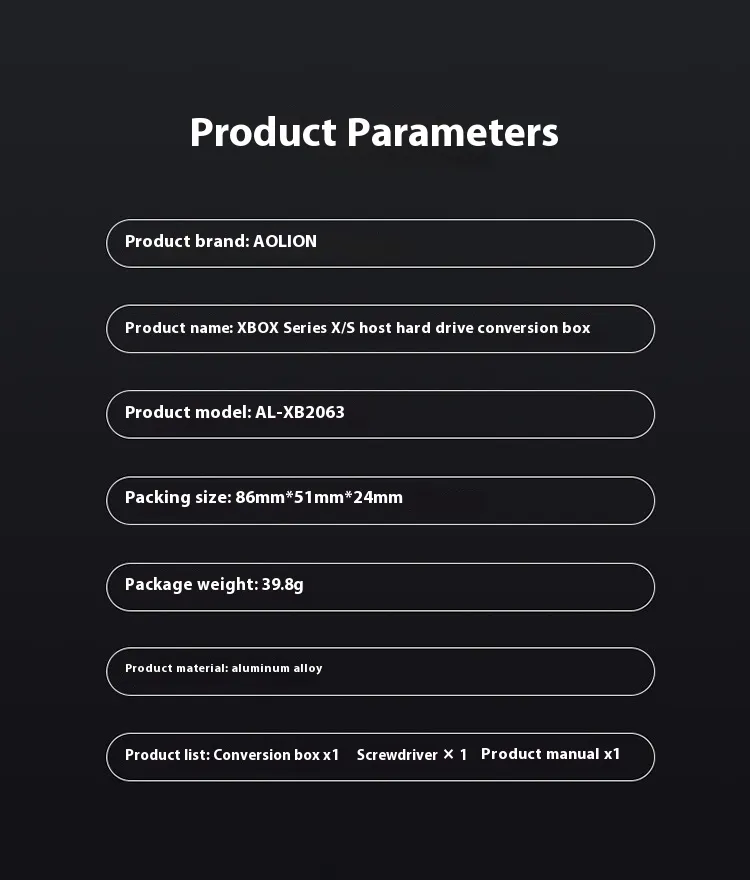
| Aluminum Conversion Box | 1 Unit |
| Installation Screwdriver | 1 Tool |
| User Instruction Manual | 1 Booklet |
| Fixing Screws | 1 Set |
This kit empowers you to take control of your gaming library. No longer do you have to delete a favorite game to make room for a new update. With the right SSD and this robust enclosure, your storage potential is virtually limitless.
Product Image:
[BUYER_GUIDE]
The release of the Xbox Series X and Series S introduced a revolutionary shift in how console games are played and stored. Microsoft introduced the Xbox Velocity Architecture, a system designed to stream game assets at incredible speeds. This is why load times are instant and textures pop in without delay. However, this technology requires very specific storage hardware. You cannot simply plug in any old USB stick and expect it to play the latest high performance games. This guide will help you understand the nuances of expanding your console's storage and why a dedicated conversion box is the superior choice for savvy gamers.
Understanding the difference between "Cold Storage" and "Active Storage" is the first step. You can use a standard USB external hard drive with your Series X or S, but it acts primarily as cold storage for next generation games. This means you can store the game files there, but you cannot play them. To play them, you must copy them back to the internal drive, which takes time. "Active Storage" refers to the internal SSD or the dedicated expansion slot on the back of the console. Drives in these locations run at the same speed as the built in storage, allowing you to play games directly. The product featured here utilizes that dedicated expansion slot. By converting a standard M.2 SSD to the CFexpress interface, it tricks the console into treating the drive exactly like the internal storage. This gives you the freedom to play seamlessly without moving files back and forth.
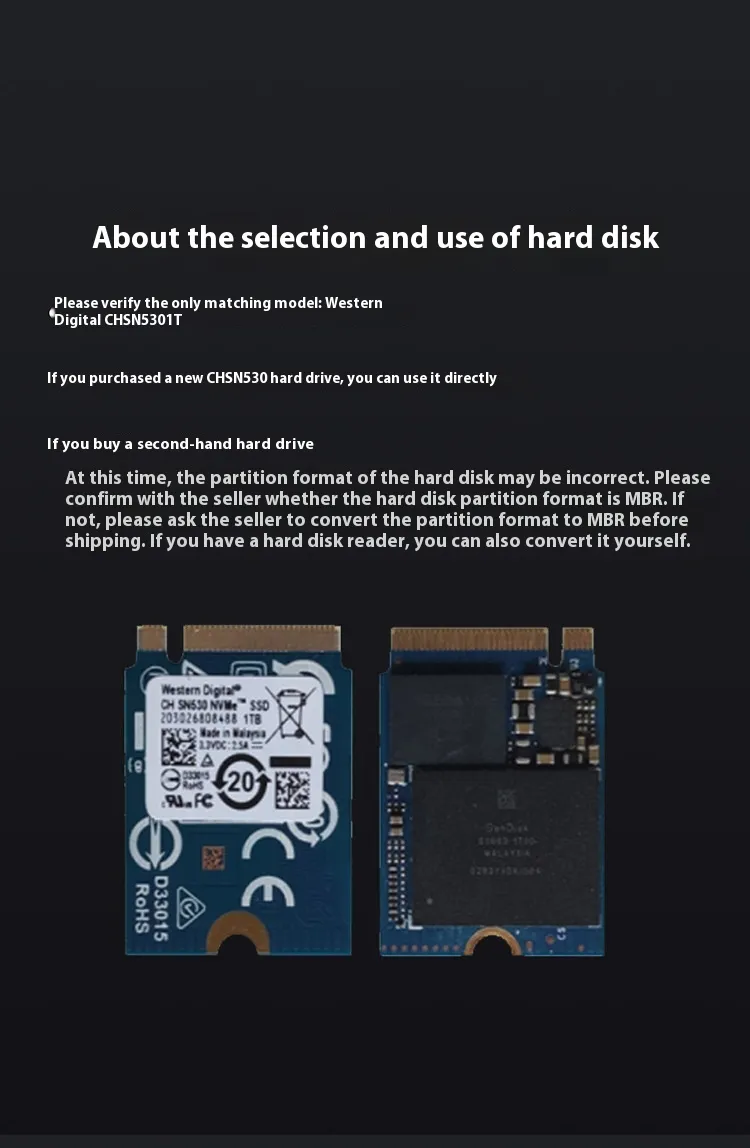
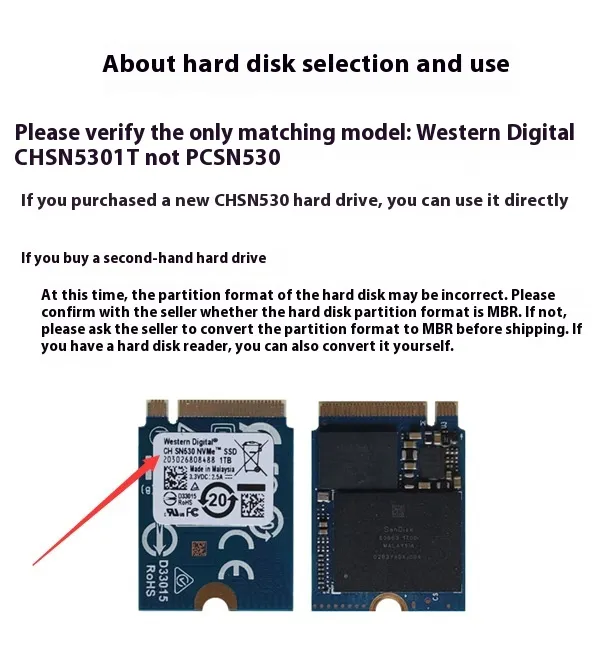
The most critical factor when using a DIY expansion box is choosing the correct SSD. Not every M.2 drive will fit or work. First, regarding the physical size, you must use an M.2 2230 form factor. The "2230" stands for 22mm wide and 30mm long. This is much shorter than the standard 2280 drives used in desktop PCs. The adapter is physically sized to hold only this small square drive. Secondly, and most importantly, is the protocol and chipset compatibility. The Xbox requires a PCIe Gen 4.0 NVMe drive. Specifically, the Western Digital CH SN530 is the most widely verified drive known to work perfectly because it is the same drive Microsoft uses internally. Other drives like the Kioxia BG4 or equivalent OEM drives may work, but you should always verify compatibility on gaming forums before purchasing the SSD. Using an incompatible drive will result in the console not recognizing the storage or only allowing it to be used for older Xbox One games.
Thermal management is a topic that often gets overlooked but is vital for performance. NVMe SSDs are incredibly fast, and with that speed comes heat. When an SSD gets too hot, it initiates a safety protocol called "thermal throttling," where it intentionally slows down to cool off. In a gaming scenario, this could result in stuttering, texture pop in issues, or even the game crashing. This is why the material of the adapter box matters. Plastic adapters act as insulators, trapping heat inside. A high quality aluminum alloy adapter, like this one, acts as a conductor. It pulls heat away from the SSD chips and releases it into the air. When assembling your unit, ensuring the thermal pad (if you use one) makes good contact with the aluminum shell will guarantee your games run smoothly even during marathon sessions.
The economics of a DIY solution versus a proprietary card are worth analyzing. Official expansion cards are convenient but expensive because you are paying for the brand name and the plug and play guarantee. A DIY solution involves buying this aluminum adapter box and a separate M.2 2230 SSD. In many cases, you can source these specific SSDs from secondary markets or computer part retailers for significantly less than the cost of a pre packaged card. This price gap increases as you go up in capacity. For a 1TB or 2TB upgrade, the savings can be substantial. This approach effectively removes the "early adopter tax" and lets you upgrade your console on your own financial terms.
Installation is straightforward but requires a steady hand. When placing the SSD into the adapter, handle it by the edges to avoid static discharge. Ensure the gold pins on the SSD are clean and free of dust. The connector inside the box is precise, so do not force the drive in; it should slide in with a gentle push. Once the screw is tightened, the drive should not wiggle. When inserting the completed unit into the Xbox, listen for a satisfying click or feel for a firm seating. The console supports "hot swapping," meaning you can plug it in while the console is on, but for the first installation, it is often safer to turn the console off completely. Once inserted, turn the console on and navigate to "Settings" then "System" then "Storage Devices." You should see the new drive listed there, ready to be formatted and used.
Finally, consider the portability and future proofing this device offers. Because the SSD is removable, you are not stuck with one capacity forever. If 2TB M.2 2230 drives become cheap in the future, you can simply swap out the drive inside this adapter without buying a whole new unit. You can also carry your entire game library to a friend's house. Simply plug your adapter into their Series X or S, log into your profile, and you can play your games instantly without downloading hundreds of gigabytes of data. This level of flexibility combined with the robust protection of the aluminum shell makes this conversion box an essential tool for the modern gamer who values performance, value, and control over their hardware.
[FAQS]
Q: Does this product come with the SSD storage included inside?
A: No this product is only the conversion adapter box or enclosure. You must purchase a compatible M.2 2230 NVMe SSD separately and install it into this case for it to function as storage.
Q: Which specific SSD models are compatible with this adapter?
A: This adapter requires an M.2 2230 form factor NVMe PCIe 4.0 SSD. The most highly recommended and verified model to use is the Western Digital CH SN530 as it matches the internal architecture of the Xbox.
Q: Can I play Xbox Series X and S optimized games directly from this drive?
A: Yes once you install the correct PCIe 4.0 SSD into this adapter the console recognizes it as internal storage allowing you to play next gen optimized games directly without transferring them.
Q: Will this adapter work with the older Xbox One console?
A: No this expansion slot adapter is designed exclusively for the Xbox Series X and Xbox Series S consoles. The Xbox One uses USB ports for expansion and does not have the CFexpress style slot.
Q: Does the aluminum case get hot during use?
A: It is normal for the aluminum case to feel warm or hot to the touch during operation. This actually indicates that the case is working correctly by absorbing heat from the internal SSD and dissipating it into the air to prevent overheating.
Q: Is it difficult to install the SSD into the adapter box?
A: The installation is very simple and does not require technical skills. The package includes a screwdriver and you only need to insert the SSD into the slot and tighten one screw to secure it in place.
Q: Can I use a standard longer M.2 2280 SSD with this adapter?
A: No this adapter is physically designed to fit only the compact M.2 2230 size drives. The standard 2280 drives found in most PC setups are too long and will not fit inside the enclosure.
Q: Do I need to format the drive on a computer before putting it in the Xbox?
A: Generally you do not need to format it on a PC first. Once you insert the assembled adapter into the Xbox the console should detect it and prompt you to format the drive for games and apps directly on the TV screen.
We deliver your orders quickly, safely, and securely. Most orders arrive within 7–21 working days. Local deliveries may arrive sooner.
Delivery times may vary based on location, order volume, and courier schedules. Some rural areas may take longer.
If your order hasn't arrived within the estimated timeframe, please contact us: contact@giftdeal.com.au
No FAQs available for this product yet.
Buyer guide not available for this product.