.webp)
Standard delivery charges apply.
Secure handling guaranteed.
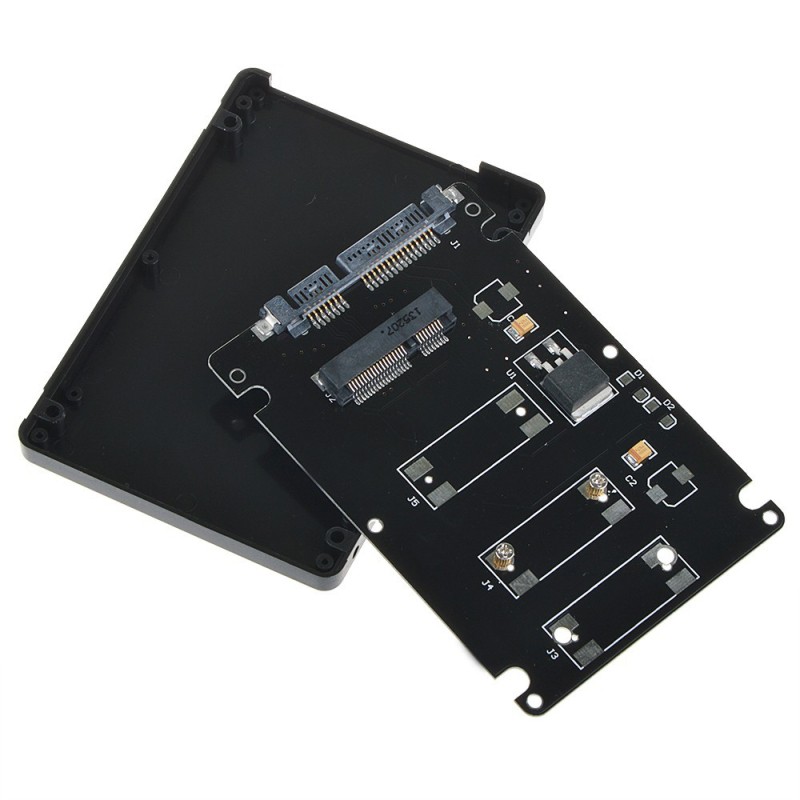
The mSATA to SATA 3.0 Adapter Enclosure is a practical way to convert an internal mSATA solid state drive into a portable 2.5 inch SATA storage device without losing transfer speed or reliability. It solves a common issue for laptop and mini PC users who want to reuse existing mSATA SSDs instead of letting them sit idle in storage. With USB level flexibility through SATA 3.0 compatibility, it connects smoothly with notebooks, desktop systems, and external docking setups. The ultra thin 7mm profile makes it ideal for compact builds where space matters. It also supports stable data transfer speeds, ensuring your files move quickly without bottlenecks or lag during everyday use in Australian home or office setups.
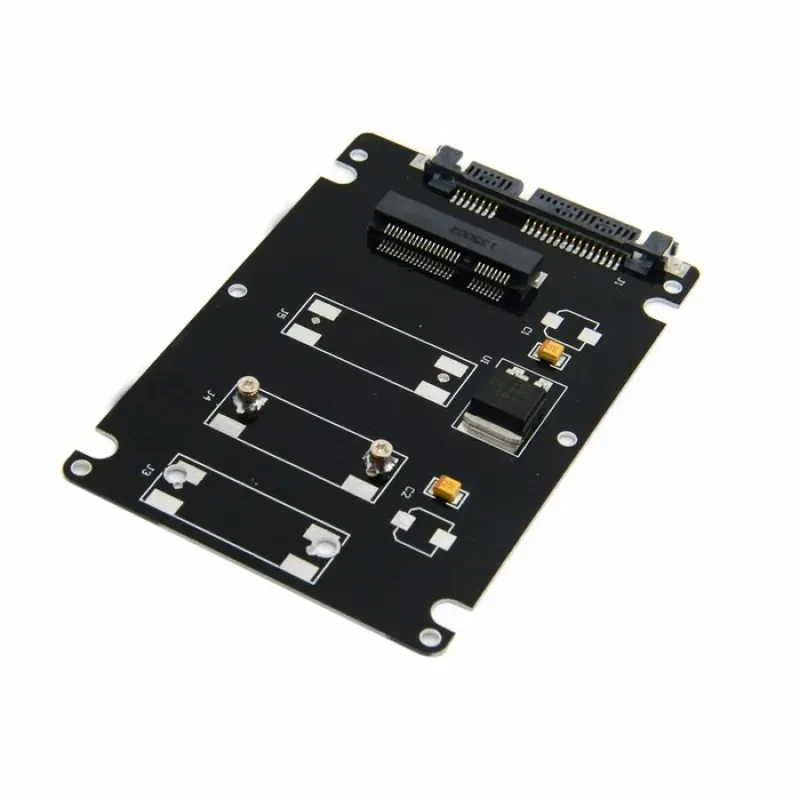
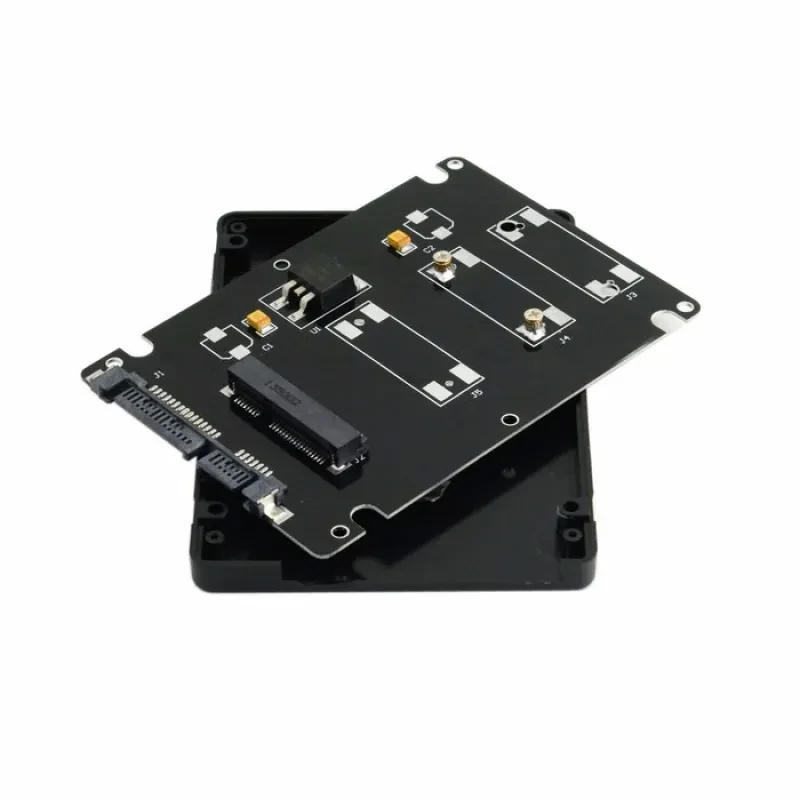
Inside this enclosure, the mSATA interface is securely mounted and converted into a standard SATA connection. That means you can repurpose older SSDs, expand storage capacity, or create fast external backup drives. No drivers are needed for most systems, which keeps things simple for both beginners and technicians.
The enclosure is built with a slim 7mm profile that fits easily into modern laptop bays and external docking cases. Its lightweight aluminium structure helps dissipate heat during long data transfers, especially when copying large media files or backups. In Australian summer conditions where ambient temperatures rise, this thermal design helps maintain stable SSD performance without throttling.
Using SATA 3.0 technology, the enclosure supports fast data transmission suitable for SSD workloads. Whether you are transferring high resolution videos or system backups, the connection remains stable and consistent. This makes it ideal for users who rely on quick file access during work or study sessions.
The mSATA to SATA 3.0 Adapter Enclosure works with laptops, desktop PCs, and external docking stations that support SATA drives. It allows seamless integration into existing storage setups without needing additional hardware upgrades. This flexibility is especially useful for IT technicians and home users upgrading older systems.
Installing an mSATA drive into the enclosure is straightforward and does not require specialised tools. The internal mounting system holds the SSD securely in place while maintaining proper alignment with the SATA connector. This makes setup quick for users who frequently swap or test drives.
The enclosure provides a secure casing that protects the SSD from dust, light impact, and handling wear. It is particularly useful when transporting data between offices or working environments. Many users rely on this protection when moving sensitive files across different devices.
Most operating systems recognise the enclosure immediately once connected. There is no need for extra software installation, which saves time and reduces configuration issues. This is ideal for fast deployment in both personal and professional environments.
The enclosure draws minimal power through the SATA connection, making it efficient for long term use. It works well in both desktop and portable setups, ensuring stable performance without excessive energy consumption.
This enclosure suits a wide range of users across Australia who need flexible storage solutions. It is perfect for IT professionals who frequently recover data from mSATA drives and need a reliable way to access files quickly. Small business owners also benefit, especially those managing backups or transferring client data between systems.
Students working on laptops will find it useful for expanding storage without replacing their main drive. It is also handy for content creators who handle large video or photo files and need portable SSD access. Even home users who upgrade old laptops can reuse existing mSATA drives instead of buying new storage, making it a cost effective option.
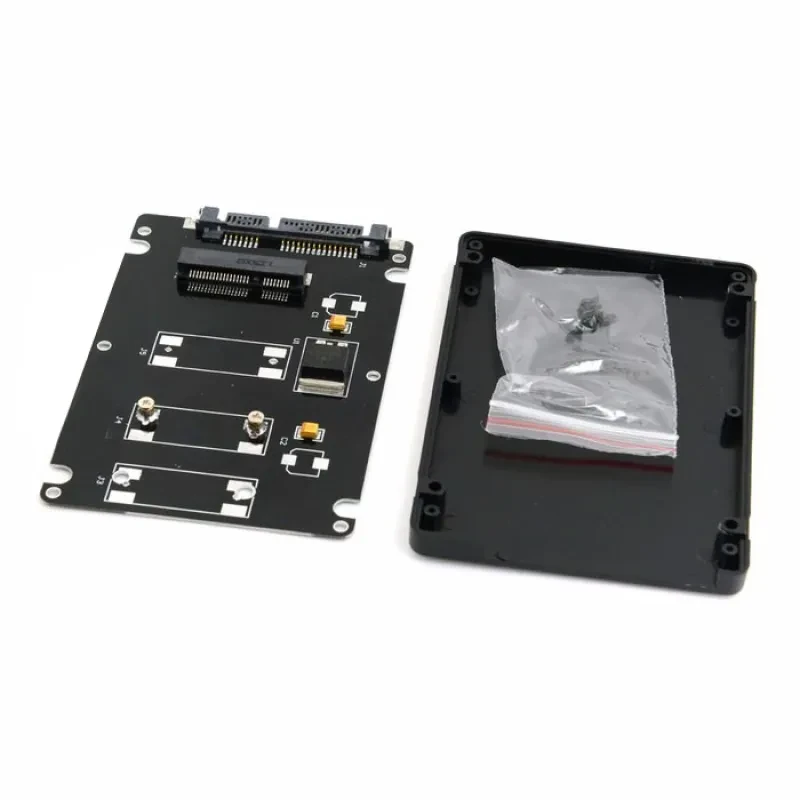
Inside the package you receive one 2.5 inch mSATA to SATA 3.0 adapter enclosure. It supports standard mSATA SSD modules and fits into a 7mm slim bay design. The casing is constructed from lightweight aluminium alloy combined with internal PCB conversion circuitry that handles SATA 3.0 data transmission.
The enclosure is compatible with most operating systems including Windows, macOS, and Linux distributions. It supports standard SATA power and data connections and is designed for plug and play use. SSD is not included, allowing users to install their preferred mSATA drive.
When choosing an adapter enclosure like the mSATA to SATA 3.0 Adapter Enclosure, the first thing to understand is compatibility. Not all mSATA modules behave the same, so checking SATA 3.0 support is essential for stable performance. You also want to look at enclosure thickness, especially if you plan to use it in laptops or tight external docking bays. Build quality matters because poor alignment can affect read and write stability over time. In Australia, where devices are often used in warm environments, ventilation and heat dissipation become important considerations as well.
Good enclosures use aluminium alloy shells combined with precision PCB boards that ensure stable signal conversion. Aluminium helps with passive heat dissipation, which is especially useful during long file transfers or system backups. Internal connectors should be firm and corrosion resistant to maintain long term reliability. A quality enclosure also avoids signal interference by using proper shielding around the SATA bridge chip. These details matter when you are moving large media files or running frequent read write operations on SSD storage devices.
The most important specification is SATA 3.0 support, as it determines maximum transfer speed and stability. Another factor is SSD type compatibility, specifically mSATA interface support rather than standard SATA SSDs. Enclosure thickness also plays a role, particularly 7mm slim designs for portable use. Power efficiency and plug and play compatibility are also key indicators of usability. Many marketing claims focus on aesthetics, but real performance depends on chipset quality and interface stability rather than appearance alone.
In the Australian market, adapter enclosures vary widely in price depending on build materials and chipset quality. A slightly higher investment often means better thermal control and longer lifespan. Cheaper models may still function but can struggle under continuous heavy file transfers. The mSATA to SATA 3.0 Adapter Enclosure category is best evaluated based on reliability rather than looks or packaging. Paying a bit more ensures smoother performance when handling backups, cloning drives, or transferring large datasets across systems.
This enclosure stands out because it combines portability with stable SATA 3.0 performance. The ultra thin 7mm structure allows easy integration into laptops and external housings without bulk. It supports SSD reuse, which is useful for upgrading older systems without buying new drives. If you are migrating data between devices or repurposing hardware, this kind of adapter makes the process straightforward. And in real world use, it handles everyday file transfers like documents, photos, and backups without complications.
Compared to generic adapter boards, this enclosure provides a fully protected casing rather than exposed circuitry. That means better durability and safer handling during transport. Many low cost alternatives lack proper thermal design, which can lead to performance drops during extended use. With SATA 3.0 support and a structured enclosure, this option aligns better with professional and home use expectations. It sits in a balanced category where performance and practicality meet.
Setup and First Use
To begin, insert the mSATA SSD into the internal slot carefully aligning the connector pins. Secure it using the internal mounting system
before closing the enclosure casing. Once assembled, connect it to a SATA compatible device or external docking system. The system should
recognise it automatically without additional drivers. It is a straightforward process that takes only a few minutes even for first time
users.
Keep the enclosure in a ventilated space during heavy data transfers to maintain stable performance. Avoid frequent unnecessary disconnections while files are being written or read. For long term use, store it in a dry environment away from dust and moisture. If used regularly for backups, schedule file transfers during cooler parts of the day in Australian summer conditions to maintain consistent drive health and system responsiveness.
Ideal Buyers
This enclosure suits IT technicians who frequently recover or migrate SSD data between systems. It is also valuable for students and office
workers who need extra storage without upgrading internal drives. Content creators handling large media files will appreciate the
portability and speed it provides. Even home users upgrading older laptops can reuse mSATA drives instead of discarding them. In Australian
households where mixed device setups are common, this type of enclosure becomes a practical everyday tool for storage flexibility.
GiftDeal Australia has been operating since 2020, offering carefully selected tech accessories designed for real world use. The focus is on reliability, compatibility, and value across a wide product range. Customers benefit from fast domestic shipping and responsive support that understands local needs. For this enclosure, you also get confidence that it has been chosen for practical performance rather than just specifications. It is a straightforward, dependable choice for upgrading or repurposing storage devices.
Q: What devices work with the mSATA to SATA 3.0 Adapter Enclosure?
A: It works with laptops, desktops, and docking stations that support standard SATA connections for storage devices. It allows mSATA SSDs to
function as external or internal drives depending on setup. Most Windows, macOS, and Linux systems detect it automatically without extra
drivers. This makes it practical for both home users and IT environments. It is especially useful for upgrading older systems without
replacing hardware.
Q: Does this enclosure maintain SSD speed during data transfer?
A: Yes, it supports SATA 3.0 which allows stable high speed data transfer performance. It ensures SSD performance is not restricted during
normal file operations. Users often rely on it for backups, media editing, and system cloning tasks. The aluminium casing also helps
maintain thermal stability during use. It performs consistently under everyday workload conditions.
Q: Can I use this for old mSATA drives from laptops?
A: Yes, it is designed specifically for repurposing mSATA SSDs from older laptops. You can convert them into external storage or secondary
backup drives. This is useful for recovering data or extending device storage capacity. It supports common SSD sizes used in compact laptop
systems. Many users reuse older drives instead of purchasing new storage.
Q: Is the mSATA to SATA 3.0 Adapter Enclosure difficult to install?
A: Installation is simple and does not require specialised technical skills or tools. You place the SSD inside and secure it using the
internal mount system. Once connected, it works instantly with most operating systems. The plug and play design reduces setup time
significantly. Even first time users can complete installation in minutes.
Q: How durable is the enclosure for travel use?
A: The aluminium housing provides strong protection for everyday handling and transport. It helps shield the SSD from dust and minor impacts
during travel. Many users carry it between home, office, and mobile work setups. It is well suited for Australian commuting and office
environments. The internal structure keeps the SSD stable during movement.
Q: Does the mSATA to SATA 3.0 Adapter Enclosure require external power?
A: No, it draws power directly from the SATA connection when in use. This makes it convenient for both desktop and portable setups. It
reduces cable clutter and simplifies overall installation. Power efficiency also supports longer usage without overheating issues. It is
designed for simple plug and play operation.
Q: What is included in the package when I buy it?
A: The package includes the 2.5 inch mSATA to SATA 3.0 adapter enclosure unit. It does not include an SSD so you can install your own drive.
All internal mounting components are already built into the enclosure. It is ready for immediate SSD installation upon arrival. This allows
flexible use with different compatible drives.
We deliver your orders quickly, safely, and securely. Most orders arrive within 7–21 working days. Local deliveries may arrive sooner.
Delivery times may vary based on location, order volume, and courier schedules. Some rural areas may take longer.
If your order hasn't arrived within the estimated timeframe, please contact us: contact@giftdeal.com.au
No FAQs available for this product yet.
Buyer guide not available for this product.