.webp)
Standard delivery charges apply.
Secure handling guaranteed.
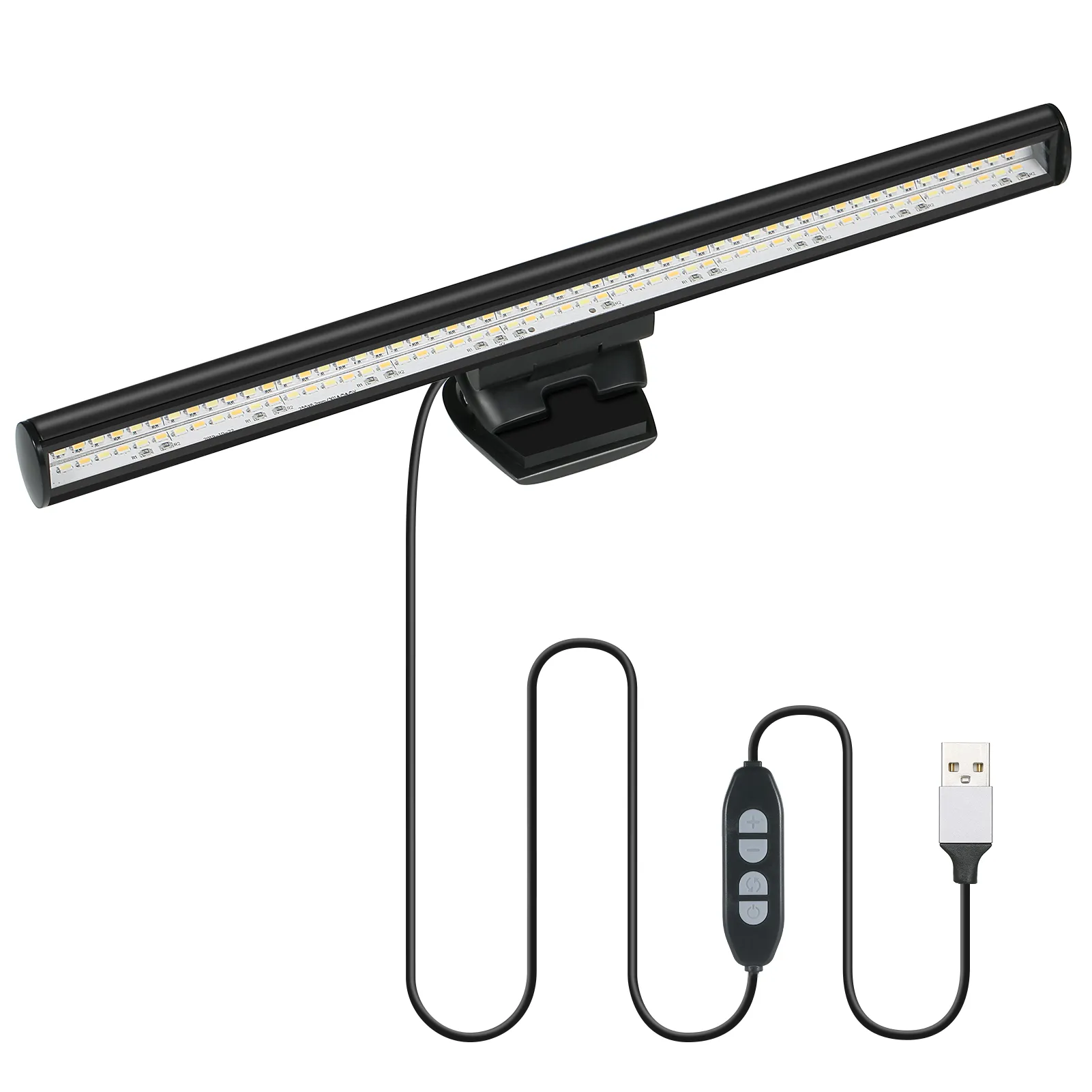
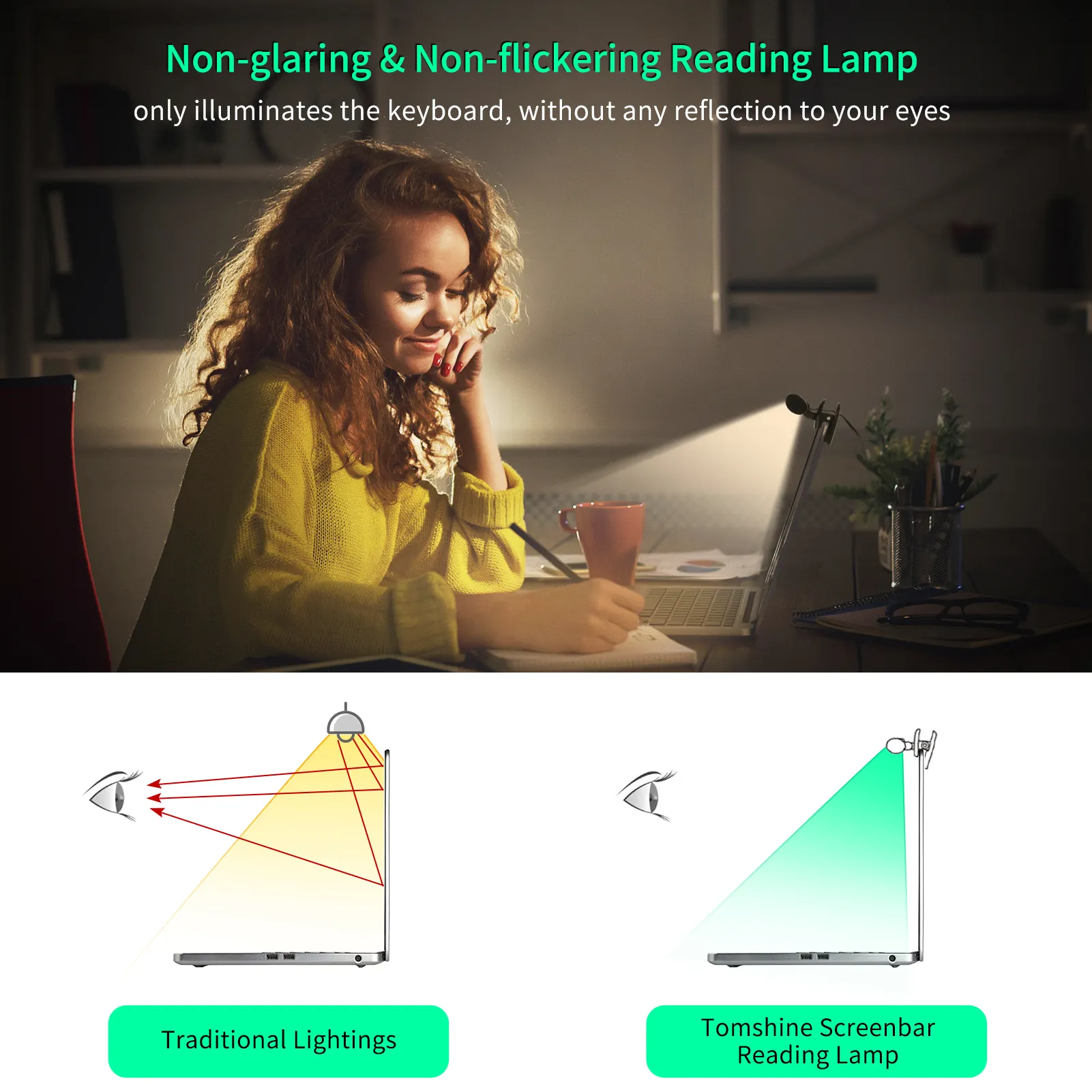
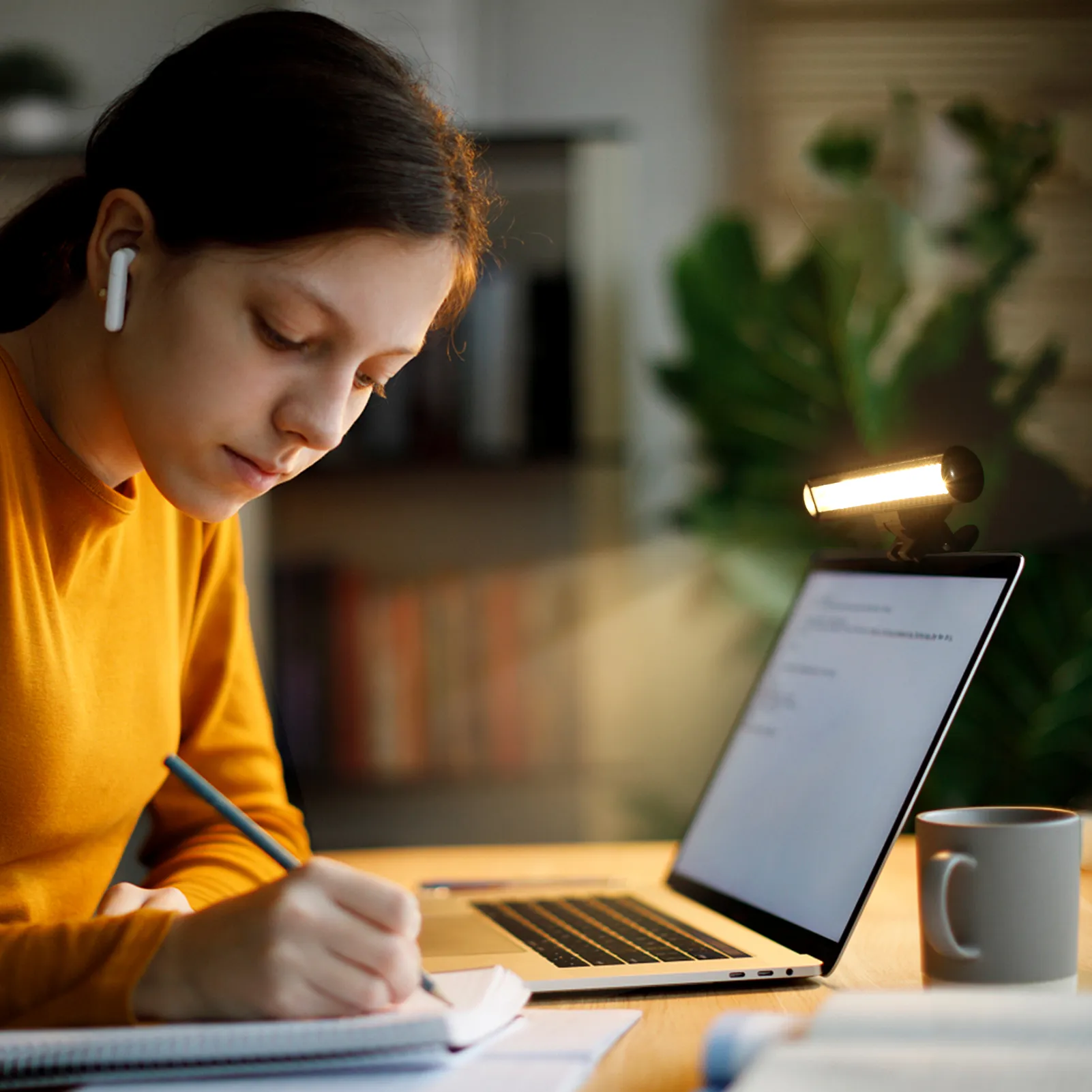
Late night work sessions can really strain your eyes, especially when your room lighting just does not cut it. This e-Reading Monitor Light changes that completely by directing soft, balanced light straight onto your keyboard and workspace without blasting your eyes. Built with 54 LEDs and an asymmetrical optical design, it creates a focused glow that reduces glare and screen reflection. You get three colour modes and adjustable brightness levels, so whether you are reading, typing, or editing, your setup feels comfortable and easy on the eyes. And honestly, once you try proper screen lighting, going back feels a bit rough.
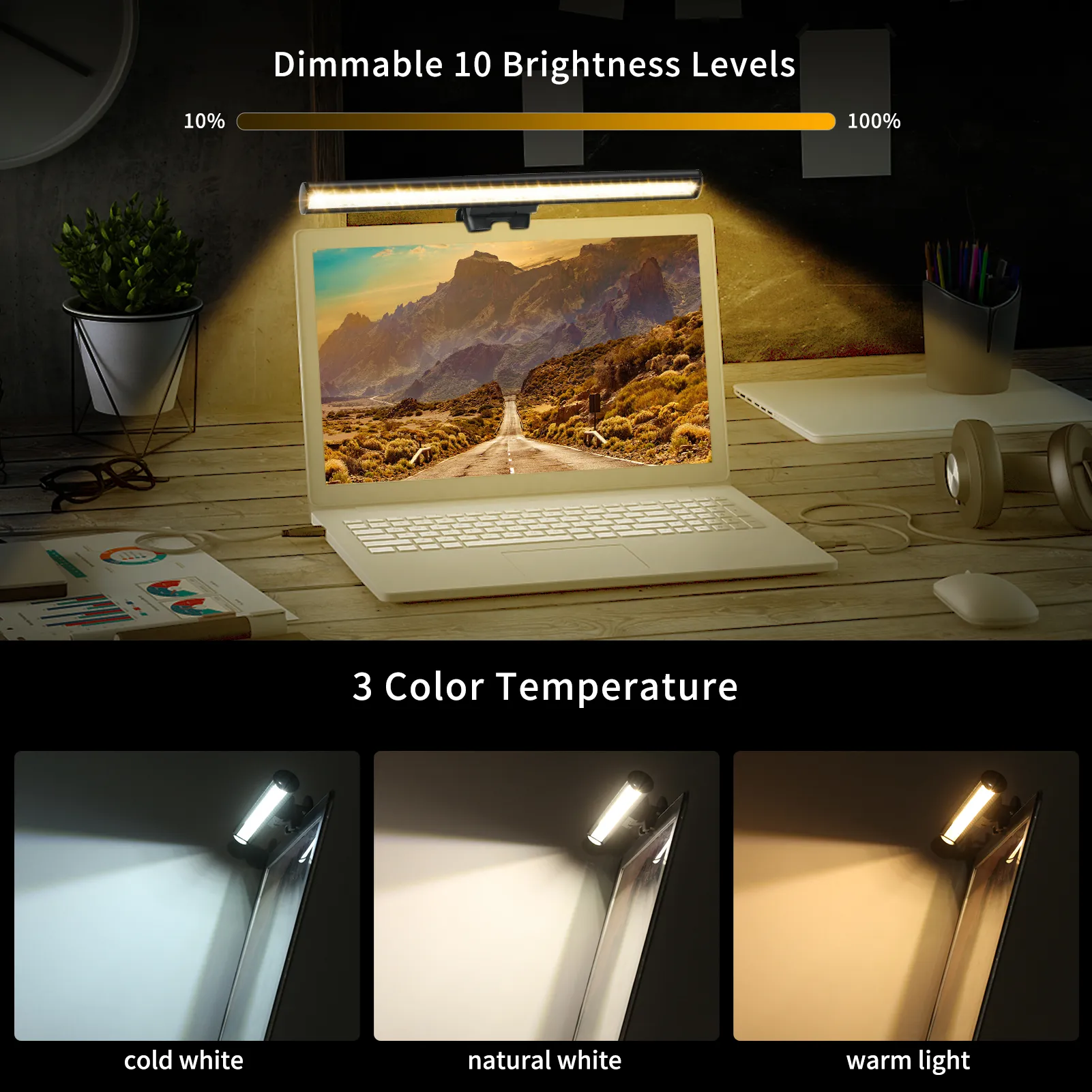
Lighting matters more than people think, especially when you spend hours in front of a laptop. This monitor lamp uses a mix of warm and white LEDs to create a balanced light output that feels natural. Warm light works beautifully during late evenings, while cool white helps you stay alert during daytime tasks. Switching between these modes takes seconds, and each one offers ten brightness levels, giving you proper control over your workspace ambience.
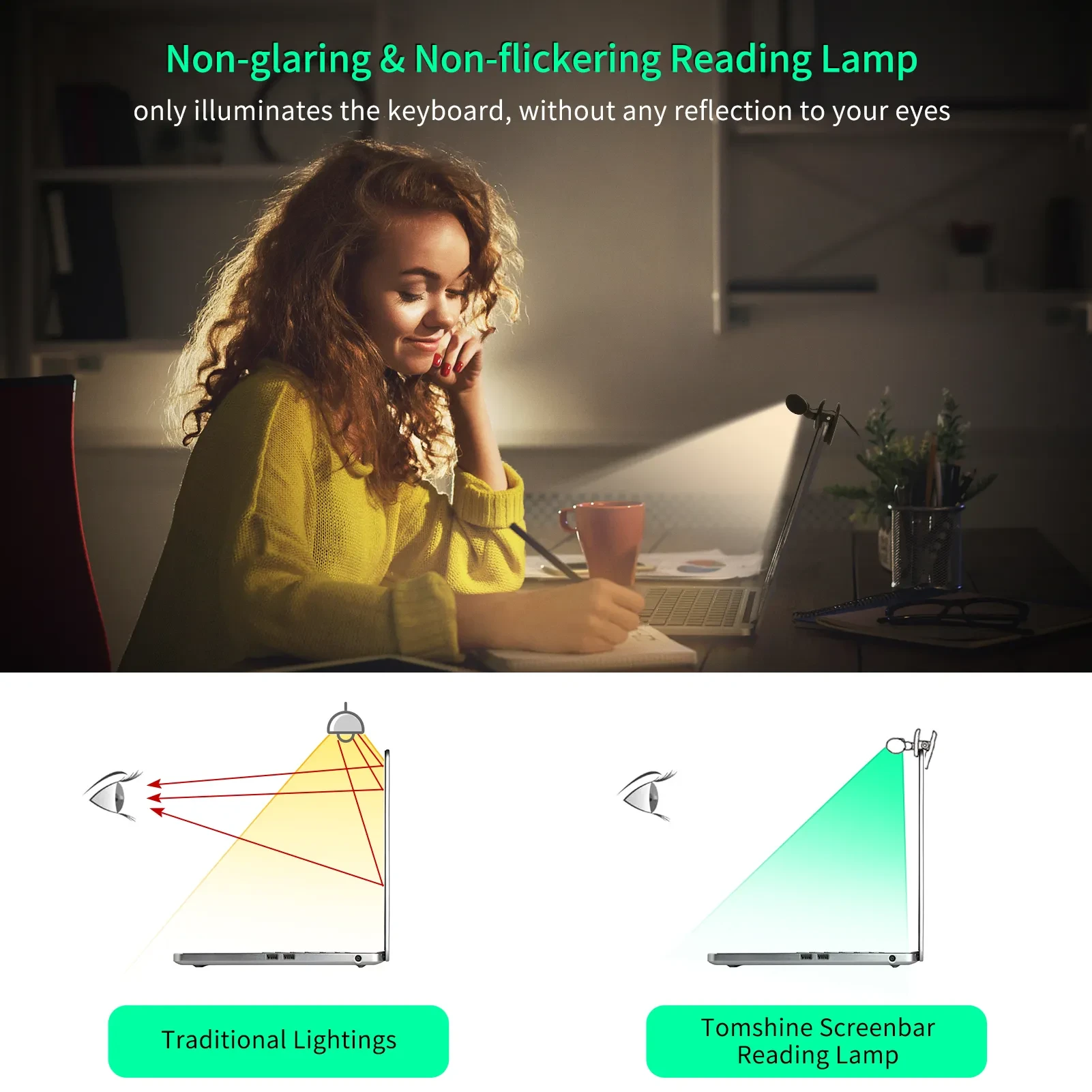
Another standout feature is the asymmetrical lighting angle. Instead of shining directly into your eyes or reflecting off the screen, the light is angled down onto your keyboard and desk surface. That means less glare, reduced eye fatigue, and a more comfortable viewing experience. If you have ever felt that dull headache after a long session, this is the kind of upgrade that makes a real difference.
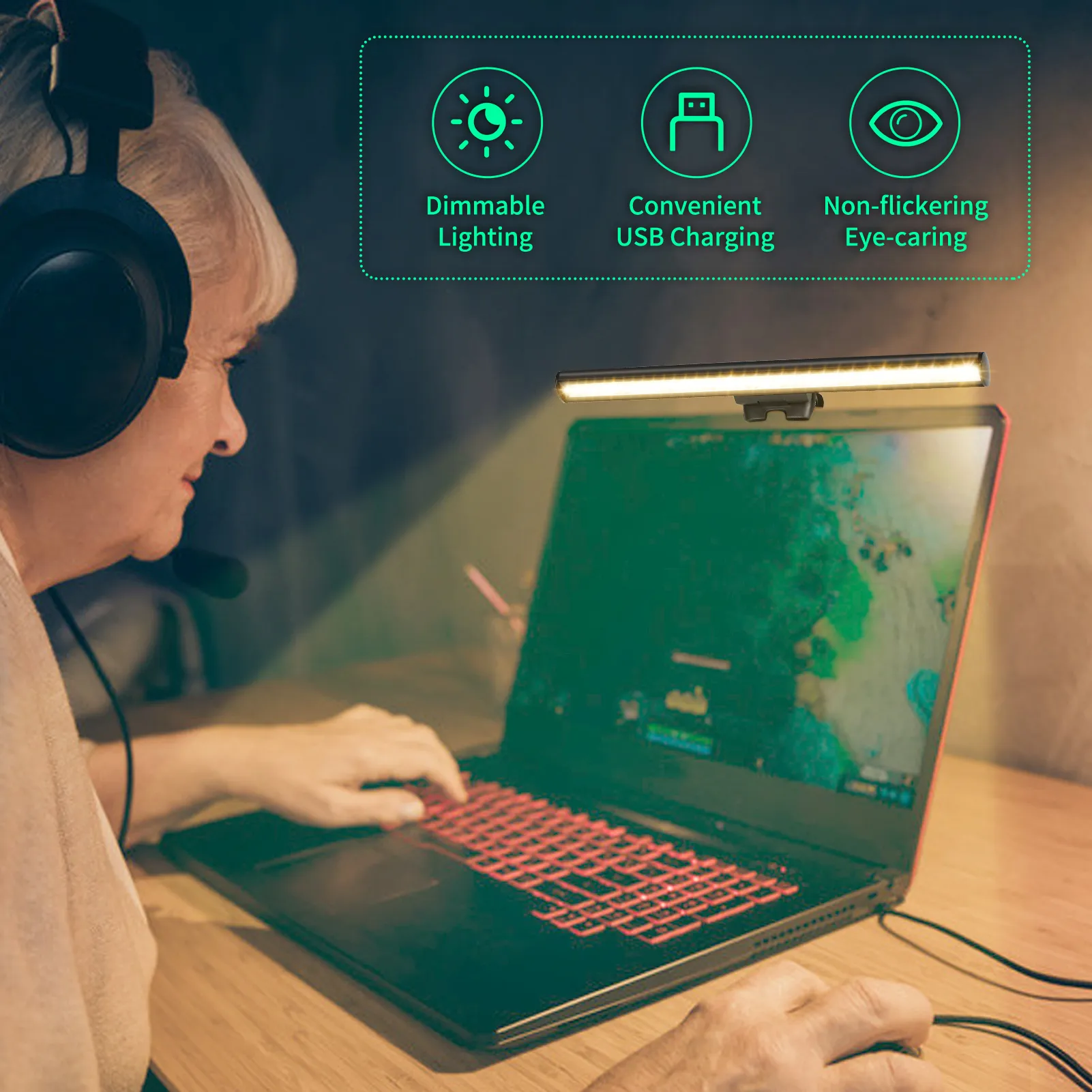
Powering the lamp is simple. A USB connection means you can plug it into your laptop, a power bank, or even a wall adapter. No need for bulky chargers or complicated setups. And because it runs on low power, it is efficient enough for daily use without worrying about energy consumption.
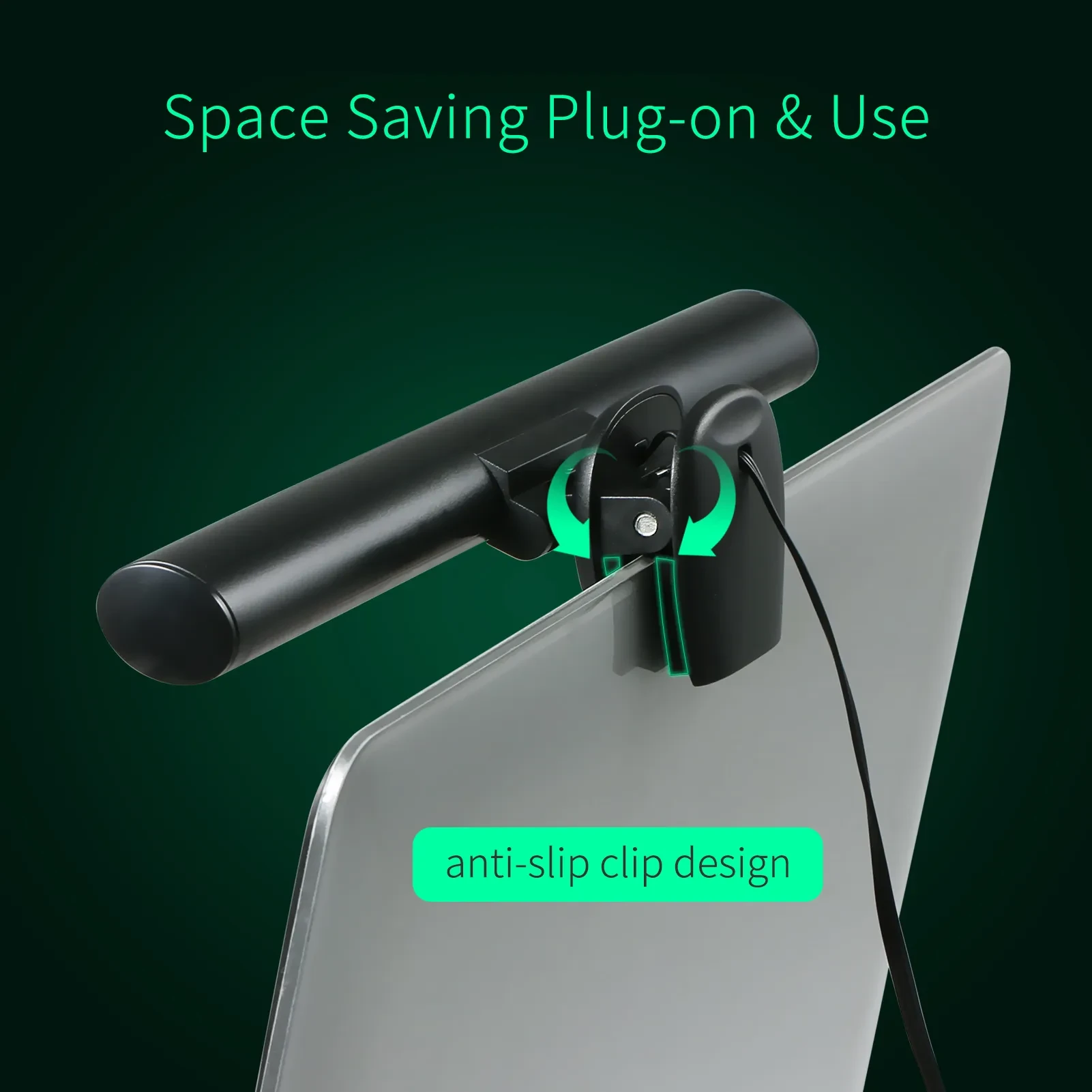
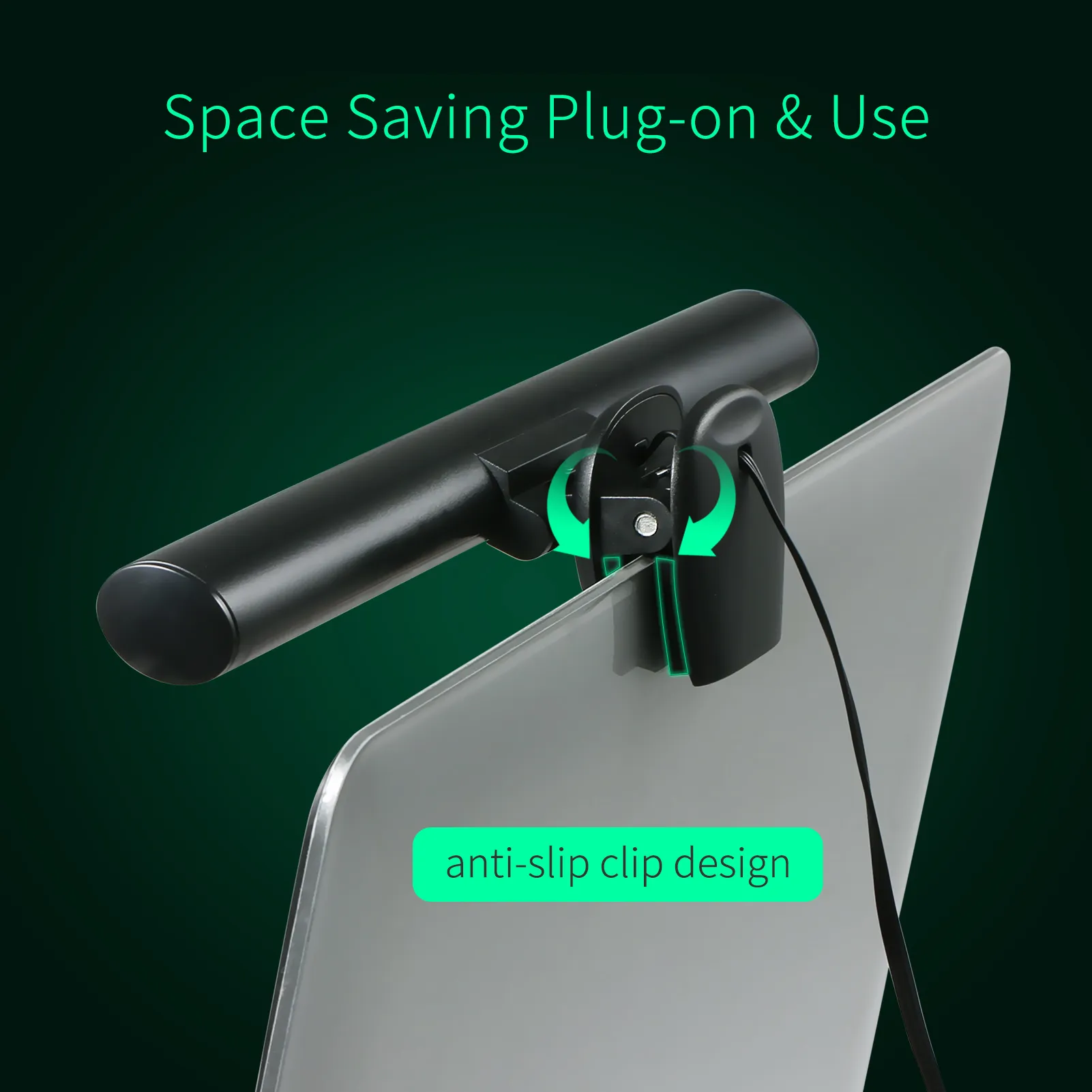
Desk space can get crowded fast, especially if you are juggling a laptop, notebook, mouse, and maybe a coffee on the side. This screenbar style lamp clips neatly onto your laptop, keeping your workspace clean and organised. No base, no clutter, just a tidy setup that works.
Build quality is solid too. With ABS and PC materials, it feels lightweight yet sturdy. The beam angle spreads light evenly across your desk, avoiding harsh spots or uneven brightness. From what we have seen, it fits nicely into both home office setups and shared workspaces.
If you are building out your desk setup, it pairs nicely with accessories like laptop stands, wireless keyboards, and desk organisers. It all adds up to a workspace that actually feels good to use.
Anyone spending long hours on a laptop will appreciate what this light brings. University students studying late into the night will find it easier to focus without harsh lighting. Office workers working from home setups can reduce eye strain during long Zoom calls and document work. And freelancers or creatives editing photos or writing content will enjoy the consistent lighting that helps maintain visual clarity.
It is also a solid pick for travellers or digital nomads. Because it is lightweight and USB powered, you can pack it easily and set up a comfortable workstation anywhere. Picture working from a quiet Airbnb or even a caravan along the coast, this little lamp keeps your setup sorted.
Parents managing school assignments with kids will find it helpful too. It keeps lighting focused without disturbing others in the room. That balance is important, especially during busy evenings at home.
Inside the box you will find everything needed to get started right away.
Lamp unit
User manual
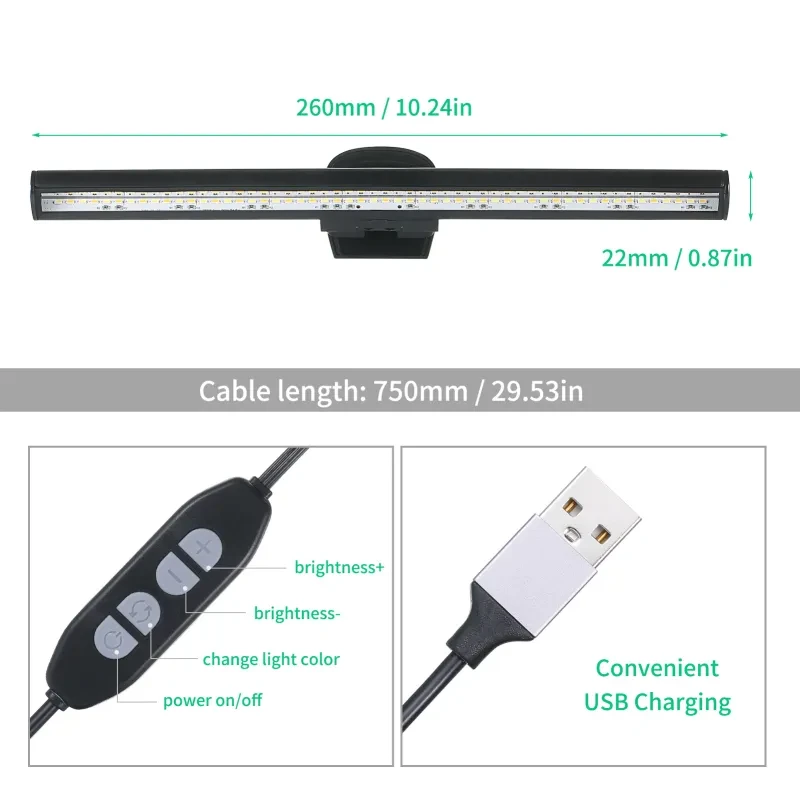
The lamp measures 260 by 22 millimetres, making it compact enough for most laptops. It runs on DC5V power input with a maximum power draw of 5W. The lighting system includes 54 LEDs, split evenly between warm and white tones. You can switch between warm light, natural white, and cool white modes, each with ten brightness levels.
Cable length is approximately 750 millimetres, giving you flexibility in positioning. The beam angle sits at 120 degrees, ensuring wide and even coverage across your workspace.
At GiftDeal, we have been helping Australians upgrade their everyday setups since 2020, and products like this e-Reading Monitor Light fit right into how people actually work and study today. We focus on practical gear that improves comfort without overcomplicating things. Orders are shipped quickly across Australia, and if something is not quite right, returns are simple and straightforward. You are not just buying a lamp, you are getting something that genuinely improves your daily routine.
If you are browsing, you might also want to check out our range of laptop stands, desk organisers, and USB accessories to complete your workspace setup.
A good monitor light should feel sturdy without adding unnecessary weight to your setup. Materials like ABS plastic and polycarbonate are commonly used because they balance durability with lightweight handling. Look for smooth finishes, secure clips, and a stable mounting system that will not wobble when you adjust your screen angle. Heat management is another factor worth considering, especially with LED lighting, as efficient designs prevent overheating during extended use.
Many cheaper options cut corners on materials, which leads to loose fittings or uneven lighting output. A well built unit will sit firmly on your laptop and maintain consistent brightness over time. That matters if you are using it daily for work or study.
Brightness levels and colour temperature are the big ones. You want a lamp that offers adjustable brightness so you can fine tune your lighting depending on the time of day. Colour temperature options like warm, neutral, and cool white allow you to match your lighting to your activity, whether that is reading, typing, or video calls.
Beam angle also plays a role. A wider angle spreads light more evenly across your desk, while a focused beam highlights specific areas like your keyboard. USB power compatibility is another key detail, especially if you want something portable and easy to set up. And if you are using an e-Reading Monitor Light, glare reduction through angled lighting is essential for long term comfort.
Prices for monitor lights in Australia can vary quite a bit. Budget options might seem tempting, but they often lack proper brightness control or eye care features. Spending a little more usually gets you better LED quality, smoother dimming, and a more reliable clip mechanism.
Think about how often you will use it. If it is part of your daily work setup, investing in something that reduces eye strain is worth it. Over time, that comfort adds up in a big way.
The Tomshine e-Reading Monitor Light stands out for its balanced LED system. With 27 warm and 27 white LEDs, it creates a natural lighting effect that feels easy on the eyes. Switching between colour modes lets you adapt your workspace quickly. Warm tones suit relaxed evening reading, while cool tones help maintain focus during busy work hours.
Brightness adjustment is where this lamp really shines. Ten levels for each mode give you precise control, so you can avoid overly bright or dim conditions. That flexibility is especially useful if your room lighting changes throughout the day.
Another feature worth noting is the asymmetrical light design. Instead of casting light directly onto your screen, it directs it downward onto your keyboard. This reduces glare and helps maintain screen clarity. If you have ever struggled with reflections during late night work, you will notice the difference straight away.
USB power adds another layer of convenience. You can plug it into your laptop, a power bank, or a wall adapter without worrying about compatibility. It is simple, reliable, and easy to move around. And the clip on design keeps your desk free from clutter, which is always a win.
Compared to standard desk lamps, this type of screenbar lighting offers a more focused and practical approach. Traditional lamps often take up space and create uneven lighting across your desk. In contrast, a dedicated e-Reading Monitor Light delivers targeted illumination exactly where you need it.
Many generic options lack adjustable colour modes or proper glare control. This model addresses both, making it a better fit for long hours of screen use. It also avoids the bulky designs that can make smaller desks feel cramped.
Getting started is straightforward. Clip the lamp securely onto the top of your laptop screen, making sure it sits evenly. Connect the USB cable to your laptop or a power source, then switch it on. From there, you can cycle through colour modes and adjust brightness until it feels right.
Take a moment to angle the light correctly. You want it pointing towards your keyboard rather than your screen. That positioning helps reduce glare and creates a comfortable viewing experience from the start.
Adjust your lighting depending on the time of day. Cooler tones work well in the morning or afternoon, while warmer tones are better in the evening. Keep the brightness at a level that complements your screen rather than overpowering it.
Regularly clean the lamp surface to maintain clear light output. Dust can build up over time and affect brightness. A quick wipe with a soft cloth does the trick. And if you are working long hours, take short breaks to rest your eyes, even with proper lighting in place.
Students across Australia juggling assignments and late night study sessions will benefit from consistent, eye friendly lighting. It helps maintain focus without causing unnecessary strain, especially during exam periods.
Office workers and remote professionals setting up home workstations will also find it useful. A cleaner desk, better lighting, and reduced glare all contribute to a more productive environment. And during those long Zoom meetings, good lighting makes a noticeable difference.
Travellers and digital nomads exploring the coast or working from different locations can rely on its portability. Plug it into a power bank, clip it on, and you are good to go. Ever tried working from a dimly lit café? This fixes that problem pretty quickly.
Parents helping kids with homework in the evenings will appreciate how it keeps lighting focused without disturbing the whole room. It is practical, simple, and fits into everyday life without fuss.
GiftDeal Australia has been building a solid range of practical tech accessories since 2020, focusing on products that actually improve daily routines. For workspace lighting, that means selecting items that balance performance, ease of use, and reliability. Our team understands what Australian customers expect, especially when it comes to fast delivery and dependable quality. You also get real customer support, not just automated replies, which makes a difference if you have questions after purchase. With a wide catalogue and consistent service, it is a place you can trust to find gear that works as expected.
[FAQS]
Q: Does this e-Reading Monitor Light work with all laptop sizes?
A: It is designed to fit most standard laptop screens thanks to its adjustable clip. Slim bezels and slightly thicker frames are both
supported. As long as the top edge of your laptop can hold the clip securely, you should have no issues. It sits neatly without affecting
screen stability.
Q: Can I power the lamp using a power bank?
A: Yes, you can plug it into any 5V USB power source, including a power bank. This makes it ideal for travel or working in places without
easy access to wall sockets. It draws low power, so it will not drain your battery too quickly. That flexibility is handy for mobile setups.
Q: Is the light suitable for video calls and streaming setups?
A: While it mainly lights your keyboard and desk, it can improve overall ambient lighting for video calls. It reduces harsh shadows and
balances the light around your workspace. Pairing it with a ring light can further enhance your setup if needed. For casual calls, it works
quite well on its own.
Q: How does the brightness adjustment work?
A: The lamp offers ten brightness levels for each colour mode. You can increase or decrease brightness gradually until it matches your
comfort level. This fine control helps prevent eye strain during long sessions. It also lets you adapt quickly as room lighting changes.
Q: Does the lamp get hot after long use?
A: LED technology keeps heat levels low even during extended use. The materials used help manage heat effectively, so it remains safe to
touch. You can leave it on for hours without worrying about overheating. That makes it suitable for daily work routines.
Q: Can this replace a regular desk lamp?
A: For many people, yes, especially if your main focus is laptop work. It provides targeted lighting where you need it most. However, for
wider room lighting, you might still want a secondary light source. Together, they create a balanced workspace.
Q: Is the e-Reading Monitor Light good for reducing eye strain?
A: Yes, it is specifically built to minimise glare and provide balanced illumination. The angled light prevents reflections on your screen,
which helps reduce fatigue. Combined with adjustable brightness and colour modes, it supports long hours of comfortable use. Many users
notice the difference within a few days.
Q: What kind of maintenance does the lamp need?
A: Maintenance is simple and does not take much time. Wipe the LED surface occasionally with a soft cloth to remove dust. Check the USB
cable for any wear if you move it often. Keeping it clean ensures consistent brightness and performance.
We deliver your orders quickly, safely, and securely. Most orders arrive within 7–21 working days. Local deliveries may arrive sooner.
Delivery times may vary based on location, order volume, and courier schedules. Some rural areas may take longer.
If your order hasn't arrived within the estimated timeframe, please contact us: contact@giftdeal.com.au
No FAQs available for this product yet.
Buyer guide not available for this product.